
Uncategorized
Digital Billboard Truck: Boost Your Campaign with Mobile Ads
Picture this: you take the flash and spectacle of a Times Square billboard, slap it on the back of a truck, and send it wherever
Before you even think about unboxing a single speaker, let's talk about the most important part of any home theater build: the room itself. Getting the space right is the foundation for everything else. It’s what separates a truly immersive cinema experience from just a big TV in a living room. A little planning here will save you a world of headaches down the road.

The shift toward high-end home entertainment isn't just a trend; it's a massive movement. People want that big-screen magic without leaving the house, and the market is responding in a huge way. Projections show the global home theater market soaring from US$ 7,511 million in 2025 to US$ 11,180 million by 2031. This explosive growth is pushing technology forward and making incredible setups more accessible than ever.
First things first, scout your home for the best possible location. The dream scenario is a dedicated, rectangular room where you have total control over light and sound. Basements or spare bedrooms are often goldmines for this—they usually have few, if any, windows and are naturally isolated from the daily hustle and bustle of the house.
Of course, not everyone has a spare room to convert. Plenty of amazing theaters are built into multi-use living rooms. It just means you have to be a bit more strategic. You'll be dealing with ambient light from windows and the challenges of an open floor plan, but it's nothing that can't be managed with blackout curtains and smart equipment placement.
The choice between a dedicated theater and a shared living space really sets the tone for your entire project. A dedicated room is the purist's choice. You can go all-in with acoustic treatments, install permanent tiered seating, and paint the walls a dark, non-reflective matte color to truly nail that cinema vibe.
In a living room, it’s all about compromise and flexibility. Your equipment has to coexist with everyday life. This might mean choosing a display that punches through ambient light and finding speaker placements that work for both movie night and morning coffee. The good news is that modern AV gear is incredibly versatile and can deliver a powerful experience even in less-than-perfect environments.
Key Takeaway: The best room for your home theater is the one you can best control. Focus on minimizing light and sound interference, whether in a dedicated space or a shared living area. This control is more important than room size alone.
This is where you break out the tape measure. Don't eyeball it—get precise measurements of the room's length, width, and height. These numbers are the bedrock of your layout and will directly inform your most important decisions.
Here's a quick checklist to keep you on track as you scope out your space.
| Consideration | Ideal Scenario | Compromise/Alternative |
|---|---|---|
| Room Shape | Rectangular with minimal architectural oddities. | L-shaped or open-plan rooms can work with careful speaker and seating placement. |
| Windows | None, or very few that can be completely blacked out. | High-quality blackout curtains or shades; position screen away from direct light. |
| Ambient Light | Full control to achieve near-total darkness. | Dimmable lighting, smart bulbs, and a display with high brightness/contrast. |
| Ambient Noise | Isolated from noisy areas of the house (kitchen, laundry). | Soundproofing materials, solid-core doors, and acoustic treatments. |
| Wall/Ceiling Color | Dark, non-reflective matte paint (dark gray, navy, black). | Neutral colors are acceptable; avoid glossy finishes that reflect screen light. |
Ultimately, a well-thought-out layout based on solid measurements is what makes a theater click. It's the difference between guessing and knowing you've got it right. This guide can help you calculate the best placement for your sofa and television to nail the fundamentals.
This same principle of precise planning applies everywhere, from home setups to massive commercial installations. Even when designing outdoor displays, every calculation matters for creating the best visual impact, just like when https://smartledinc.com/smart-led-inc-helps-classic-cinemas-update-their-outdoor-marquee-boards/.
Alright, with your room plan locked in, it's time for the fun part: picking the gear that will bring your home theater to life. This is where you choose the heart and soul of your system—the display and the audio components. These decisions will absolutely define your entire experience, so let's dig into the key differences to make sure you get it right.
The first big choice pits two incredible display technologies against each other. Each one offers a totally different path to that cinematic feeling, and the best fit comes down to your room, your budget, and how you watch.
This is the classic fork in the road. Do you go with a modern projector or a massive 4K/8K TV?
A projector delivers an unbeatable sense of scale, easily throwing up a 100-inch, 120-inch, or even larger image that no TV can touch for the price. If you want that authentic, go-to-the-movies feeling, this is the way. It’s perfect for a dedicated, light-controlled room where you can get things nice and dark.
But projectors are completely at the mercy of their environment. You'll hear terms like lumens (brightness) and contrast ratio (the gap between pure black and bright white). To really see what a projector can do, especially with contrast, that dark room isn't just a suggestion—it's a requirement.
On the other side of the ring, a big 4K or 8K TV—especially a high-end OLED or QLED model—is all about versatility. These displays pump out incredible brightness, inky blacks, and eye-popping color, even if you have some ambient light to deal with. This makes them the clear winner for multi-purpose living rooms where total darkness just isn't happening. You might give up a bit of that colossal size, but you gain a brilliant, punchy image that looks fantastic day or night.
Expert Tip: Don't get completely hung up on resolution like 4K or 8K. Pay way more attention to HDR (High Dynamic Range) support like Dolby Vision or HDR10+. HDR is what gives you that expanded range of color and contrast, creating a more realistic, impactful picture. Honestly, it's often a more noticeable upgrade than the jump from 4K to 8K.
Once your screen is sorted, it's time to build the soundscape. Audio is at least half the experience, and a real surround sound setup is what elevates a media room into a true home theater.
The most common place to start is a 5.1 system. Here’s the breakdown:
If you really want to push the immersion, formats like Dolby Atmos and DTS:X add height channels into the mix. These are speakers that go in your ceiling, high on the walls, or even fire upwards to bounce sound down on you. Hearing rain falling from above or a helicopter flying right over your head isn't a gimmick; it's a game-changer.
Look, a full component system is the pinnacle of performance, but not everyone has the space—or the patience—for a complex setup. That's where today's advanced soundbars come in.
The home theater speaker market was valued at a whopping USD 6.92 billion in 2019, and soundbars are a huge reason why. In fact, 70% of users prefer their plug-and-play simplicity over juggling receivers and speakers. It’s a trend that’s not slowing down, with the market projected to hit USD 19.98 billion by 2030, as you can see in a detailed industry analysis on Technavio.
Don't dismiss them out of hand. Modern soundbars, especially the ones that come with a wireless subwoofer and separate rear speakers, use some seriously sophisticated processing to create a surprisingly convincing surround experience. For living rooms and smaller spaces, they're a fantastic, streamlined alternative.
If you do go the traditional speaker route, the AV (Audio/Video) Receiver is the command center that ties everything together. This one box does several critical jobs:
When you're shopping for a receiver, make sure it has the modern essentials. Look for 4K/8K pass-through to handle the latest video resolutions, and absolutely demand eARC (Enhanced Audio Return Channel). eARC is a key HDMI feature that lets your TV send full-resolution, uncompressed audio like Dolby Atmos back to your receiver over a single cable. It simplifies your wiring and guarantees you're getting the best possible sound from your TV's built-in apps.
For those pushing the boundaries of display technology, discover how our https://smartledinc.com/introducing-the-smart-led-indoor-led-wall-panels/ can integrate flawlessly into a state-of-the-art theater setup.
You can have the most incredible display and a sound system that shakes the walls, but none of it matters if the room itself is working against you. To get that truly immersive, "you-are-there" feeling, you have to tame the room's acoustics and perfect your seating layout.
This is the step that separates a pile of expensive electronics from a genuinely breathtaking home theater. It’s less about buying more gear and more about unlocking the full potential of what you already own.
The signal flow is pretty straightforward, but understanding it helps visualize how everything works together to create the final experience.
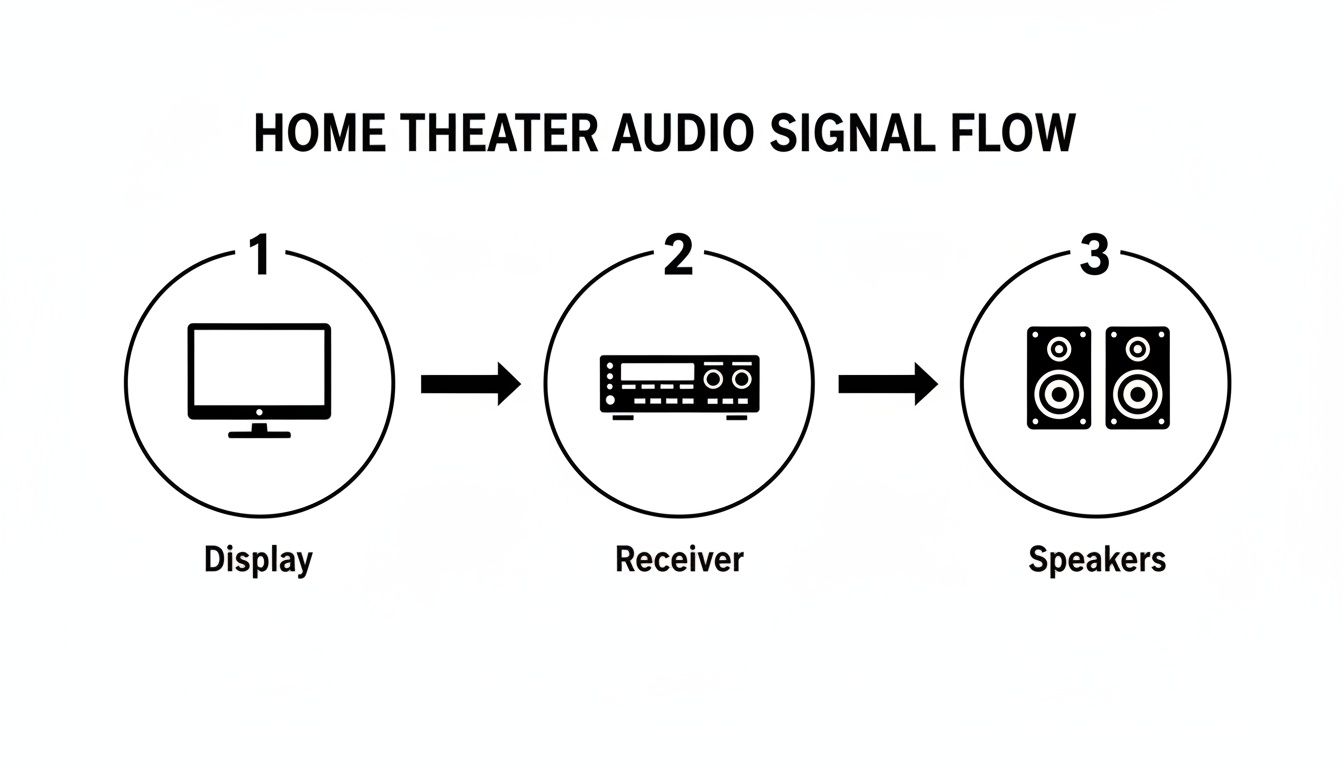
From your display to the AV receiver and out to the speakers, each component hands off the signal to the next. Your room's acoustics and layout are the final, critical links in that chain.
Ever clap your hands in an empty room and hear that sharp echo? On a smaller scale, that's what's happening to movie dialogue and sound effects in your theater. Hard surfaces—bare walls, hardwood floors, big windows—are audio mirrors, bouncing sound waves all over the place. The result is muddy dialogue and surround effects that feel smeared and imprecise.
Your goal isn't to create an acoustically "dead" space like a recording studio. You just need to control the most problematic reflections.
Think of your primary seat as the "money seat." It's the one spot in the room where the sound and picture will be perfectly dialed in. Every other decision—from speaker angles to screen height—should revolve around this position. As a rule of thumb, the center of your screen should be at eye level when you're seated.
The push for truly immersive 3D audio formats like Dolby Atmos and DTS:X is bigger than ever. These advanced soundscapes are now part of 25-30% of new installations, a huge leap from just 10% a few years back. This trend really drives home why getting your speaker and seating layout right is so critical. You can discover more insights about home theater market trends on Grand View Research.
Pro Tip: The Subwoofer Crawl
Finding the perfect spot for your subwoofer can be a headache. Here’s a foolproof, if slightly goofy, method. Place your subwoofer right in your main seating position. Put on a familiar, bass-heavy music track. Now, get down on your hands and knees and crawl around the perimeter of the room. The spot where the bass sounds the fullest, smoothest, and most powerful is where your sub should live. It works every single time.
There’s no winging it here—proper speaker placement is non-negotiable for creating a believable surround-sound bubble. Every speaker should be aimed directly at the money seat, and their tweeters should be at ear level when you’re sitting down.
To get that enveloping sound, you need to place your speakers at the correct angles relative to your main seating position. Here's a quick reference guide to get you started.
| Speaker | Ideal Position (Angle from Seating) | Placement Tip |
|---|---|---|
| Center Channel | Directly above or below the screen. | Absolutely essential for clear dialogue. Make sure it's angled right at your head. |
| Front Left/Right | 22-30 degrees off-center. | These should form a perfect equilateral triangle with your seat for a balanced soundstage. |
| Side Surrounds (5.1) | 90-110 degrees to the sides. | Place them just slightly above ear level to create that enveloping side-to-side sound. |
| Rear Surrounds (7.1) | 135-150 degrees behind you. | These add the depth and overhead cues that complete the 360-degree audio experience. |
This precise positioning ensures that when a jet flies overhead on screen, you feel it fly overhead in your room.
Finally, don't forget about comfort. A home theater is a place for escape, and it's hard to escape into a movie if your back is aching. Whether you're settling in for a 90-minute action flick or a weekend-long TV series binge, you need ergonomic seating. Look for chairs with solid lumbar support, adjustable headrests, and enough room to relax without feeling boxed in.
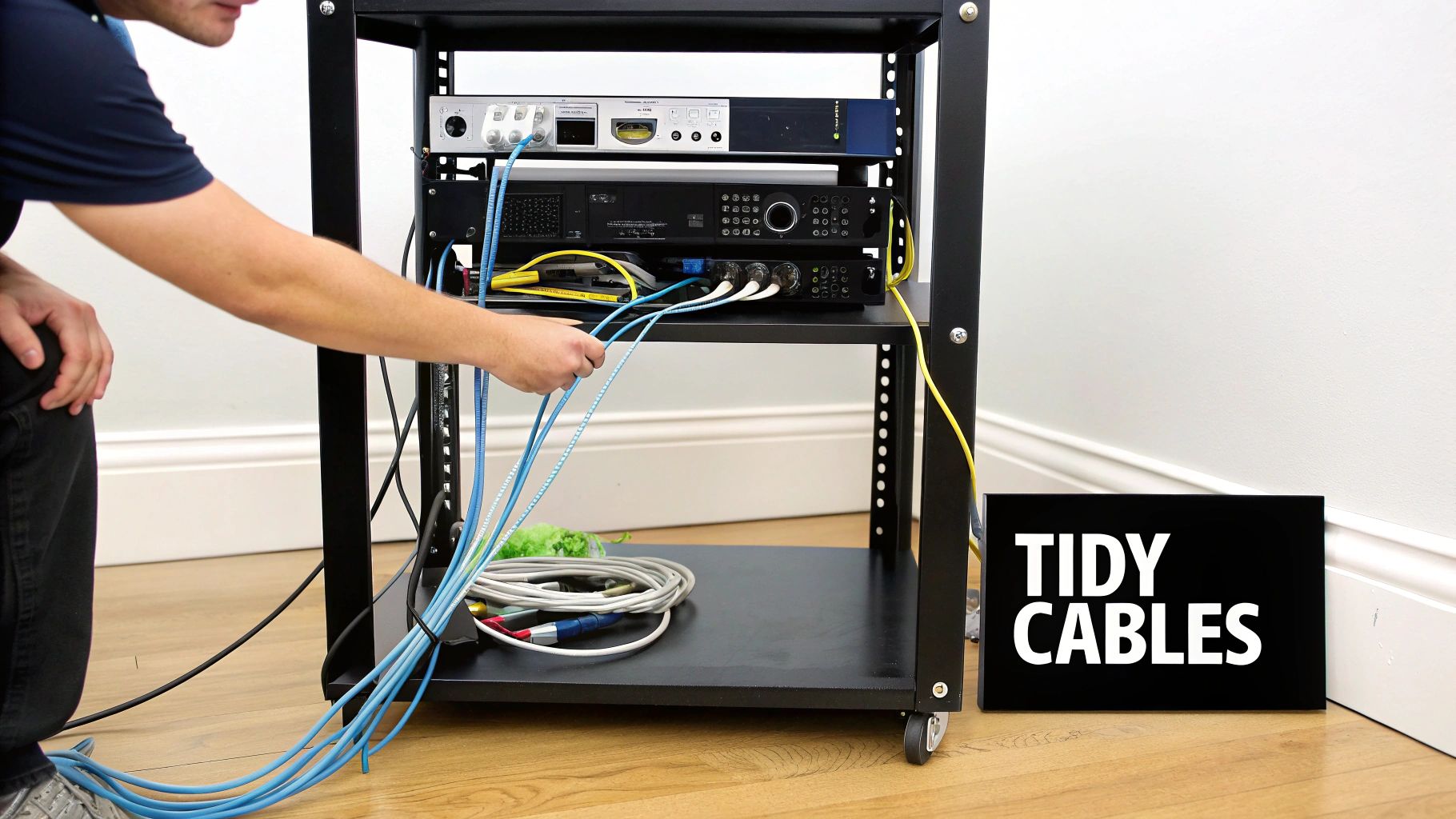
Alright, you’ve picked your gear and treated the room. Now for the fun part: bringing it all to life. This is where we physically connect every component and, just as crucially, tame the spaghetti monster of wires that comes with a serious setup. A clean wiring job isn't just about looks—it makes troubleshooting and future upgrades a breeze.
Your AV receiver is the heart of the whole operation. Think of it as the traffic cop for every audio and video signal flying around. All your sources—the Apple TV, 4K Blu-ray player, PlayStation 5—plug right into the receiver's HDMI inputs.
Then, a single HDMI cable travels from the receiver's main output, usually labeled "HDMI Out (eARC/ARC)," to the corresponding input on your LED wall or projector. This one cable is a two-way street: it sends pristine video to your screen while also letting audio from any smart TV apps travel back to the receiver for that full, immersive surround sound experience.
Heads up: not all HDMI cables are created equal. If you want your system to handle the full firehose of data from 4K (or even 8K) video, HDR, and uncompressed audio like Dolby Atmos, you need cables that can keep up.
Look specifically for cables certified as Ultra High Speed HDMI. This is your guarantee that the cable can handle a massive 48Gbps of bandwidth. That's what it takes to pass the highest-quality signals without dropouts, that annoying screen flashing, or other digital hiccups. You don't need to empty your wallet on snake-oil brands, but investing in properly certified cables is non-negotiable for system stability.
Don't Forget the Speaker Wire: For your passive speakers, you'll need good old-fashioned speaker wire. A 14- or 16-gauge wire is plenty for most home theater runs. Just be meticulous about polarity—the positive (red) terminal on the receiver must connect to the positive terminal on the speaker, and the same for the negative (black) terminals. Getting this wrong can mess with your soundstage.
Let’s be honest, a rat’s nest of wires behind your media cabinet is more than just ugly; it’s a nightmare when you need to fix something or swap out a component. A few simple tools and a little patience can turn that chaos into a clean, professional-looking setup.
Here are a few of my go-to solutions for a polished look:
A truly modern home theater goes beyond just stunning picture and sound. Weaving in smart home controls adds a layer of convenience and a serious “wow” factor. Imagine hitting a single “Movie Night” button on your phone, and the lights slowly dim, the screen powers up, and all your AV gear comes to life in the right sequence.
This kind of slick automation hinges on a solid home network. To make sure everything runs smoothly now and in the future, it’s worth consulting a comprehensive home smart wiring guide. It’ll help you lay the groundwork for a network that can handle all the streaming and control demands of your theater.
Once your AV receiver and smart lights are on the network, connecting them to a platform like Amazon Alexa, Google Home, or a dedicated system like Control4 unlocks seamless voice commands and one-touch automation.
Thoughtful connections and meticulous cable management are the finishing touches that elevate your project from a pile of boxes into a cohesive, professional-grade home cinema.
Alright, the gear is all wired up, but don't kick your feet up just yet. We're at the final, and frankly, most important step: calibration. This is where we fine-tune your audio and video settings to meet the same standards the pros use in Hollywood. This isn't just about tweaking a few settings for the fun of it; it's what ensures you’re seeing and hearing a movie exactly as the director and sound engineers intended.
Think of it this way: calibration is what turns your collection of expensive boxes and wires into a single, cohesive cinematic machine. It's the last 10% of effort that delivers 100% of the experience you paid for.
Straight out of the box, your display is set to "torch mode." Manufacturers crank up every setting to look eye-searingly bright and colorful under the harsh fluorescent lights of a big-box store. These presets, usually called something like "Vivid" or "Dynamic," are an absolute disaster for a dark home theater. They crush details, oversaturate colors, and just look wrong.
Your first move? Grab the remote and switch the picture mode to "Cinema," "Filmmaker Mode," or "Movie."
Just doing that one thing gets you about 80% of the way to an accurate image. It’s a massive leap forward. This mode dials back the artificial sharpness and, most importantly, sets the color temperature to the industry-standard 6500K, which is the color of neutral daylight.
From here, a few basic tweaks will get you even closer.
Now for one of the biggest offenders in modern displays: motion smoothing. You’ll find it hiding in the menus under names like "Motion Interpolation," "TruMotion," or some other branded term. This tech was designed to make fast-action sports look smoother by inventing and inserting new frames.
But for movies and TV shows, which are almost always shot at 24 frames per second, this effect is a cinematic crime. It creates that bizarre, ultra-smooth "soap opera effect" that makes a blockbuster film look like it was shot on a cheap camcorder. Find this setting and kill it with fire. It’s essential for preserving the film-like quality the director wanted you to see.
Key Takeaway: Turning off motion smoothing is one of the quickest and most impactful changes you can make. It restores the artistic intent of the filmmaker and is a hallmark of a properly configured home theater.
Your room's shape, furniture, and surfaces all dramatically color the sound coming from your speakers. Luckily, your AV receiver has a secret weapon: powerful room correction software. Brands like Audyssey, Dirac Live, and YPAO all tackle this problem head-on.
The process is surprisingly simple. You plug the little microphone that came with your receiver, place it at your main listening spot (right at ear height!), and let the system run. It will blast a series of chirps and tones through each speaker.
This isn't just for show. Here's what that little mic is doing:
And for anyone with a setup that has to deal with changing light—maybe it's in a living room with big windows or even an outdoor space—managing the display’s brightness automatically is a game-changer. A Smart LED automatic brightness sensor can handle this for you, ensuring the picture is always perfect, no matter how bright the room gets. This final audio step is the polish that truly makes your investment sing.
Even the best-laid plans run into a few snags. When you're in the thick of a home theater build, questions are bound to pop up, and getting the right answers can save you a ton of time, money, and headaches.
Let’s tackle some of the most common dilemmas home theater enthusiasts run into. We'll clear up the confusion so you can get back to what matters: building a space you'll never want to leave.
This is a classic fork in the road. Do you go with a dedicated AV receiver or a high-end soundbar? Honestly, the right choice comes down to what you're trying to achieve with the room.
A quality soundbar, especially one that comes with a wireless subwoofer, is a phenomenal, plug-and-play solution. It’s a massive leap in quality from your TV’s built-in speakers and can create a surprisingly immersive virtual surround sound field. This makes it the perfect pick for living rooms or for anyone who puts a premium on simplicity and a clean look.
But, if your dream involves a true, multi-speaker surround sound system—we're talking 5.1, 7.1, or an immersive Dolby Atmos setup with speakers strategically placed around you—an AV receiver isn't just an option; it's non-negotiable. It acts as the brain of your entire operation, decoding complex audio formats, sending power to each individual speaker, and juggling all your video sources.
Ah, the great debate. There's no single "correct" answer here; it's all about picking the right tool for the job.
Projectors are the undisputed champions of cinematic scale. If you want a screen that’s 100 inches or larger, nothing else delivers that jaw-dropping, movie-theater feel quite like a projector can. They truly come alive in dedicated, light-controlled rooms where you can achieve near-perfect darkness.
On the flip side, a big 4K or 8K TV (think modern OLED or QLED) delivers far superior brightness, contrast, and punch in rooms with any amount of ambient light. This makes it a much more practical and versatile choice for multi-purpose living spaces where the lights aren't always off. Your decision really has to be based on your room's lighting conditions, how big you want to go, and what you'll be using the space for.
My Two Cents: If you have a dedicated dark room, go for the projector. You won't regret the authentic cinema experience. For a brighter, mixed-use living area, a high-quality large-screen TV is the smarter, more reliable choice.
This is the "how long is a piece of string?" question. A home theater budget can be anything from under $1,000 for a simple setup to well over $50,000 for a custom-built, no-compromise room. It helps to think about it in tiers.
A great rule of thumb for a balanced system is the 40/40/20 split. Plan to spend about 40% of your budget on the display, 40% on your entire audio system (receiver and all speakers included), and the last 20% on everything else—sources, cables, and accessories.
At Smart LED Inc., we specialize in bringing the ultimate cinematic experience home with our pioneering line of LED home theater walls. Featuring professional-grade DCI-P3 color calibration and superior image quality, our displays are engineered for enthusiasts who demand the best. Explore our solutions and start building your dream theater today at https://smartledinc.com.
Picture this: you take the flash and spectacle of a Times Square billboard, slap it on the back of a truck, and send it wherever

A wall of TV screens is exactly what it sounds like: a big, impressive display made by tiling multiple TVs together so they act like

Picking the right displays for shows can feel like a high-stakes guessing game. Get it right, and you create an immersive world that captivates your
"*" indicates required fields