
Uncategorized
Digital Billboard Truck: Boost Your Campaign with Mobile Ads
Picture this: you take the flash and spectacle of a Times Square billboard, slap it on the back of a truck, and send it wherever
A wall of TV screens is exactly what it sounds like: a big, impressive display made by tiling multiple TVs together so they act like one giant screen. It’s a classic way to make a huge visual splash in places like sports bars, company headquarters, and high-tech command centers. You're generally looking at two main routes here: a TV array using standard commercial displays or a truly seamless Direct View LED video wall.
Before you even think about drilling a hole or running a single cable, you have to nail down the purpose of your video wall. Seriously. The "why" behind the project is going to drive every single decision you make, from the tech you choose to how much you're going to spend.
Is this thing meant to knock the socks off visitors walking into your lobby? Is it for displaying critical, real-time data in a network operations center? Or is it for showing off dynamic menus and live sports in a packed restaurant?
Answering that question will bring your priorities into sharp focus. For example, a luxury retailer will likely obsess over a perfectly seamless look to protect their high-end brand image. For them, the extra cost of a Direct View LED wall is a no-brainer. But a student union at a university? They'll probably be perfectly happy with the visible lines (bezels) of a standard TV array for showing campus announcements and game day coverage, especially when they see the massive cost savings.
Your main objective is the clearest signpost pointing you toward the right technology. Don't just think about what you want to show; think about how you want people to feel when they see it.
Look, the goal isn't just to put up a big screen. It's to create an experience. The tech has to serve that experience, whether you're delivering mission-critical information or creating a brand moment nobody will forget.
You can't deny the explosion of digital displays in public spaces. In the advertising world, massive video walls are now standard tools for grabbing attention in busy places. The numbers back it up: the global LED Video Wall Market was valued at USD 14.98 billion in 2025 and is on track to hit USD 33.87 billion by 2033, with a steady growth rate of 10.76%. It's the bezel-free Direct View LED tech that's leading the charge, which tells you just how much demand there is for those seamless, immersive visuals. You can dig into the specifics in the full market report from SNS Insider.
This is the big one. Getting the display technology right from the start is the most critical decision you'll make. It dictates the final look, the budget, and how your wall of tv screens will perform years down the road. Really, it all boils down to two paths: a classic TV array built from multiple commercial screens, or a modern, seamless Direct View LED video wall.
Let's cut through the tech-speak for a minute. The first thing you'll notice is the bezels—those thin plastic or metal frames around every screen. With a TV array, these bezels create a visible grid across your image. For some jobs, that's perfectly fine. Think of a sports bar with a dozen games on, or a data center where each screen shows a different feed. In those cases, the grid can even help organize the information.
But if you're outfitting a high-end retail store or a corporate lobby designed to wow visitors, those lines are a dealbreaker. They can shatter the illusion of a single, immersive picture. This is exactly where Direct View LED technology comes in, giving you a completely seamless canvas with zero gaps.
The choice isn't just about looks; it's about performance and purpose. A TV array is often easier on the initial budget because it uses mass-produced displays. An LED wall is a more significant investment upfront but delivers a visual punch that TVs just can't match.
Here’s a quick rundown of what you need to consider:
When you're planning your video wall, it's also smart to think about the entire ecosystem of audio visual equipment you'll need. Choosing the right display is only part of the puzzle; you want to make sure it plays nice with your sound and control systems.
To make the decision clearer, let's put these two technologies head-to-head.
This table breaks down the core differences between using multiple TVs and a true LED video wall, helping you align the technology with your specific project goals and budget.
| Feature | TV Array (Multiple TVs) | Direct View LED Video Wall |
|---|---|---|
| Visual Appearance | Visible grid-like seams (bezels) between each screen. | Completely seamless, creating one continuous image. |
| Initial Cost | Generally lower upfront cost. | Higher initial investment. |
| Brightness | Moderate, suitable for most indoor environments. | Extremely high, suitable for any lighting, including direct sunlight. |
| Color Uniformity | Can vary between screens and degrades over time. | Uniform color and brightness across the entire wall due to matched dye lots. |
| Lifespan | 15,000-30,000 hours for commercial displays. Not rated for 24/7 use. | 80,000-100,000 hours, built for continuous 24/7 operation. |
| Flexibility | Limited to standard rectangular grid layouts (e.g., 2×2, 3×3). | Highly modular; can be built into custom shapes, sizes, and curves. |
| Maintenance | If one TV fails, the entire unit needs to be replaced. | Individual modules or even single pixels can be replaced easily. |
| Viewing Distance | Best viewed from a distance to minimize the appearance of bezels. | Can be viewed up close (depending on pixel pitch) without distortion. |
Ultimately, the best choice hinges on what you value most: upfront savings with some visual compromises, or a flawless, high-performance display that makes a powerful statement.
Let's make this practical. Picture a busy logistics command center. A 4×4 TV array is a fantastic tool here. Each of the 16 screens can show a different data stream: shipping maps, weather alerts, truck telemetry, live security feeds. The bezels actually help separate and define each information block, making it easier for operators to scan.
Now, imagine a luxury car dealership revealing its newest model. The backdrop is a huge, curved video wall playing a cinematic film of the car on a winding coastal road. Any line or bezel would instantly ruin the effect. In this scenario, a seamless LED wall is the only way to go to create that premium, jaw-dropping moment.
The right technology depends entirely on your goal. Are you presenting segmented data or telling a seamless visual story? The answer to that question will almost always point you to the correct display choice.
This flowchart can help you visualize the decision process, depending on whether you're targeting a corporate or public-facing environment.
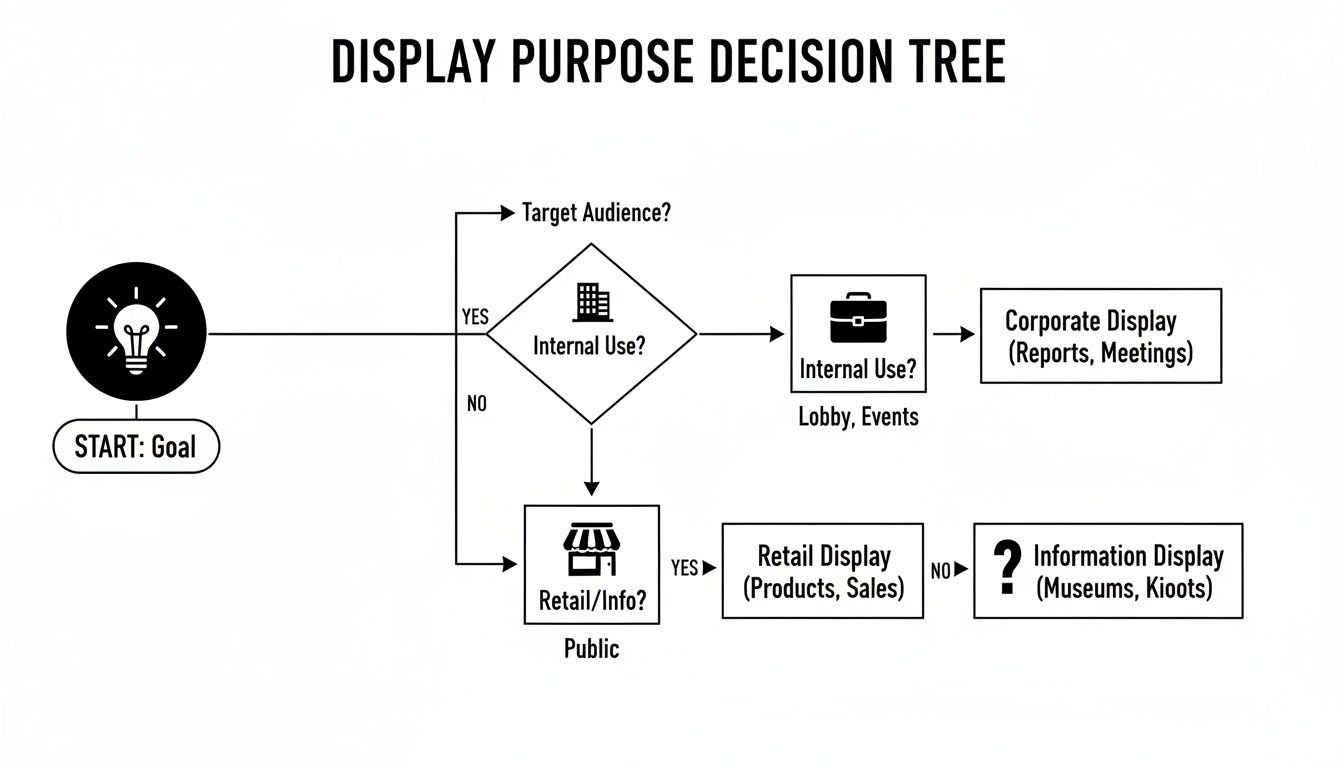
As you can see, the intended audience and environment—from internal communications in an office to high-impact advertising in a retail space—should steer your technology choice.
The market data backs this up. The desire for seamless, high-impact visuals is driving a massive shift toward LED. North America’s adoption of LED video walls is a perfect example of this global trend, especially in retail and entertainment where 'walls of TV screens' are now must-have centerpieces. Back in 2018, the region generated USD 3.70 billion in revenue, and that number has only climbed as LED's superior brightness and modular design win out.
This trend shows that businesses are more willing than ever to invest in the visual quality of LED to grab customer attention and hold it. If you're ready to explore this powerful technology, it's worth seeing how modern engineering is making these displays more accessible. You can learn more about the features of today's SMART LED indoor LED wall panels. In the end, choosing between a TV array and an LED wall comes down to balancing your budget, visual goals, and long-term needs.
A stunning wall of TV screens starts long before a single mount hits the wall. This is the part where your vision meets reality, and skimping on the planning here is one of the most common—and expensive—mistakes I see people make.
First things first, you have to assess the wall itself. This isn't optional. A 4×4 array of 55-inch commercial displays can easily top 800 pounds, and that’s without factoring in the weight of the mounting system. You absolutely have to be sure the wall can handle that kind of load.
For anything beyond a simple 2×2 grid, my advice is always the same: call a structural engineer. It’s not just a suggestion; it's essential for safety and peace of mind. They’ll tell you exactly what the wall can support, where the load-bearing studs are, and what reinforcements you might need. It’s the only way to know for sure that your investment isn't going to come crashing down.
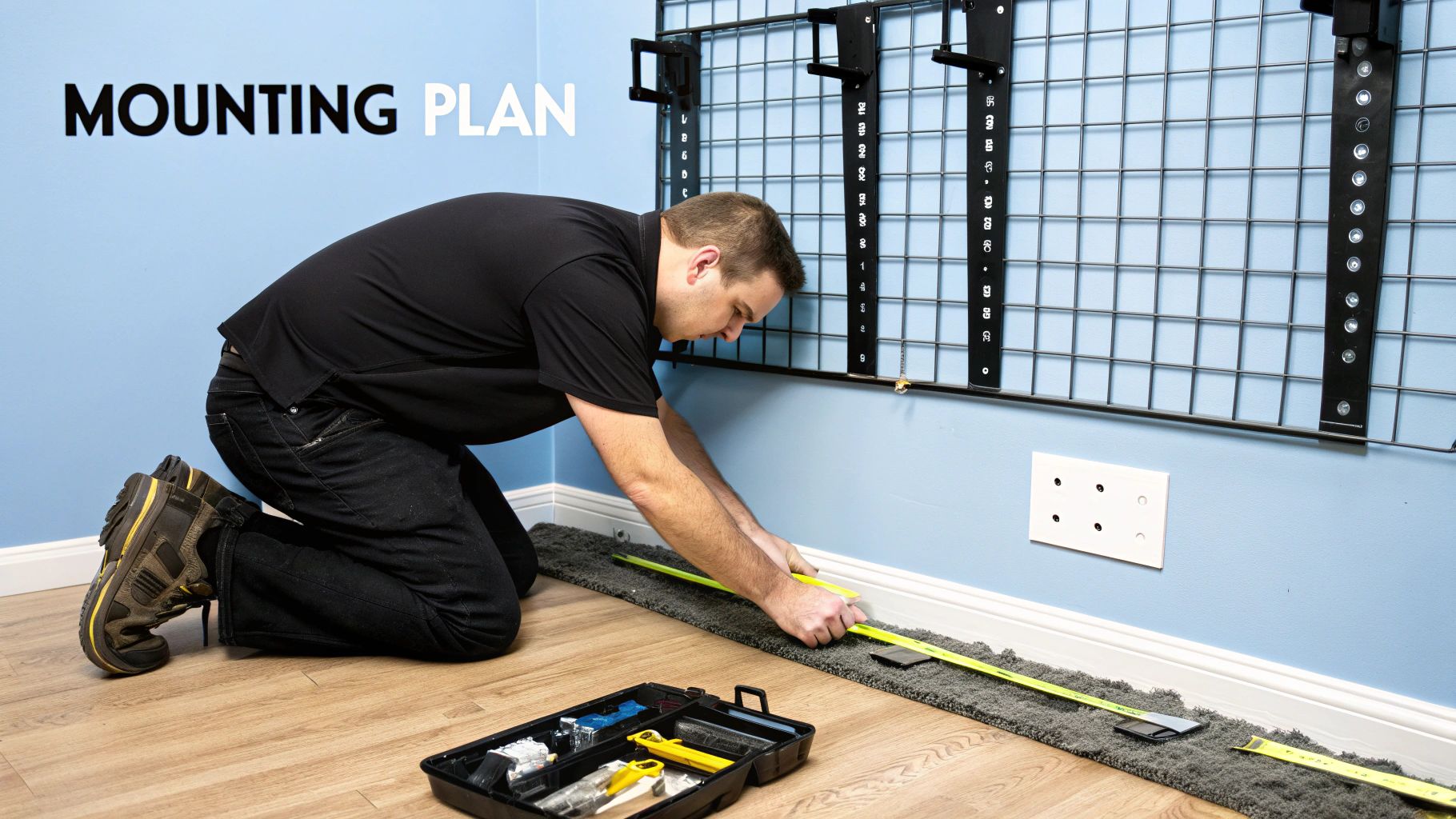
Once you’ve got the green light on your wall’s integrity, it's time to choose how you’ll hang the screens. This decision is bigger than you might think; it dictates how easy the installation will be, what maintenance will look like down the road, and the overall aesthetic.
Here are the usual suspects:
A quality pop-out mount might feel like an upfront splurge, but trust me, it pays for itself the first time you have to swap a cable on a single screen in the middle of a 16-display wall.
A big wall of screens draws a lot of power and kicks off a surprising amount of heat. You’ll need a proper Electrical Load Calculation to ensure your building's circuits can handle the demand without constantly tripping breakers or creating a fire risk. Each screen needs its own outlet, plus you'll need power for your video processors and controllers.
Cooling is just as important. Screens packed tightly together can overheat, which kills their lifespan and can cause all sorts of visual artifacts.
Here’s a quick checklist for getting the utilities right:
Taking the time to plan these structural and logistical details creates a solid foundation for the entire project. This foresight doesn't just deliver a jaw-dropping visual; it builds a system that’s safe, reliable, and easy to manage for years. You can see how this level of detailed planning pays off, even on complex projects, by checking out this curved LED installation in Philadelphia.
A brilliant wall of TV screens is only half the battle. The real magic happens behind the scenes in the control room. The hardware and software driving your display are the brains of the entire operation, dictating what you can show and how you can show it. Without the right processing, your expensive video wall is just a collection of really nice monitors.
At its most basic, you might just need to mirror a single video source across all the screens. But the true power is unlocked when you start creating dynamic, multi-source layouts. This is where a dedicated video wall processor becomes absolutely essential.
Think about the different demands you might have. A security control room needs to display dozens of unique camera feeds at once, letting operators resize and shuffle sources on the fly. A retail store, on the other hand, just needs a simple system to schedule and push high-res promo videos across the entire canvas. The processor is what makes all these different scenarios possible.
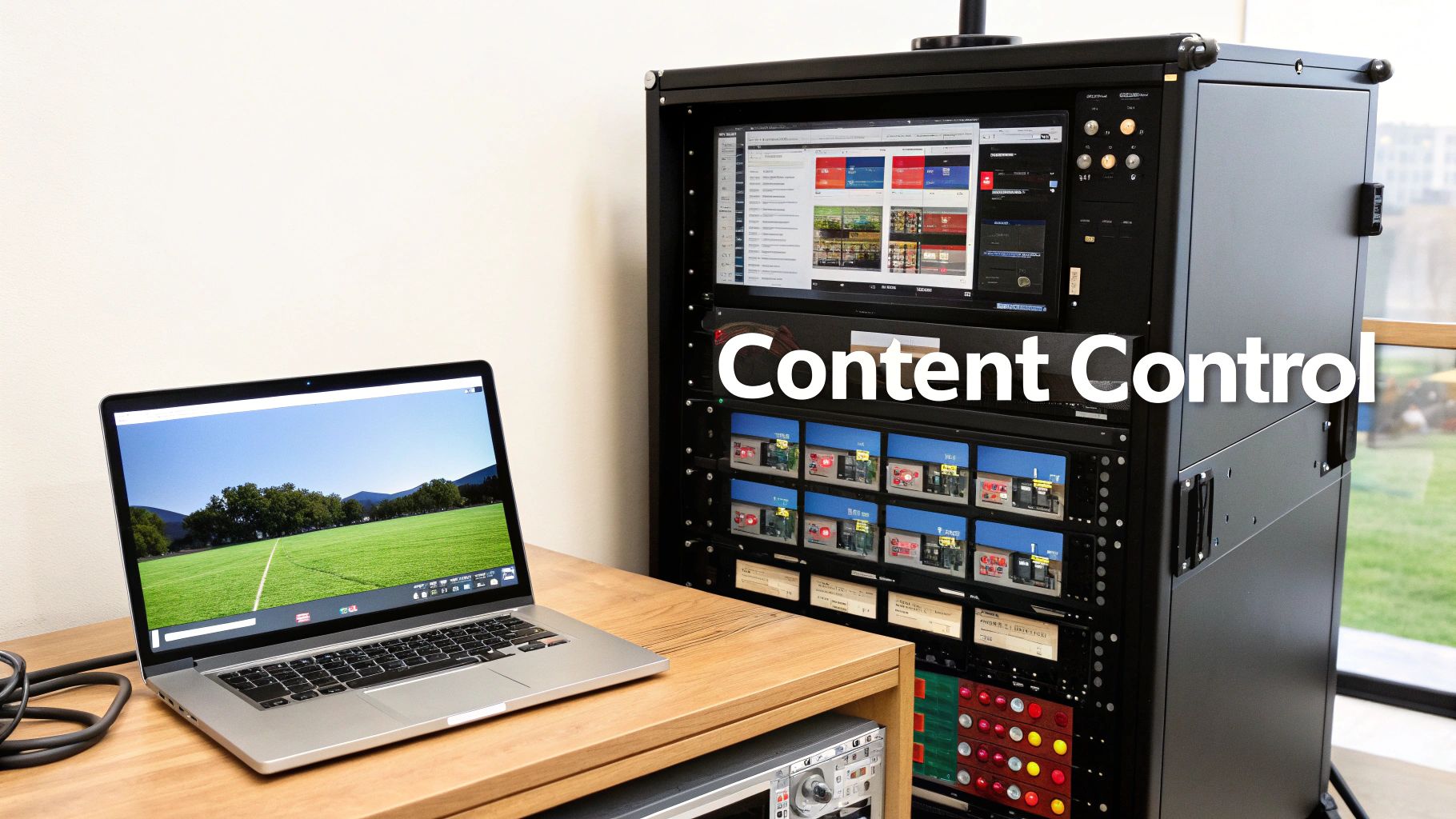
A video wall processor is a specialized piece of hardware (or sometimes software) that takes one or more video inputs and intelligently splits them across your multiple displays. It's the central hub that manages everything you see, allowing you to treat your entire wall of TV screens as a single, cohesive canvas.
These processors handle several mission-critical tasks that a simple computer video card just can't touch:
For example, if you've got a 2×2 grid of 4K TVs, your total canvas is effectively 8K. A powerful processor can take a single 8K source and map it perfectly across all four screens. You can check out the capabilities of a modern studio-grade LED video processor to get a feel for how advanced features like HDR10 support and high refresh rates are changing the game.
The processor is what elevates a simple grid of TVs into a true, flexible video wall. It’s the difference between a static display and a dynamic digital canvas that can adapt to any need.
When you're building a video wall with standard TVs, you have to deal with the physical frames—the bezels—around each screen. If you just ignore them, your content will look broken and unnatural. A car driving across the screen, for instance, would seem to jump over the gaps instead of moving smoothly behind them.
This is where bezel compensation comes in. It's a key feature of any decent video wall processor. The processor intelligently adjusts the image by hiding the pixels that would normally fall behind the bezels.
This creates the illusion that you're looking through a window frame at one giant, continuous image. The result is a far more natural and immersive viewing experience, even with the physical grid lines still there. Without it, all your carefully crafted content can end up looking disjointed and amateurish.
The tech is only as good as the content you put on it. Your content plan should be tied directly to the purpose of your wall. Are you trying to inform, entertain, or persuade?
The explosion of digital advertising shows just how powerful these walls have become. In the Asia Pacific region, for example, LED video wall installations have skyrocketed as digital ad spending shot up to USD 250 billion in 2022. This trend highlights a major shift in the market, where businesses now see these large-format displays as essential tools for engagement and ROI. This boom proves that investing in a great processor and a solid content plan is key to getting the most out of your wall.
It’s easy to get fixated on the price of the screens themselves, but in my experience, that's just the tip of the iceberg. To pull off a truly successful and reliable wall of tv screens, you have to look past the initial hardware quote and think about the Total Cost of Ownership (TCO). This mindset forces you to account for every single expense over the system's entire life, which is the only way to prevent those nasty budget surprises down the line.
TCO covers everything from the day-one installation labor to the ongoing power bills and the inevitable maintenance calls years from now. Thinking this way ensures you're making a financially sound decision, not just an aesthetically pleasing one.
To budget with any real accuracy, you need to itemize every potential cost. A comprehensive budget for a large-format display isn't a shopping list; it's a financial roadmap for the next several years.
From my time in the field, these are the key components you absolutely must account for:
Let's make this tangible with a real-world scenario. Picture a retail store wanting to install a video wall around 150 inches on the diagonal to show off new product lines. They're weighing their options between a 4×4 TV array (using 40-inch commercial displays) and a seamless LED wall of a similar size.
This table gives a rough cost breakdown to illustrate how the Total Cost of Ownership can diverge, even if the upfront costs seem to be in the same ballpark.
| Cost Component | 4×4 TV Array (16 Screens) | Seamless LED Video Wall |
|---|---|---|
| Display Hardware | $12,000 ($750 per screen) | $30,000 |
| Mounting System | $2,500 (Pop-out mounts) | $1,500 (Included framing) |
| Video Processor | $3,000 | $4,000 (Higher resolution) |
| Installation Labor | $4,000 | $5,000 (More specialized) |
| Cabling & Misc. | $1,000 | $1,500 |
| Estimated Upfront Cost | $22,500 | $42,000 |
| Annual Power Cost | $1,800 | $2,200 |
| 5-Year Maintenance | $3,000 (Potential screen failures) | $1,000 (Spare parts kit) |
| 5-Year TCO | $34,500 | $54,000 |
As you can see, the LED wall has a much higher initial price tag. But its modular nature means long-term maintenance can actually be cheaper—you swap out a small panel, not a whole TV. The TV array is the budget-friendly choice upfront, but a single screen failure out of warranty can become a costly and visually jarring headache.
A video wall isn't just an expense; it’s an investment that should be delivering a measurable return. Thinking about the Return on Investment (ROI) from the start helps justify the cost and gives the project a clear purpose. The core question is: How will this technology pay for itself?
The most successful video wall projects are those with a clear definition of success from day one. Don't just build it because it looks cool; build it to achieve a specific business outcome.
You have to identify the key metrics that matter for your specific application.
When you tie your wall of tv screens to concrete business objectives, it stops being a decorative element and becomes the powerful strategic tool it's meant to be.
Diving into a video wall project can feel overwhelming, and it’s totally normal to have a ton of questions pop up. After helping countless clients bring their big ideas to life, we've pretty much heard them all. So, we’ve put together some straight answers based on real-world experience to clear things up and get you moving forward with confidence.
One of the first questions people ask is about day-to-day operation. There's this fear that a big, impressive wall of TV screens will need a dedicated tech wizard just to keep it running.
The truth? Once it's professionally installed and configured, most systems are built to be incredibly user-friendly. A good Content Management System (CMS) often feels as intuitive as a social media app. Your staff can schedule content, swap out promotions, and make updates with just a few clicks—no advanced degree required.
This is a big one, and the answer really comes down to the tech you choose. If you go with consumer-grade TVs from a big box store, you might only get a few years out of them, especially with constant use. They just aren't built for it.
Commercial displays are a step up and are rated for much longer operating hours. But if you’re looking for a true long-term solution, an LED video wall is in another league entirely. They’re often rated for 80,000 to 100,000 hours of continuous use. Do the math—that’s over a decade of running 24/7.
It’s a valid fear. What do you do when one part of your beautiful wall just dies? The fix is wildly different depending on what kind of wall you have.
With an array of individual TVs, a single failed screen is a major headache. You have to replace the whole TV. The real nightmare is trying to find an exact match a few years down the road. It’s often impossible, leaving you with a mismatched, unprofessional-looking patch on your wall.
An LED video wall, on the other hand, is completely modular. If an issue pops up, you just swap out a small, individual panel. The whole process takes minutes, and you don't have to touch the rest of the display. This modular design is one of the single biggest advantages of LED technology for long-term ownership.
Don't just plan for the installation; plan for year five. A system that's easy to maintain will have a much lower total cost of ownership and cause way fewer headaches down the road.
A lot of clients are surprised by the utility requirements. They ask, "Is my electricity bill going to skyrocket?" A large wall of screens definitely draws a good amount of power, and you absolutely need dedicated electrical circuits to handle the load safely.
All those displays also generate heat, which is the enemy of electronics. If you don't manage it, you'll shorten the lifespan of your investment.
Here are a few tips we always give for managing heat and power:
Taking these steps from the get-go is critical for the long-term health and reliability of your system.
Absolutely! It’s a common misconception that video walls are just for playing slick, cinematic content. While they’re fantastic for that, their real strength is their versatility. Stop thinking of it as a giant TV and start thinking of it as a dynamic digital canvas.
Your wall can be so much more. You could use it for:
When you think beyond simple video playback, you unlock so much more value from your investment. It transforms from a cool decorative feature into a tool you can't live without.
Ready to build a high-impact video wall without the guesswork? The team at Smart LED Inc. provides factory-direct pricing on a huge range of indoor and outdoor displays, backed by expert support from design to installation. Explore your options at https://smartledinc.com.
Picture this: you take the flash and spectacle of a Times Square billboard, slap it on the back of a truck, and send it wherever
A wall of TV screens is exactly what it sounds like: a big, impressive display made by tiling multiple TVs together so they act like

Picking the right displays for shows can feel like a high-stakes guessing game. Get it right, and you create an immersive world that captivates your
"*" indicates required fields