Uncategorized
Digital Billboard Truck: Boost Your Campaign with Mobile Ads
Picture this: you take the flash and spectacle of a Times Square billboard, slap it on the back of a truck, and send it wherever
A roll up LED display feels like a high-resolution screen you can stash in a poster tube. In a few seconds, it unfurls into a smooth, seamless video wall. Thanks to its lightweight portability and lightning-fast setup, it sits neatly between bulky fixed installations and fragile projectors.
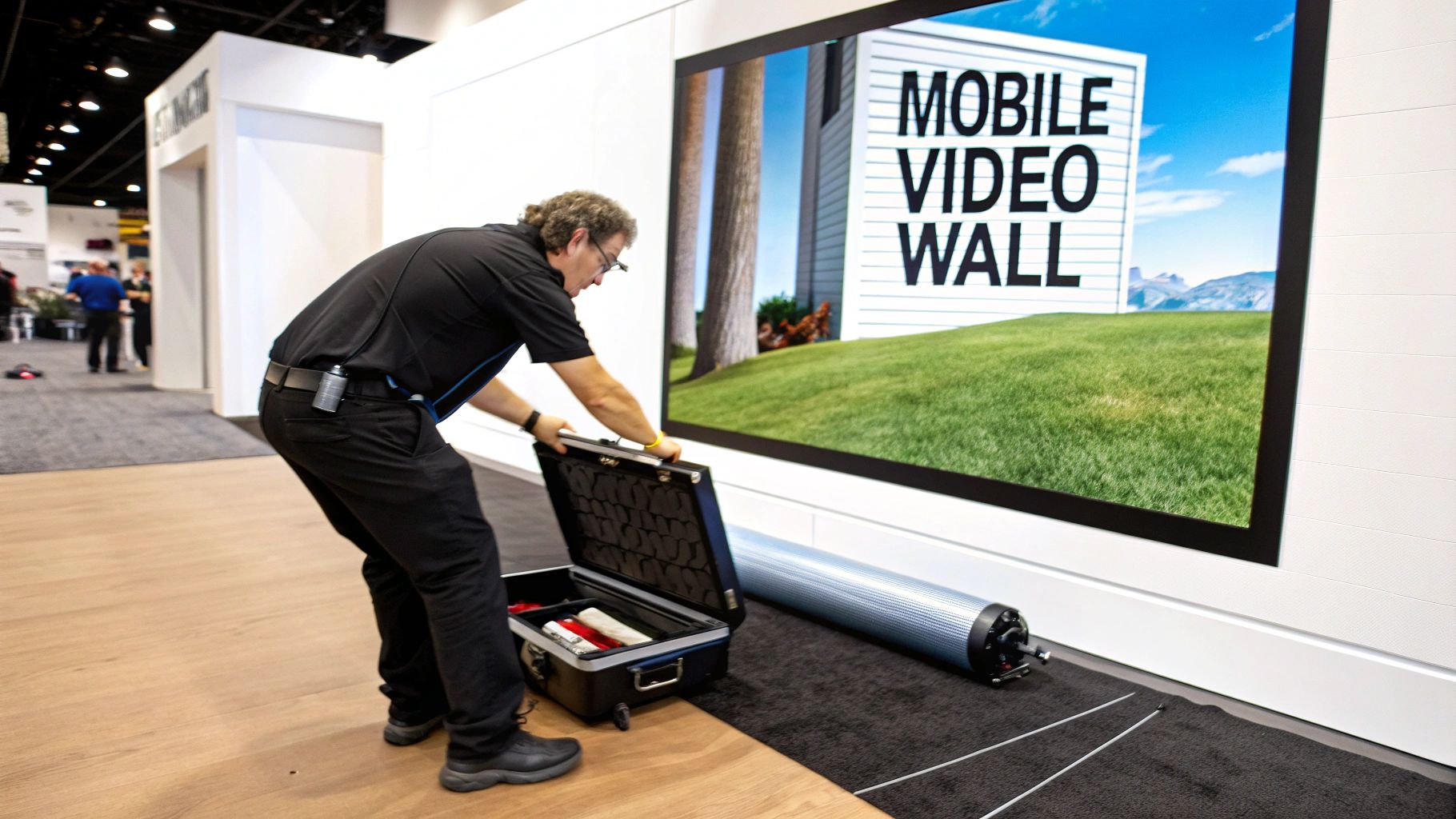
Picture a pop-up banner snapping into place as a vibrant video wall. These retractable panels deliver big impact at trade shows—no cranes or heavy rigging required.
They roll up like a classic scroll yet glow like a cinema-grade projection. That blend of flexibility and brightness—4,000 nits even in daylight—makes them a go-to for pop-up retail kiosks and event stages.
For more hands-on advice, check out our practical guide on LED signs for businesses for comprehensive strategic tips.
Imagine a roll-up LED display as a flexible canvas that clicks together one panel at a time. Each module is essentially a high-resolution mosaic of LEDs printed on a bendable substrate, all framed in lightweight aluminum.
To make sense of performance specs, let’s lean on everyday comparisons:
“Modular design cuts repair times by letting you swap individual tiles instead of entire walls,” notes an AV integrator who’s seen event downtime plummet.
Roll-up LED displays—those portable, retractable screens used in events, retail, and DOOH (digital out-of-home)—are riding a wave of market growth. In 2023, the global flexible display market hit USD 15.46 billion, and it’s on track for a 35.3% CAGR from 2024 to 2030, climbing to roughly USD 123.5 billion. That surge underscores why brands and venues are embracing bendable, rollable video walls. Learn more on Mordor Intelligence.
Think of a flexible PCB backing like the sail on a boat—it bends under wind and tension but never tears. This material keeps electrical circuits intact through thousands of roll-and-unroll cycles, preserving both image quality and panel life.
Dividing a large display into smaller modules simplifies upkeep:
Armed with these core concepts, you’re set to dive into pixel pitch and brightness—and learn how to match specs to your specific venue or event.
When you’re picking a roll-up LED display, focus on five main specs: pixel pitch, brightness, contrast ratio, viewing angles, and power draw.
Pixel pitch runs from 1.5 mm to 4 mm and tells you how crisp the image looks up close.
Think of pixel pitch like the weave of a curtain—a tighter weave means sharper text and graphics.
Each spec plays out differently in real-world settings—trade shows, storefront windows, live stages.
For instance, a 2 mm pitch display in a retail window delivers legible copy from just a couple of feet away. In contrast, an outdoor stage setup might demand 5,000 nits to punch through bright daylight.
Modular panels reduce downtime by allowing you to swap individual tiles instead of replacing the entire screen.
That thin, flexible substrate tucks away in tight backrooms, freeing up storage space.
This rollable form factor has sparked a surge in market growth. Recent forecasts value foldable and rollable displays at USD 5.1 billion in 2024, climbing to USD 59.9 billion by 2035 at a 24.9% CAGR. Read the full research on foldable and rollable display market findings.
Aligning specs to your actual use cases stops you from overspending on extra resolution or brightness. Next, we’ll compare portable and fixed LED solutions to guide your final choice.
Matching these figures to your venue and budget protects your ROI and keeps audiences engaged.
Keep these metrics in focus to optimize display performance.
Shoot for a contrast ratio above 3,000 : 1 to get deep blacks and vibrant colors. Over 150° of viewing angle means every onlooker sees the same crisp image. And remember: power draw directly affects your energy bill and generator load.
Picture a fixed LED wall as a freight train: it delivers unstoppable power but stays on its rails. A roll up LED display feels more like a folding bike—lightweight, agile, and ready for new routes at a moment’s notice.
When you weigh image quality, setup time, weight, brightness, and cost, each solution brings its own strengths:
Below is a concise look at how roll up LED displays, fixed LED walls, and portable LCD screens stack up:
| Feature | Roll Up LED Display | Fixed LED Wall | Portable LCD Screen |
|---|---|---|---|
| Installation Time | ~5 minutes | 4–8 hours | 15–20 minutes |
| Weight | ~5 kg/m² | ~20 kg/m² | ~10 kg/display |
| Brightness | Up to 4,000 nits | Up to 8,000 nits | 500 nits |
| Cost | Medium | High | Low |
This side-by-side view highlights where each display type shines and where it may fall short.
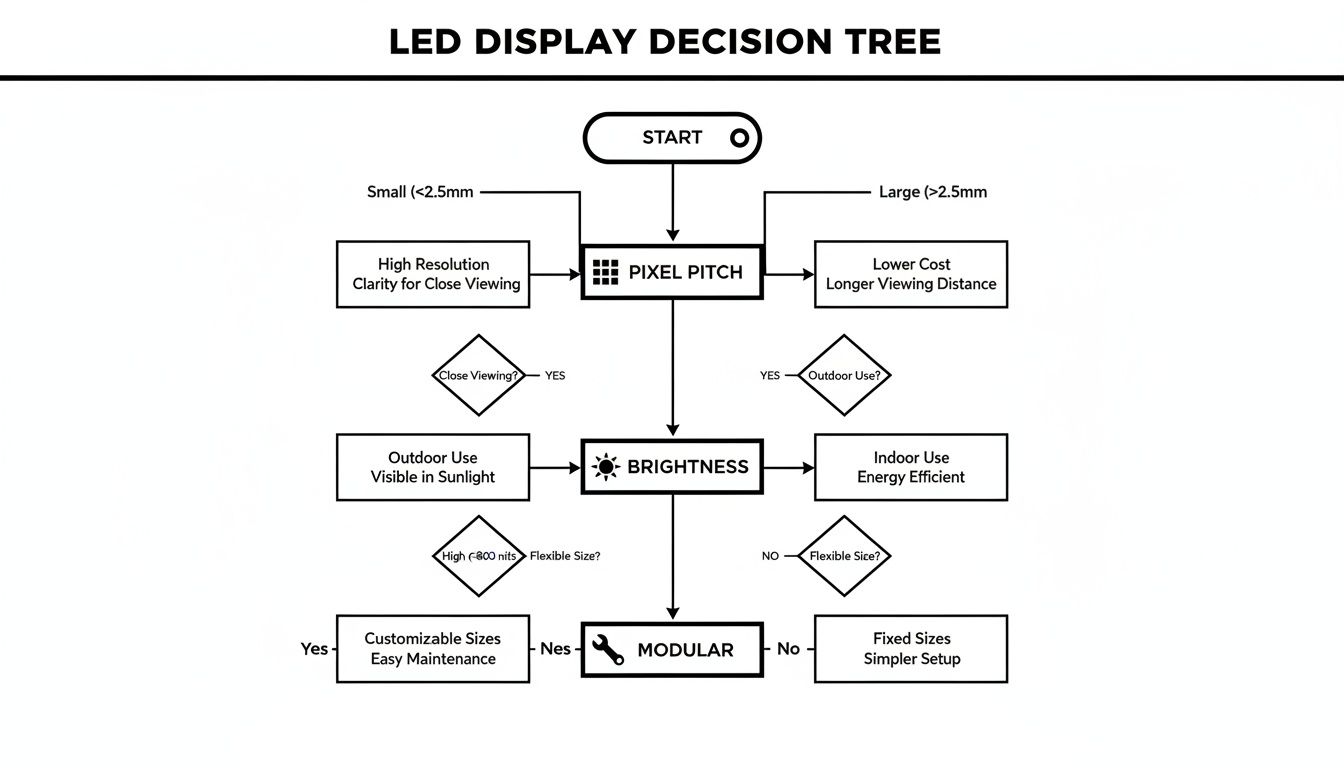
Deciding factors like pixel pitch, brightness, and modular design will guide your choice.
Choose a roll up display when rapid setup, flexible placement, and minimal transport weight are priorities—think pop-up shops, roadshow tours, or temporary stage backdrops. Opt for a fixed LED wall when you need rock-solid durability, maximum brightness, and zero daily setup.
“Portable LED displays can be set up in under ten minutes, cutting labor costs by up to 60%,” explains an AV specialist.
Always factor in site logistics and power access before making a final decision. Ensure you review support structures for permanent installs and don’t overspend on brightness for a portable application.
When you’re eyeing a new roll up LED display, the first step is a quick sweep of your venue. Pull out the tape measure, note ceiling heights and sightlines, and you'll know whether to go wide or tall.
Once dimensions are clear—imagine a 10×6 foot panel in a 20×30 foot hall—you can dive into budgeting with confidence.
Understanding Total Cost Of Ownership keeps surprises at bay. Make sure you factor in:
I’ve seen teams trim nearly 30% off their spend by weighing renting versus buying. For a one-off event, renting sidesteps storage fees. But if you plan to hit multiple venues, buying lets you spread that investment over time.
| Budget Item | Estimated Cost |
|---|---|
| 10×6 Foot Display Purchase | $12,000 |
| Shipping and Setup | $800 |
| Annual Insurance | $200 |
| Yearly Maintenance | $500 |
| Total First-Year Ownership | $13,500 |
Next, map out your install site. A level, obstruction-free floor sets the stage for both safety and sharp visuals.
Begin by sweeping and leveling the floor—any tilt shows up as wobble on screen. Unroll the panels, snap each into the frame, and you’re ready to connect.
“A quick calibration can improve image consistency by 15%, reducing hotspots and color shifts,” says a venue technician.
With that fine-tuning done, your visuals will look crisp from showtime one.
A simple maintenance routine keeps panels performing and downtime low. I recommend:
You might also explore our guide on digital outdoor signage for tips on weatherproof setups and content strategies.
Once the event wraps, take ten minutes for a quick debrief. Log:
Aim for at least 98% uptime to keep future presentations glitch-free.
Capturing these insights today means a smoother, faster setup—and a healthier budget—next time around.
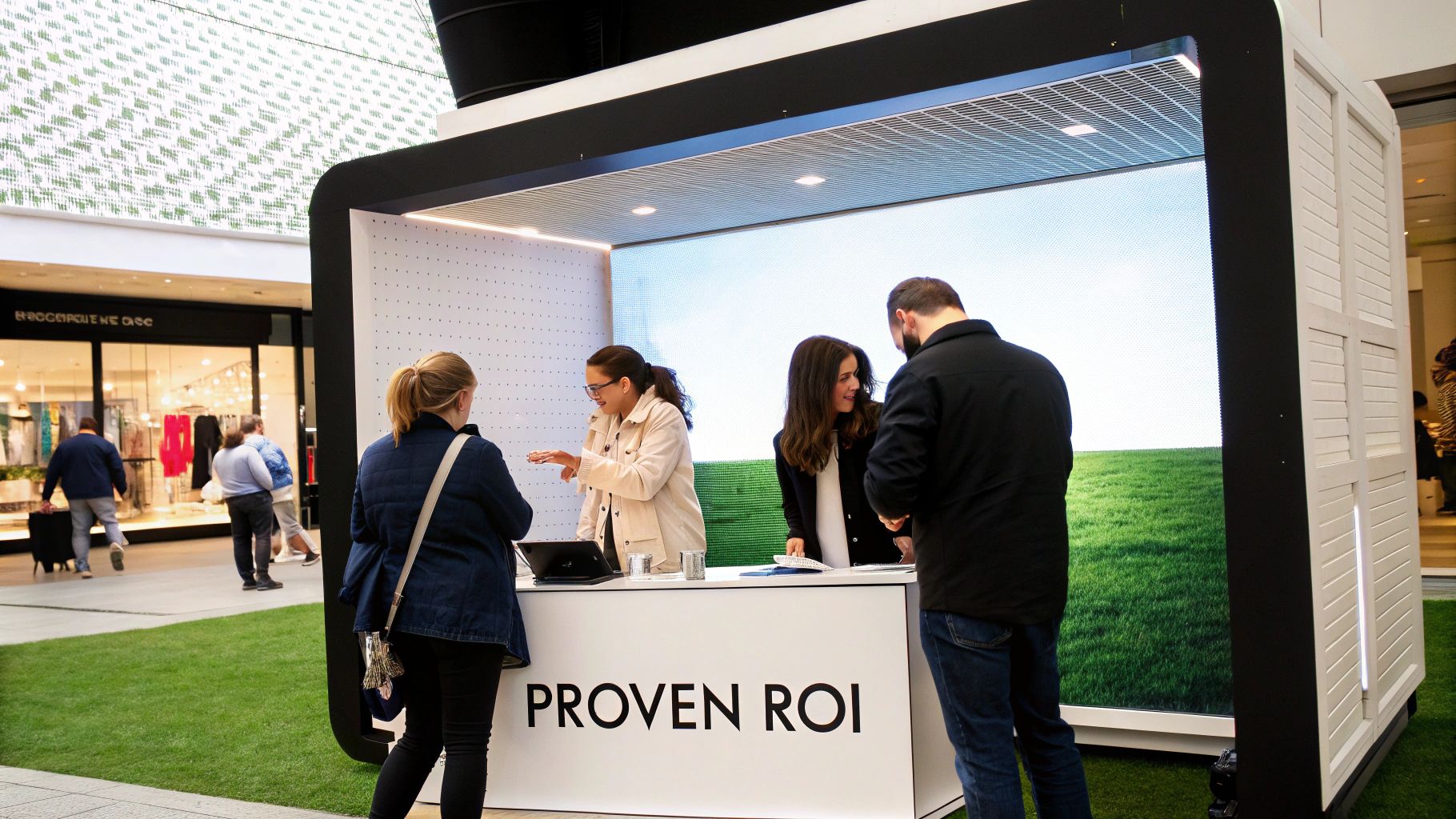
When you unroll a 3×2 meter LED wall at a busy mall kiosk, passersby can’t help but stop and stare. In under five minutes, what once was blank space becomes a dynamic stage for your brand—no heavy lifting required.
For instance, a boutique retailer rolled out this LED wall one Friday morning and saw customer visits climb by 30% before the weekend was over.
Key Outcomes:
“This display became our top performing point of sale tool,” noted the store manager.
Check out our guide on outdoor LED sign cost to plan budget for similar projects.
Packing up? Equally effortless. The thin panels roll into a palm-sized case, freeing up your team for the next activation. This agility not only sparks creativity but delivers immediate ROI.
In another scenario, a concert producer replaced bulky trussing with a roll-up LED “curtain” and slashed stage changeovers by 60%.
The setup couldn’t be simpler:
Here’s how the costs compare:
| Event Type | Traditional Setup Cost | Roll Up LED Cost | Savings |
|---|---|---|---|
| Live Concert | $8,500 | $3,400 | 60% |
| AV Integration | $5,000 | $3,000 | 40% |
Modular panels reduced maintenance downtime by 40%, allowing AV integrators to swap out parts instead of rebuilding entire walls.
These real-world figures underscore how quickly a roll-up LED solution pays for itself—and keeps technicians on schedule.
Hotels and resorts are now stacking these displays in lobbies to showcase spa specials and event lineups. One resort reported a 50% jump in bookings after installing a lobby screen.
Corporate offices aren’t far behind. Reception areas feature real-time dashboards and brand stories that update in just five minutes.
Benefits Snapshot:
By weaving roll-up LED walls into communal spaces, these businesses transform waiting areas into interactive touchpoints—keeping visitors informed and entertained.
Many buyers start by asking how a roll-up LED display stacks up against a fixed LED wall.
Picture this: a roll-up panel slips into a slim tube, travels with you, and springs into place in minutes. This agility slashes labor costs and turns setup day from a headache into a breeze.
When it comes to specs, pixel pitch and brightness rating are the headliners. But what does that mean in real life?
In a conference room, a 2.5 mm pitch hits the sweet spot between crisp images and budget-friendly pricing. If you’re filling a venue with up to 300 seats, lean toward a 3 mm–4 mm range—that keeps visuals sharp from just a few meters back.
Packing Best Practices
Slide panels into anti-static sleeves before stashing them to ward off dust and scratches.
Transport Tips
A foam-lined case is your best friend on the road. It cushions edges and corners, so you’ll avoid nasty bumps in transit.
Warranty Notes
Double-check that your coverage includes both wear-and-tear and module replacement. Warranties typically span 1–3 years for parts.
Storing panels between gigs? Keep them in a climate-controlled environment and give connectors a quick once-over each year. You’ll catch loose clips or cables before they turn into a show-stopping problem.
To squeeze every ounce of lifespan from your LEDs, wipe them down with a soft, lint-free cloth and a mild, approved cleaner. Abrasive tools or harsh chemicals? Steer clear.
Tip Schedule a monthly scan for dim or dead diodes. Catching them early means faster fixes and fewer surprises on show day.
When it comes to cases built for air or road shipping, customer service at Smart LED Inc. moves fast. Just send over your serial numbers and a couple of photos—you’ll get replacement parts in record time.
Refresh rates can trip people up too. A 60 Hz panel handles most presentations without issue. But if you’re looping video or real-time graphics, upping to 120 Hz delivers noticeably smoother motion.
What about color calibration? Most kits ship ready with preset profiles, and you can add an optional calibration toolset if you need pixel-perfect accuracy.
Controlling multiple panels? It’s easy—daisy-chain them over Ethernet or plug in multiple controllers. Either way, your content stays in sync across the entire display.
Solid storage habits, regular inspections, and the right transport gear will extend panel life and keep your investment humming show after show.
For more details or personalized support, reach out to Smart LED Inc. Support: Smart LED Inc. Support
Picture this: you take the flash and spectacle of a Times Square billboard, slap it on the back of a truck, and send it wherever
A wall of TV screens is exactly what it sounds like: a big, impressive display made by tiling multiple TVs together so they act like
Picking the right displays for shows can feel like a high-stakes guessing game. Get it right, and you create an immersive world that captivates your
"*" indicates required fields