Uncategorized
A Practical Guide to Choosing Displays for Shows
Picking the right displays for shows can feel like a high-stakes guessing game. Get it right, and you create an immersive world that captivates your
Let's be honest, those old static posters and printed menus just don't cut it anymore. Restaurant digital signage is your secret weapon, turning those tired, fixed displays into a living, breathing part of your dining experience. Think of it as a dynamic canvas that lets you flash new promotions, show off your food with drool-worthy videos, and completely transform how customers interact with your brand. The result? Some restaurants see a sales bump of up to 30%.
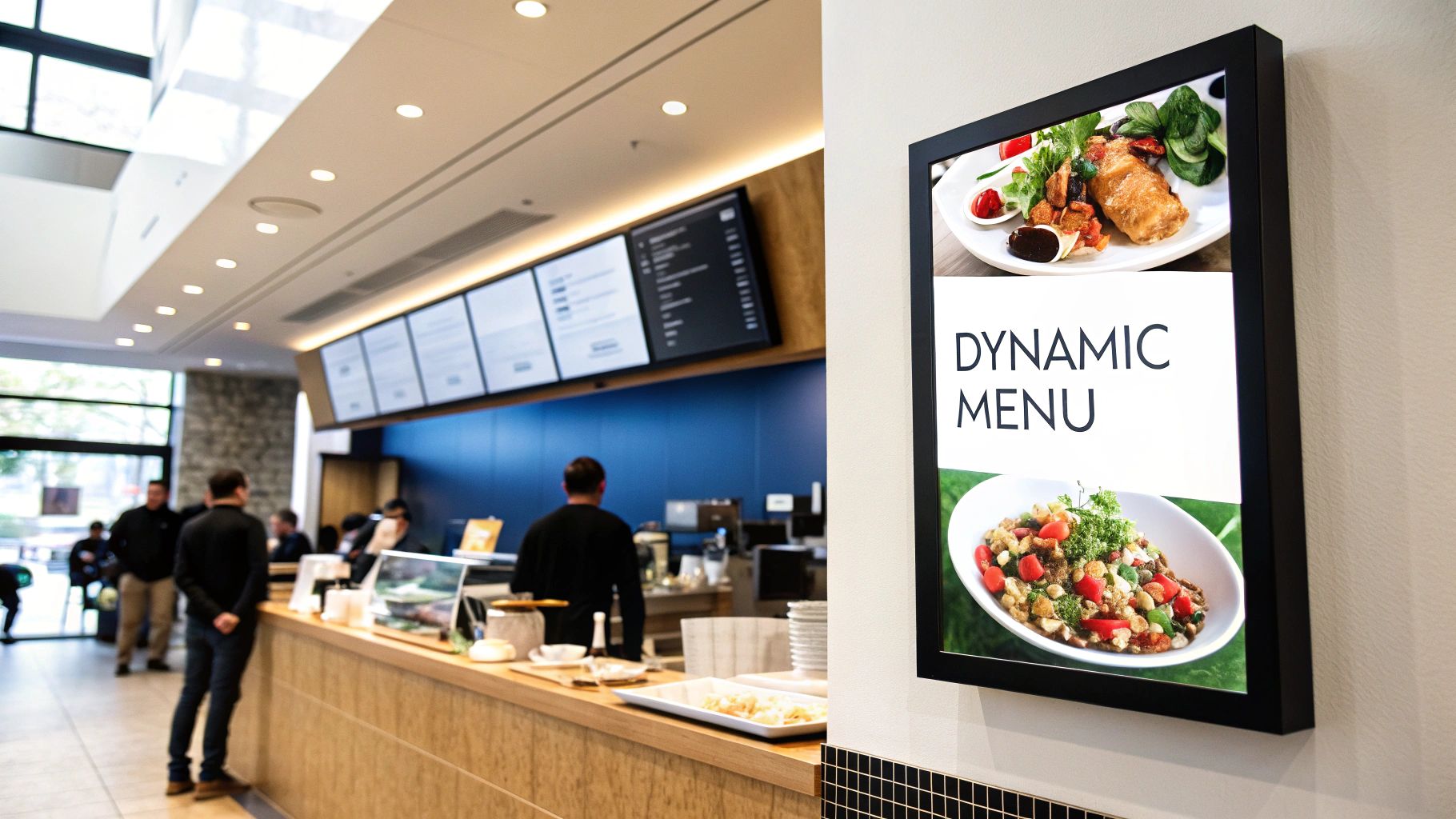
Picture your traditional printed menu. It’s a silent catalog—functional, sure, but it can’t adapt, entice, or really sell. Digital signage is the exact opposite. It's your best salesperson, a brand ambassador that works around the clock to greet customers, present your best dishes in stunning detail, and even change its pitch based on the time of day or what you have in stock.
What was once a luxury item has quickly become a cornerstone of a successful restaurant's playbook. It’s a direct solution to some of the biggest headaches in the food service industry, turning passive wait times into an active, engaging experience with your brand. The impact is real, and it’s measurable, touching everything from how customers see you to your bottom line.
One of the biggest wins with digital signage is its incredible power to nudge purchasing decisions right at the point of sale. By shining a spotlight on high-margin items with professional food videography or tempting customers with a "dessert of the day," you can actively guide their choices and see that average order value climb.
But it’s not just about the money; this tech genuinely makes for a better guest experience. For example, screens placed in the right spots can:
Digital displays aren't just for showing a menu; they're about setting a vibe. They give a restaurant a modern, polished feel while doubling as a powerhouse tool for upselling and making operations run smoother.
Beyond what the customer sees, digital signage is a game-changer for your internal operations. Need to update a price or add a seasonal item? You can push that change out to multiple locations from a single dashboard in seconds. This ensures your branding is always consistent and completely kills the recurring cost of printing.
For chains and franchises, that kind of centralized control is revolutionary. You can learn more about how different types of LED signs for businesses can be managed to achieve this level of control and consistency.
Ultimately, bringing this technology into your restaurant helps you build a more dynamic, responsive, and profitable environment. It’s an investment in communication that pays for itself over and over through bigger sales, happier customers, and a much smoother day-to-day operation.
Okay, so you get what restaurant digital signage is and why it's a big deal. Now for the fun part: putting this tech to work. It’s time to turn those passive screens into active, money-making assets for your restaurant. The possibilities go way beyond just swapping out a printed menu—we're talking about creating dynamic experiences that guide customer choices and make your daily operations a whole lot smoother.
Think of your screens as a team of tireless digital employees. They can work the counter, manage the drive-thru, entertain waiting guests, and even act as a guide, all without ever needing a break. This gives you the power to put the right message in the right place at exactly the right time for maximum impact.
The digital menu board is the most common use case, but most restaurants are barely scratching the surface of what's possible. Modern systems can be fully automated to do the selling for you. Imagine your screens automatically flipping from a breakfast menu full of sizzling bacon visuals to a lunch menu showing off hearty sandwiches, right at 11:00 AM, with zero effort from your staff.
This trick, known as dayparting, makes sure customers always see the most relevant food. But the real magic is in the visual influence.
And it’s not just about flashy promotions. Digital signage is perfect for displaying a clear and dynamic digital menu price list feature, which doubles as a great loyalty tool. This keeps your pricing transparent, consistent, and incredibly easy to change.
Once customers are inside, your screens can do a lot more than just sell—they can completely elevate the dining atmosphere. In bigger places like food halls, screens can serve as simple wayfinding tools, pointing guests to restrooms, specific counters, or seating areas.
For any spot with a bit of a wait time, engaging content is your best friend.
By showing entertaining content—anything from fun facts about your ingredients to a live feed of your social media mentions—you can reduce how long the wait feels by as much as 35%. It's a simple move that turns a potential negative into a positive, memorable moment.
You can also use screens to introduce your team, tell the story of your restaurant's founding, or flash positive customer reviews. These little touches build a genuine connection with your guests and create a real sense of community. Even small, focused displays make a huge difference. For example, a compact screen like the SMART LED FX1 Shelf Talker can highlight specials right where people are about to pay.
The drive-thru is where digital signage truly shines, delivering some of its most impressive results. This fast-paced environment demands clarity, speed, and accuracy—three things where digital screens are naturals. Bright, easy-to-read menu boards cut down on order confusion and help customers in their cars make decisions faster.
But the benefits go way beyond just a digital version of your menu. Smart drive-thru systems can:
Picking the right screen for your restaurant is a lot like choosing the right knife for a kitchen—you wouldn't use a paring knife to break down a side of beef. In the same way, sticking a consumer TV in your drive-thru lane is a recipe for disaster. The hardware you choose is the foundation of your digital signage strategy, and it directly impacts visibility, durability, and whether your investment pays off.
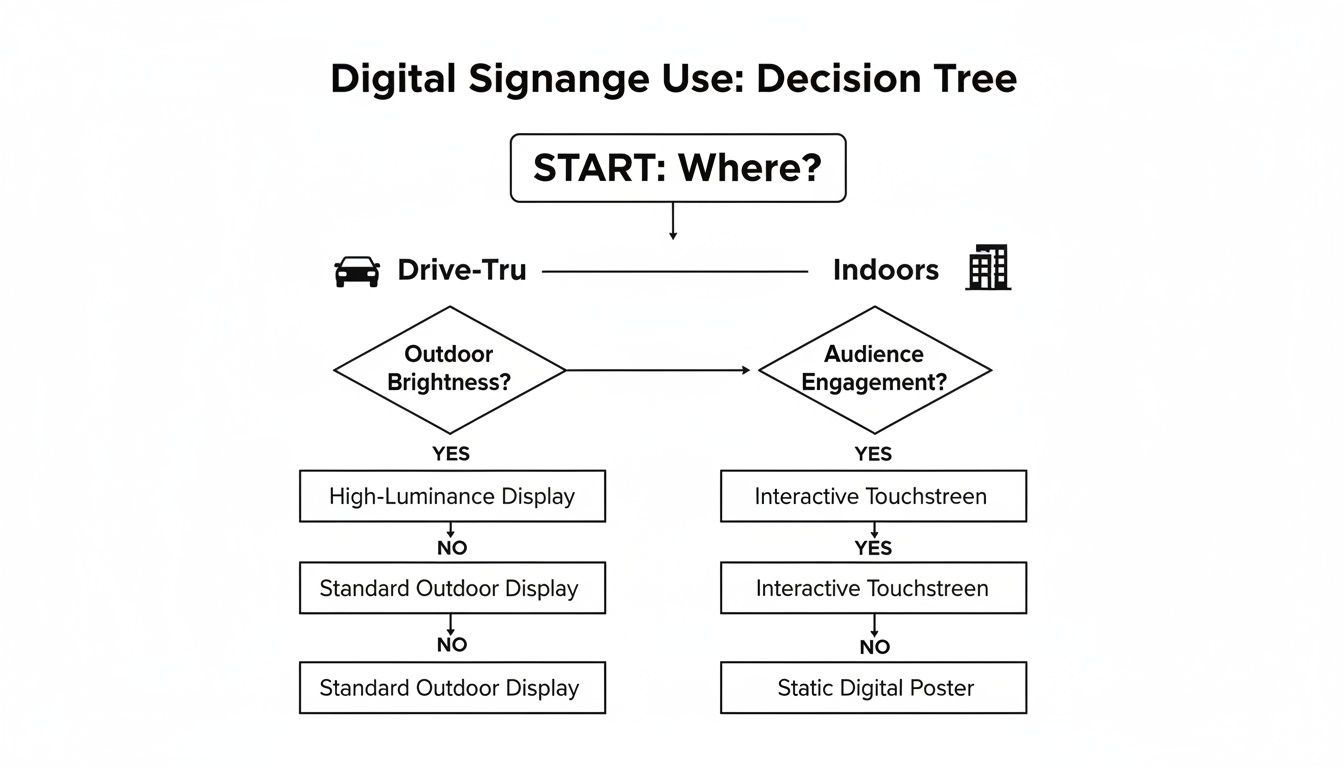
The first, and most important, fork in the road is simple: indoor or outdoor? This one question changes everything. An indoor screen lives in a climate-controlled world, while an outdoor display has to be a fortress, ready to battle everything from pouring rain and baking sun to freezing temperatures.
This decision tree lays it all out, guiding you to the right solution for your specific spot, whether it's a bustling drive-thru or a cozy dining room.
Let's dig into the details of what makes each type of hardware tick.
The technical gulf between indoor and outdoor screens is massive. This table breaks down the key differences you need to understand before making a purchase.
| Feature | Indoor Digital Signage | Outdoor Digital Signage |
|---|---|---|
| Primary Use Case | Menu boards, promotions, order-ready screens, ambiance visuals inside the dining area. | Drive-thru menu boards, curbside pickup instructions, window-facing promotions, patio entertainment. |
| Brightness (Nits) | 350–500 nits is ideal for competing with ambient indoor lighting without being harsh. | 2,500+ nits is non-negotiable to remain visible and vibrant in direct sunlight. |
| Weatherproofing | Not required. Housed in a climate-controlled environment. | IP65 rating or higher is essential to protect against dust, rain, and water jets. |
| Operating Hours | Built for 16/7 or 24/7 operation. Consumer TVs will fail under this constant use. | Engineered for 24/7 performance in extreme temperature ranges (hot and cold). |
| Screen Glare | Managed with screen placement and standard anti-glare coatings. | Requires specialized anti-reflective or anti-glare technology to ensure readability at all times. |
| Resolution | Full HD (1080p) is the minimum; 4K is preferred for crisp text and appetizing food photos. | Full HD (1080p) or 4K, but brightness and weather resistance are higher priorities. |
While they both display content, indoor and outdoor signs are fundamentally different pieces of equipment built for entirely different worlds.
For your indoor menu boards and promo screens, the main enemy is ambient light, not the sun. Your goals are clarity and reliability. It’s tempting to grab a standard TV from a big-box store to save a few bucks, but that’s a classic rookie mistake. They simply aren't built for the job.
Here’s what you should be looking for in a solid indoor display:
Now, let's talk about the heavyweights. Outdoor digital signage, especially for drive-thrus, is a whole different ballgame. These screens are warriors, built to perform flawlessly while getting hammered by the elements. Skimping on the specs here will leave you with a washed-out, unreadable screen or, worse, a very expensive black box.
An outdoor screen isn't just a brighter TV; it’s an engineered piece of equipment designed to conquer the elements. Investing in the right specs is the only way to guarantee visibility and protect your hardware from nature's wear and tear.
These are the specs you absolutely cannot ignore for outdoor displays:
Thinking about adding digital signage to your restaurant is more than just picking out a few cool screens. It’s a real business decision, and like any smart investment, you need to have a firm grip on what it’s going to cost—both upfront and over the long haul.
Once you know the numbers, the big question becomes: will it actually pay off? The answer isn’t just a gut feeling that you’re making "more sales." It’s about tracking specific, measurable improvements that you can point to and say, "That's because of our new displays."
That initial price tag on the screens? That’s just the tip of the iceberg. A realistic budget for a digital signage system has a few moving parts that all need to work together. Miss one, and you could be looking at surprise costs later on.
Your total investment is usually spread across these key areas:
Figuring out the return on your digital signage isn't about guesswork; it’s about connecting the dots between your new system and real business results. The whole point is to prove that the money you’re spending is either bringing more cash in the door or saving you money somewhere else.
A great way to start is by tracking key performance indicators (KPIs) before you install the screens and then again after they’re up and running. Focus on the numbers your screens can directly influence. For example, some studies show that dynamic digital displays can drive a sales lift of up to 30% when they're used to push high-margin items.
Your ROI formula is simple: (Financial Gain – Investment Cost) / Investment Cost. A positive result means your digital signage is paying for itself—and then some.
To see the real value, you have to look deeper than just your total daily sales. It’s time to zero in on the specific numbers your digital signage is built to change.
Here are the most important areas to measure:
Top-of-the-line hardware is a great start, but it's only half the story when it comes to restaurant digital signage. Without a smart, engaging content strategy, even the most brilliant 4K screen is just a very expensive, very static picture frame. Your content is what actually does the selling, tells your story, and makes your entire operation run smoother.
Think of it this way: the hardware is the kitchen, but your content strategy is the chef. A state-of-the-art kitchen doesn’t guarantee an incredible meal; you need a thoughtful recipe. This means getting strategic about what you show, when you show it, and how it all works together to create a seamless customer experience that also fattens your bottom line.
The human eye is wired to notice two things: motion and contrast. A static menu can feel like a wall of text, but a well-designed digital one guides the customer’s eye, making decisions easier and more enticing. This is where visual hierarchy comes into play—it's the simple art of arranging your content to pull focus to what matters most.
For restaurants looking to produce dynamic content without hiring a full-time video editor, exploring tools like AI video creation tools can be a massive time-saver.
Your customer base isn't the same at 8 AM as it is at 8 PM, so why should your menu be? Your digital signs should adapt to the rhythm of your day. This practice, known as dayparting, is one of the most powerful tricks in the digital signage playbook. It lets you schedule different content to appear automatically at specific times.
Imagine your screens showing off hearty breakfast burritos and fresh-brewed coffee from 7 AM to 11 AM. Then, right on the dot at 11:01 AM, the menu fluidly transitions to feature your lunch combos and salads. As evening rolls in, the content can shift again to highlight dinner specials, appetizers, and desserts. It's the perfect sales pitch, delivered at the perfect time, every time.
This is where your digital signage goes from being a simple display to a genuinely intelligent part of your restaurant’s nervous system. By integrating your signage with your Point of Sale (POS) system, you unlock a level of efficiency and accuracy that manual updates could never touch.
When your screens and your sales system talk to each other, human error disappears. Price changes are instant, sold-out items vanish automatically, and your staff is freed from the burden of menu management.
This integration creates a single source of truth for your entire menu. No more confusion.
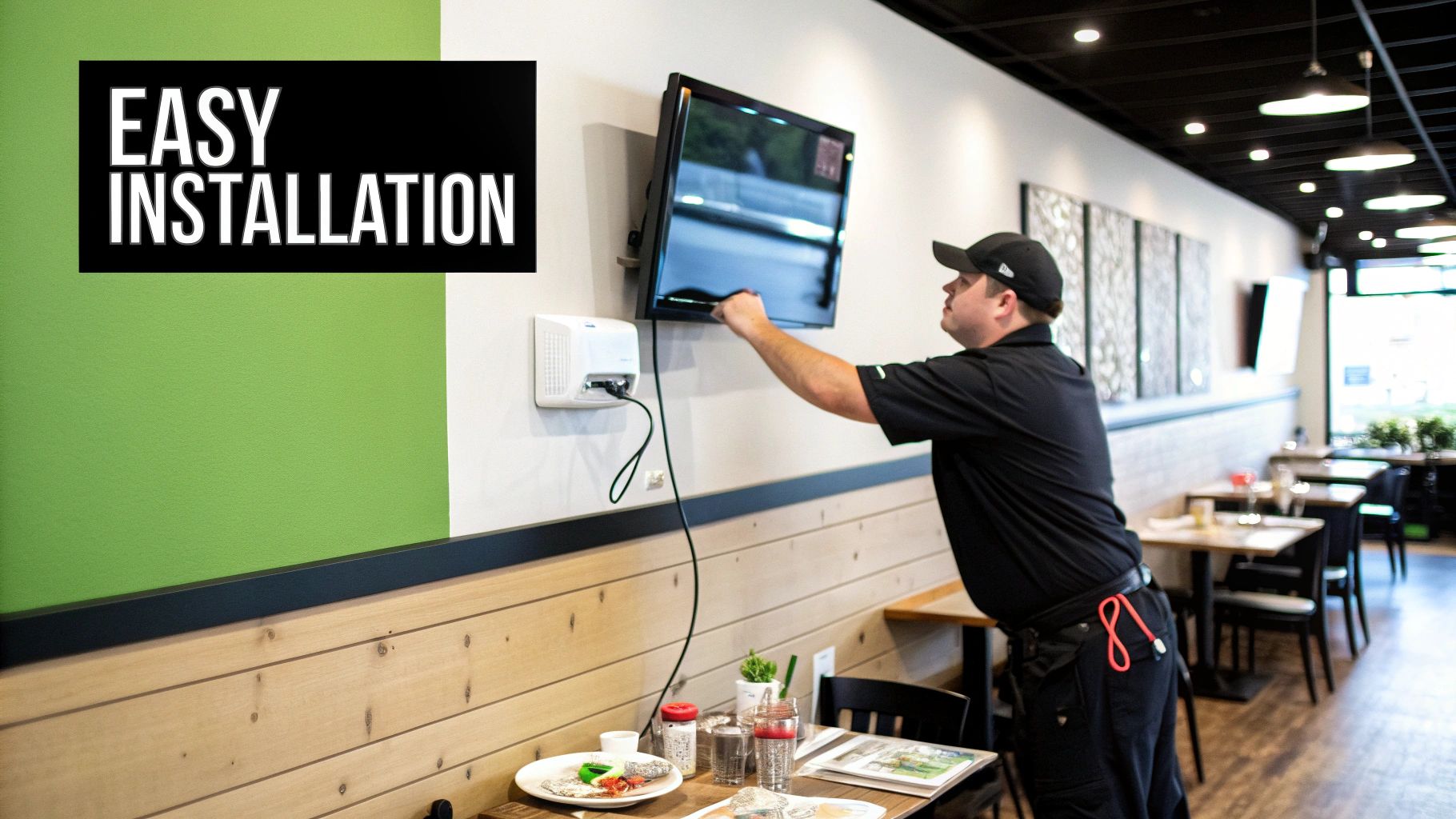
Turning your vision into a stunning wall-mounted reality takes more than just a good idea—it requires a solid plan. A smooth rollout and long-term success really hinge on nailing the installation details and having a simple maintenance routine to protect your investment. This checklist will walk you through everything from the initial setup to keeping your screens flawless all year round.
Before a single screw even touches the wall, a thorough site survey is non-negotiable. This isn’t just about picking a spot that looks good; it’s about making sure the location can actually work. A pro will check for dedicated power outlets and stable network connections, whether you're going with Wi-Fi or a hard-wired setup. They’ll also assess the wall's structural integrity to ensure it can safely hold the weight of the display.
Proper installation is a craft, blending technical precision with an eye for the customer experience. Choosing the right mounts is absolutely crucial, both for safety and for hitting that perfect viewing angle. While a DIY approach might seem like a way to save a few bucks, professional installation is almost always worth it to avoid costly mistakes and make sure everything is up to code.
Your installation plan should cover these key points:
This demand for professional services is a big reason why restaurants are such a major driver of the digital signage market. The industry has seen explosive growth, with screens between 32–45 inches holding a dominant ~55.7% market share. This fuels demand not just for the hardware itself but for expert installation and remote management. You can discover more about restaurant digital signage trends and see their full economic impact.
Once your screens are up and running, a simple maintenance schedule is essential to keep them performing at their best. Just like any other piece of critical restaurant equipment, your restaurant digital signage needs regular care to ensure it lasts and gives you a strong return on your investment.
Think of your maintenance plan as a form of insurance. A few minutes of preventative care each month can save you from major headaches and costly downtime, ensuring your screens are always making a great impression.
Your routine should be straightforward and easy enough for any staff member to follow. Set up a schedule that includes these core tasks:
Even after seeing all the benefits, it's natural to have a few practical questions before pulling the trigger. This is where we get down to brass tacks. Let's tackle the most common questions restaurant owners ask when they're on the fence about investing in restaurant digital signage.
Think of this as the final once-over before you launch a system that will genuinely improve how you operate and how customers see you. Let's clear up any last-minute uncertainties.
This is always question number one, and thankfully, the answer isn't as scary as you might think. For a small spot with a single screen, a basic setup is surprisingly affordable. The costs break down into a few key pieces, so you have a good handle on where your money is going.
Generally, here’s what you should plan for:
The good news is that most modern software is so intuitive that many restaurant owners handle content creation themselves using ready-made templates. This keeps your ongoing costs down. The trick is to stop seeing it as an expense and start seeing it for what it is—an investment that directly boosts sales and makes your life easier.
It’s a tempting thought. You see a great deal on a consumer TV and think, "Why not?" But this is one of those shortcuts that almost always costs you more down the road. A regular TV just isn't built for the grind of a restaurant. It’s made for a few hours of watching movies at home, not for running 16/7 or 24/7 in a busy commercial space.
Using a consumer TV for your business will almost certainly void the warranty. Commercial displays, on the other hand, are built like tanks with better components, proper cooling, and are designed to run all day long without the screen burning out or overheating.
Beyond durability, commercial screens are much brighter and have anti-glare coatings, which are absolutely critical for people to be able to read your menu in a brightly lit dining room. That initial savings on a consumer TV vanishes the first time it fails during a dinner rush.
This is where the magic really happens. Modern restaurant digital signage is designed for busy people, not tech wizards. The days of needing to call in an IT specialist just to change the price of a burger are long gone. Most systems are cloud-based, with a simple web dashboard you can log into from any computer.
Honestly, if you can post on social media or put together a simple PowerPoint, you have all the skills you need. Changing a price, swapping out a daily special, or scheduling a happy hour promo to run at a specific time is usually just a matter of a few clicks. That ease of use is the whole point—it gives you the power to keep your message fresh and exciting without any technical headaches.
Ready to transform your restaurant's communication and drive sales? Smart LED Inc. delivers factory-direct, high-performance indoor and outdoor digital signage solutions built to last. Explore your options and get a custom quote today at https://smartledinc.com.
Picking the right displays for shows can feel like a high-stakes guessing game. Get it right, and you create an immersive world that captivates your
Building a home theater is about creating an immersive escape, not just buying a big screen and some loud speakers. A truly great build starts

Imagine your storefront doing more than just showing off products. What if it could become your hardest-working salesperson, pulling in customers 24/7? That’s exactly what
"*" indicates required fields