
Uncategorized
Digital Billboard Truck: Boost Your Campaign with Mobile Ads
Picture this: you take the flash and spectacle of a Times Square billboard, slap it on the back of a truck, and send it wherever
When you picture a massive LED wall, your mind probably jumps straight to the dazzling, high-resolution panels. They're the stars of the show, after all. But behind every brilliant display is a hidden ecosystem of hardware—the unsung heroes that make the magic happen. These are your LED wall accessories, and they're every bit as crucial as the screen itself.
Without the right support system, even the most advanced LED screen is just an expensive, dark rectangle.
An LED video wall is a beast of a visual tool, but its power is completely dependent on a whole network of accessories working in perfect harmony.
Think of it like a world-class orchestra. The violinists and cellists (the LED panels) are front and center, but without the conductor (the controller), the sheet music (the data), and even the stagehands making sure the lights are on, all you get is noise. The same idea applies here.
Getting these background components right affects everything from the crispness of your image to how long your investment will last. A cheap, flimsy mount isn't just a bad look; it's a structural failure waiting to happen. An underpowered controller will leave you with glitchy video and frustrating lag. It’s clear that understanding these parts is just as important as picking the panels.
If you want to really dig into why modern LEDs are so capable, this guide on LED lights vs. halogen technology offers some great background on the core tech.
Every professional LED wall, no matter the size or location, is built on a few fundamental types of accessories. Each one has a specific job, and together, they turn a collection of individual panels into one seamless, mind-blowing canvas.
To help you get the lay of the land, here’s a quick look at the essential categories of LED wall accessories and what they do.
| Accessory Category | Primary Function | Impact on Performance |
|---|---|---|
| Mounting & Rigging | Provides the physical structure to hold the display securely and align panels perfectly. | Crucial for safety, image alignment, and a seamless visual appearance. |
| Power Distribution | Delivers stable, consistent, and safe electricity to every single pixel. | Essential for brightness consistency, preventing flickers, and long-term reliability. |
| Signal Processing | Acts as the "brain," converting video sources into data the screen can display. | Directly impacts image quality, refresh rate, color accuracy, and content flexibility. |
| Cabling & Connectivity | Transmits power and data signals between all components of the system. | Fundamental for a stable connection; poor cables cause signal loss and failure. |
These core components form the foundation of any reliable system. Skimping on one area almost always creates a bottleneck that holds the entire display back.
This diagram shows how it all fits together, with the accessories forming the foundational layers that support the main screen.
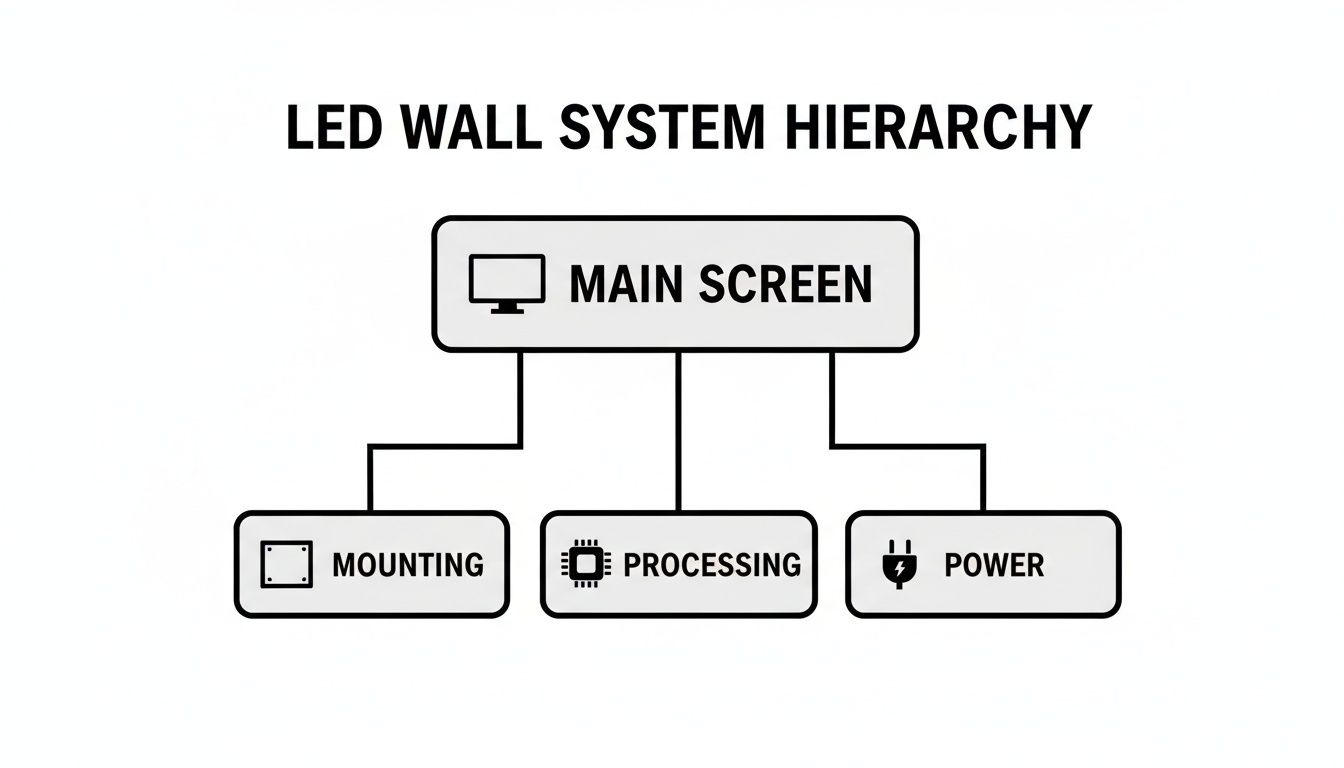
As you can see, the processing, power, and mounting systems are the pillars holding everything up. If one of them is weak, the whole structure is compromised. In the rest of this guide, we'll dive deep into each of these categories, giving you the knowledge to build a system that doesn't just look good on day one, but performs flawlessly for years.
The mounting system is the literal backbone of your LED display. It’s the unsung hero, the invisible framework that handles safety, ensures perfect panel alignment, and guarantees long-term stability. Think of it like a skyscraper's foundation—without it, the whole structure is compromised. Your LED wall needs a seriously robust mounting structure to pull off that flawless, single-canvas illusion.
Get this part wrong, and you're in for a world of hurt. You'll see ugly gaps between panels, screen warping over time, and, in the worst-case scenario, catastrophic structural failures. This isn't just about hanging panels on a wall; it's about engineering a perfectly flat, secure, and serviceable surface that will perform for years.
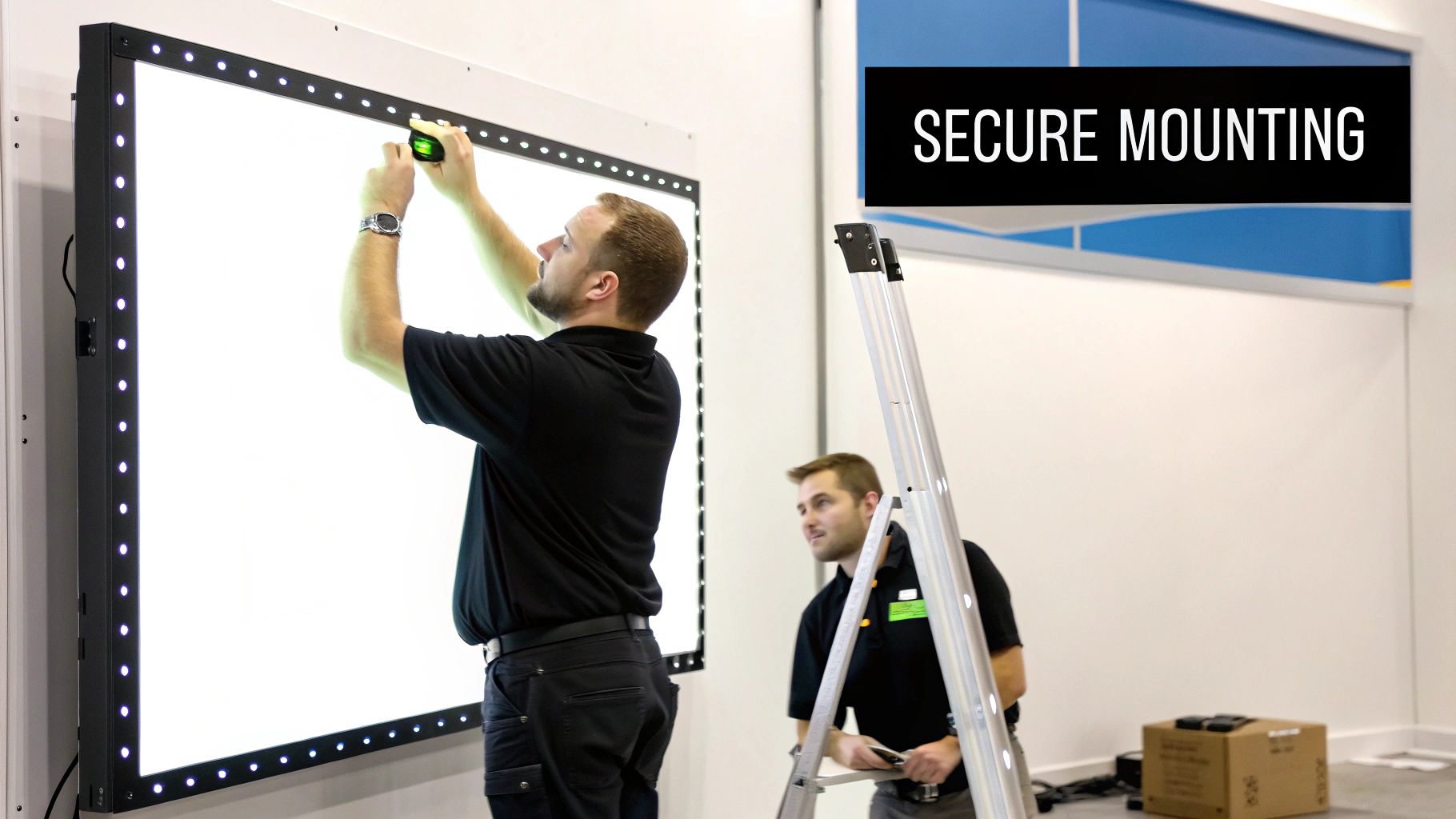
For most permanent indoor installations—think corporate lobbies, retail stores, and command centers—the fixed wall mount is your go-to solution. These systems are specifically designed to bolt directly into a building’s structural supports, giving your display a secure and permanent home.
It’s like hanging a priceless, incredibly heavy piece of art. The mount has to be precisely engineered to distribute the display's weight safely across the wall. A high-quality fixed mount will allow for micro-adjustments on the X, Y, and Z axes, which is what lets installers dial everything in to eliminate seams and create a perfectly uniform surface. That precision is what separates a professional job from an amateur one.
Good mounting also plays a huge role in thermal management. A well-designed frame creates space for airflow behind the panels, helping dissipate heat and ultimately extending the life of the LEDs.
Of course, not every project is a simple flat wall. For more dynamic and creative structures, you need to bring in the specialized mounting systems that make truly immersive visual experiences possible.
The global LED video wall market was valued at USD 25.28 billion and is expected to hit USD 58.90 billion by 2032. This explosive growth is driving huge demand for the sophisticated LED wall accessories, especially advanced mounting systems, needed to pull off these ambitious projects. You can dive deeper into this market expansion on SNS Insider.
So, do you go with an off-the-shelf system or a custom-fabricated one? It all comes down to the scope of your project. For standard flat installations, pre-engineered mounting systems are usually the most cost-effective and efficient path forward. They’re built for common panel sizes and make the installation process much simpler.
But for anything non-standard—like the stunning, 150-foot-long curved LED wall at Chicago's 150 Media Stream—a custom-fabricated solution is non-negotiable. You’ll need a structural engineer to assess the wall’s load capacity, design a bespoke frame, and sign off on a final installation that is both safe and visually perfect. That initial investment in a custom mount is the true foundation of the project's success, preventing costly headaches and ensuring your display stays breathtaking for its entire lifespan.
An LED wall is a power-hungry beast. Behind those brilliant, seamless visuals, thousands of individual pixels are constantly drawing electricity. Managing that flow isn't just a technical detail—it's absolutely essential for safety, consistent performance, and efficiency.
If you get the power wrong, you're asking for trouble. You could see anything from inconsistent brightness and annoying flickering to a complete system meltdown.
Think of your LED wall's power system like a city's electrical grid. You wouldn't plug a skyscraper directly into a massive power plant, right? Of course not. The electricity is routed through local substations and transformers to safely deliver just the right voltage to every building. In the same way, LED wall accessories like power distribution units (PDUs) and power supplies act as the substations for your display.
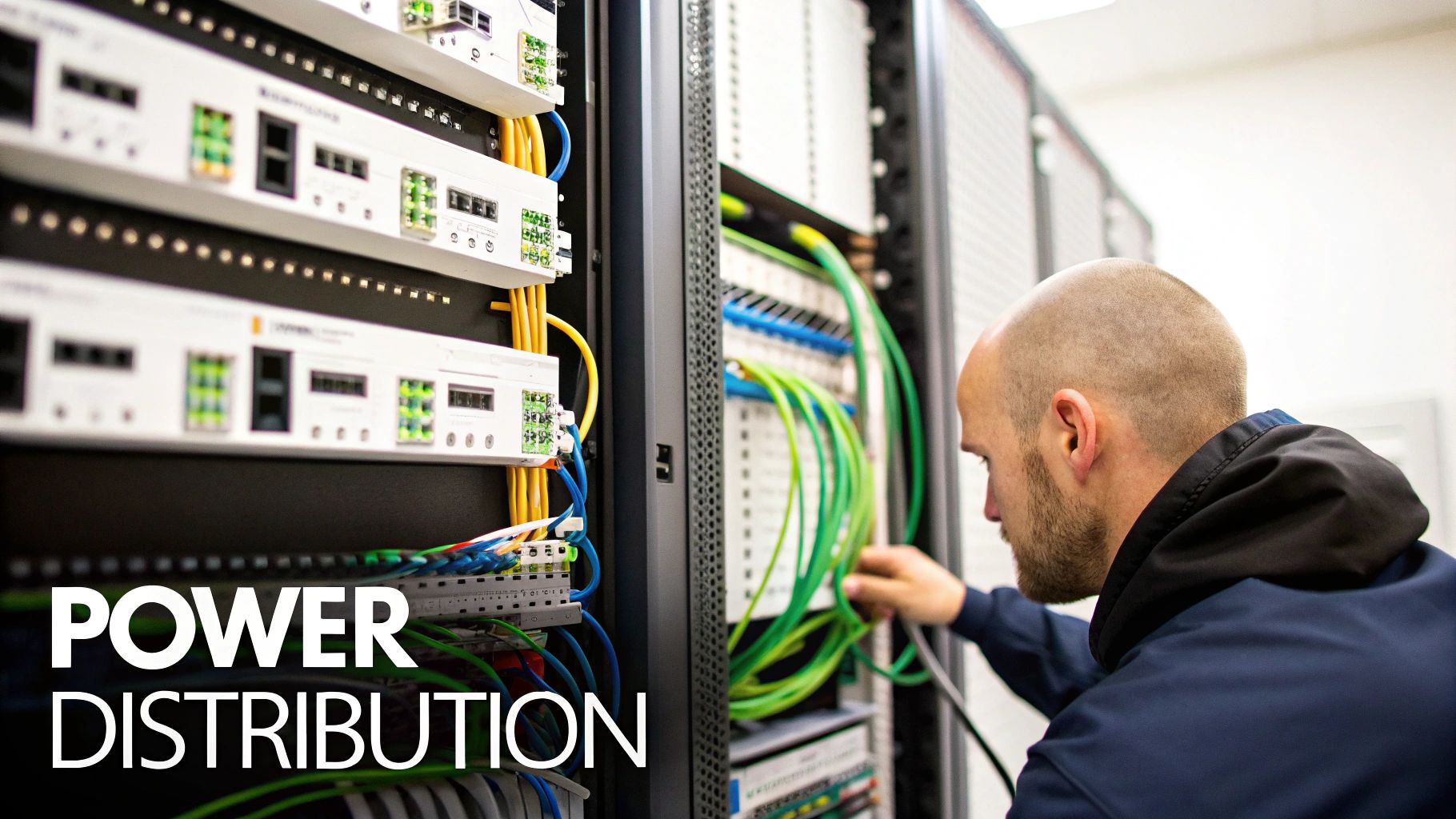
These components are the unsung heroes of your setup. They take the raw, high-voltage AC power from the wall outlet and meticulously convert it into the stable, low-voltage direct current (DC) that each LED module needs to operate safely and reliably.
Before you can even think about which accessories to buy, you have to understand your wall's total appetite for electricity. This isn't a guessing game; it's simple but crucial math.
Every LED panel comes with a spec sheet that lists its maximum and average power consumption, measured in watts. To figure out your total requirement, just multiply the power consumption of a single panel by the total number of panels in your display.
Here's the pro tip: always add a buffer of at least 20-25% to that total. This headroom ensures your power supplies aren't constantly redlining at their absolute limit, which dramatically improves their longevity and keeps them from overheating.
A common mistake is under-provisioning power. It might save a few bucks upfront, but it almost always leads to overheating, premature component failure, and inconsistent brightness across the display. Properly calculating your needs and building in that safety margin is one of the most important things you can do to design a reliable LED wall system.
For any situation where the screen absolutely cannot go dark—think broadcast studios, live concerts, or mission-control rooms—a single power supply failing can be a complete disaster. This is where redundant power supplies become a non-negotiable part of the system.
A redundant setup is basically an insurance policy. It involves having a backup power supply installed and ready to take over instantly if the primary unit fails. This "N+1" configuration means your display stays on without a single hiccup or moment of downtime. For true peace of mind, especially in challenging climates, you'll need guidance on choosing the right Power Supply SMPS that can handle your specific environmental and load requirements.
The final link in the chain is the cabling that ties everything together. The quality of the cables you use is every bit as important as the power supplies and controllers themselves. Skimp here, and you're undermining the entire system.
Power Cables: The gauge, or thickness, of your power cables has to be beefy enough to handle the electrical current without getting hot. Using undersized cables isn't just bad practice; it’s a serious fire hazard and can cause voltage drops that will visibly dim your display.
Data Cables: To get the video signal from the controller to the panels, CAT6 Ethernet cables are the standard for most shorter runs. But once you start dealing with longer distances—typically anything over 100 meters (about 328 feet)—fiber optic cables are the only way to go. Fiber optics transmit data as pulses of light, which makes them completely immune to the electromagnetic interference and signal loss that plague copper cables over distance.
Finally, don't just let your cables be a tangled mess behind the screen. Proper cable management using trays, conduits, and organizers does more than just look professional. It protects your connections from getting snagged or damaged, ensuring a stable and long-lasting installation.
If your LED panels are the face of your display, then the controllers and processors are the brains behind the whole operation. These are the unsung heroes working behind the scenes, responsible for the critical task of translating your content—whether it's a simple slideshow or a live 4K video feed—into a stunning visual spectacle. Without this digital brainpower, your expensive, high-resolution screen is just a blank, lifeless surface.
It all starts with a simple but vital partnership between two key components. The sending card is the first stop; it connects directly to your media source, like a computer, media player, or camera. It takes that standard video signal (think HDMI or DVI) and packages it up for its journey to the screen.
From there, the signal travels to the receiving cards, which are tucked away inside each LED cabinet. These cards catch the data sent from the sending card and act like traffic cops, directing the precise instructions to the individual LED modules. They tell every single pixel what color and brightness to display, thousands of time per second.
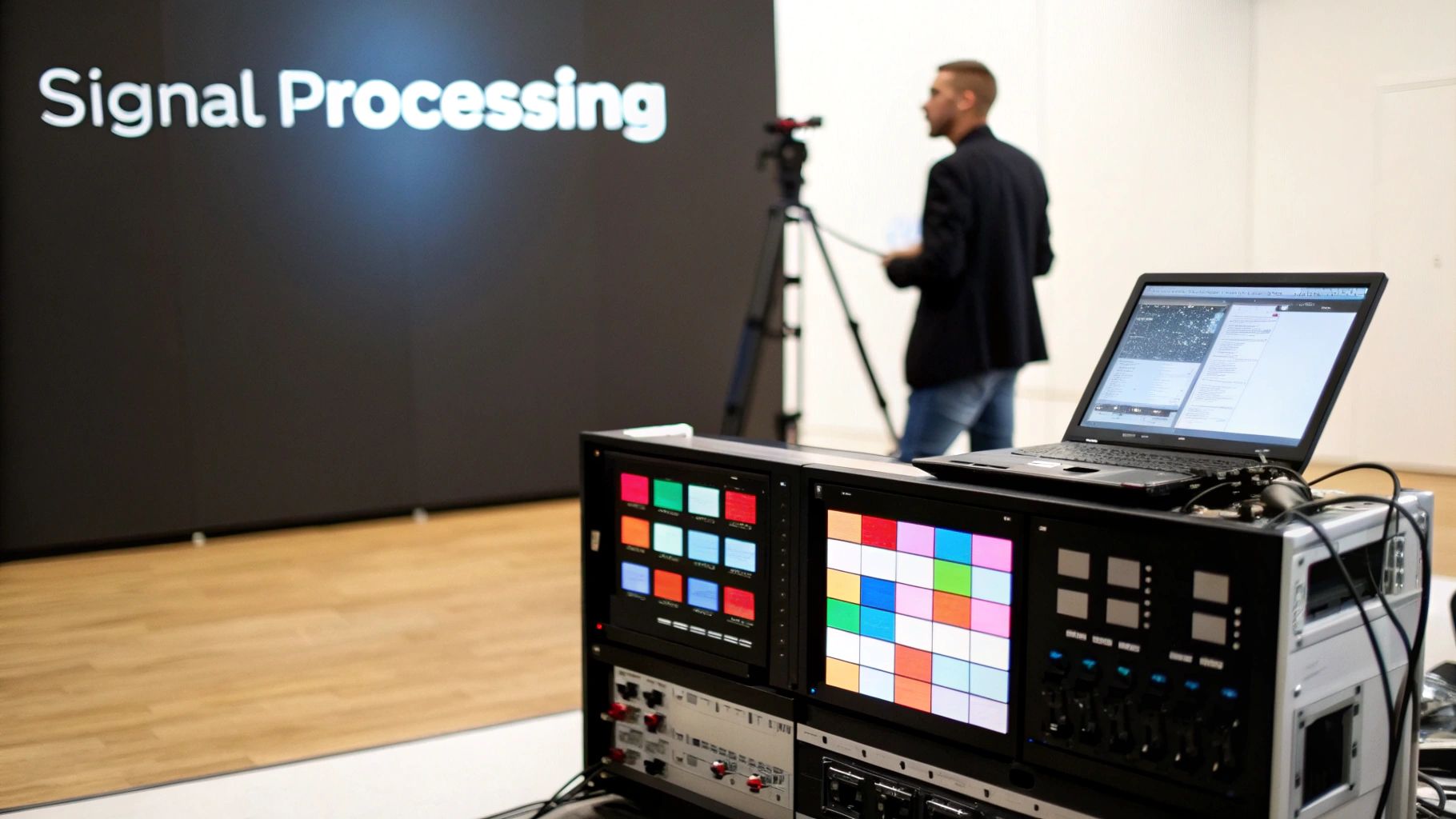
While a basic sending and receiving card setup can handle simple playback, any professional application is going to demand a much more powerful tool: a dedicated video processor.
Think of the processor as a master translator and artistic director for your content. It doesn’t just pass the signal along; it actively enhances, scales, and manages it to ensure your video looks absolutely perfect, no matter the source or the screen's unique size and shape.
A processor is what gives you true creative control. It’s the magic box that lets you switch seamlessly between multiple inputs—like a live camera feed for a presentation and a pre-rendered video for an intermission. This is the kind of flexibility that separates a static digital sign from a dynamic, multi-purpose visual platform.
A good video processor’s toolkit goes way beyond just converting a signal. It unlocks a whole suite of powerful features that are non-negotiable for modern, high-impact displays.
At its core, a video processor bridges the gap between the standard video world and the specialized language of LED panels. It ensures that what you see on your source monitor is exactly what the audience sees on the big screen, pixel for perfect pixel.
For anyone building a professional-grade system, starting with a powerful sending unit is the right move. For instance, a professional-grade controller like the Colorlight X100 Pro provides the kind of robust signal management you need for complex, high-stakes setups.
To help you figure out what you need, let's break down the different types of controllers and processors you'll encounter.
Choosing the right "brain" for your display depends entirely on what you want to do with it. A simple digital sign has very different needs than a massive concert backdrop. This table breaks down the common solutions to help you find the perfect fit.
| Controller Type | Best For | Key Features | Example Use Case |
|---|---|---|---|
| Basic Sending Card | Simple, single-source displays with standard resolutions. | Direct signal conversion (HDMI/DVI), limited to one input, basic brightness control. | A retail store's promotional screen playing a looped video. |
| All-in-One Controller | Small to medium-sized installations needing a bit more flexibility. | Built-in media player, Wi-Fi/LAN connectivity, multiple inputs, basic scaling. | A church display for lyrics and announcements. |
| Video Processor / Scaler | Large, custom-shaped, or multi-input professional displays. | Advanced scaling, seamless source switching, PiP/multi-window, color correction. | A corporate event stage with live cameras and presentation feeds. |
| Broadcast-Grade Processor | High-stakes live events, broadcast studios, and control rooms. | Genlock, ultra-low latency, advanced image processing, HDR support, redundancy. | A live TV news studio or a massive music festival. |
Ultimately, the processor you choose should match the ambition of your project. Don't skimp here—the brain is just as important as the face.
The technology in this space is also moving incredibly fast. New display types are completely changing the game for LED wall accessories. The micro-LED market, for example, is projected to rocket to around USD 425.95 billion by 2034, while All-in-One LED solutions are growing at an incredible 42% annually. These next-gen displays require even more sophisticated processors and controllers to bring them to life.
An LED wall is a serious long-term asset. To keep it looking and performing its best, you need to think beyond the initial installation. It's not a set-it-and-forget-it piece of tech. The right maintenance and protective led wall accessories are what shift your mindset from a one-time purchase to a smart asset management strategy. This is how you ensure your display looks as brilliant on day one thousand as it did on day one.
Protecting your investment is everything. It's what maximizes the screen's lifespan and delivers a consistent return. A few key accessories can be the difference between a display that ages gracefully and one that suffers from premature failures and painful, costly downtime.
No matter how well-built your system is, things can fail. It’s inevitable. A single dead pixel in a critical spot or a power supply going down can derail an entire presentation or event. This is where a good spare parts kit becomes your best insurance policy.
Having extra components ready to go minimizes that agonizing downtime. Instead of waiting days—or even weeks—for a replacement part to be shipped, a technician can be in and out, performing an on-the-spot repair in minutes.
A well-stocked kit should always have:
Beyond the internal electronics, your LED wall needs protection from the outside world. This is especially true if it’s a mobile setup or located in a high-traffic area. Physical damage is a real threat, but it's one you can easily sidestep with the right protective gear.
Protecting your investment goes beyond just the screen itself. The right accessories act as a shield, guarding against everything from accidental impacts during an event to the slow, creeping damage caused by environmental factors. It's about ensuring durability from every angle.
For mobile displays used in events or rentals, custom flight cases are non-negotiable. These rugged, foam-lined cases are molded to fit your panels perfectly, protecting them from all the shocks and vibrations of life on the road. For permanent installations in busy spots like lobbies or retail floors, impact-resistant frames or protective acrylic covers can be a lifesaver, preventing damage from accidental bumps.
One of the biggest challenges with any large video wall is keeping the color and brightness perfectly consistent across the entire canvas as it ages. Over thousands of hours of use, individual LEDs can experience tiny shifts in their output. It's a natural phenomenon known as color aging.
This is where specialized calibration tools become indispensable. These tools, which usually include a colorimeter or spectrophotometer and dedicated software, measure the light output of each module. The system then creates a correction map, tweaking individual pixels to restore that perfect, jaw-dropping uniformity across the display. Regular calibration is what keeps an older wall looking seamless and brand new.
Likewise, for outdoor displays, managing brightness is key. An automatic dimmer is a crucial accessory that adjusts the screen’s intensity based on the ambient light. This means your sign is perfectly visible during the day but doesn't blind everyone at night. To learn more about how this technology works, you can explore options like a Smart LED automatic brightness dimming sensor. It’s these thoughtful additions that define a truly professional and reliable installation.
The perfect set of LED wall accessories is never a one-size-fits-all package. What makes a retail display pop is a world away from what a corporate boardroom or a house of worship needs to be effective. The secret to unlocking your display's true potential—and avoiding a ton of wasted money—is matching every single component to its specific job.
This application-first mindset takes all the guesswork out of the equation. When you start with the end goal in mind, you can build a focused shopping list of accessories that directly serves your needs. You end up investing in exactly what you need to succeed, and nothing you don't.
In a busy retail space, the name of the game is grabbing attention and driving sales. Your display is in a constant battle with bright store lighting and waves of foot traffic, so your accessories have to be built for performance and durability.
For this kind of setup, your accessory list should be all about high-impact visuals and dead-simple operation.
A corporate boardroom is a completely different beast. Here, the focus flips from raw brightness to seamless integration, pixel-perfect clarity, and an air of professional polish. The display needs to look like it was born there, effortlessly handling whatever a presenter throws at it.
Your accessory choices have to reflect this need for sophistication and flexibility.
A boardroom LED wall is a tool for communication and decision-making. The accessories must support this function by being invisible, reliable, and versatile, allowing technology to facilitate the conversation, not interrupt it.
Slim-profile mounts are absolutely critical for that clean, built-in look that blends right into the room's architecture. And a powerful video processor? That's not a nice-to-have; it's a must. It needs to switch between multiple laptop inputs without a flicker, scale different resolutions perfectly, and handle picture-in-picture for video calls.
In a house of worship, an LED wall is a bridge connecting the entire congregation. The top priorities are clarity and engagement, making sure that lyrics, sermon notes, and live video are crystal clear from the front row to the back balcony.
The accessories have to support this mission of communication. This means a processor that's a master at rendering sharp, high-contrast text and a controller that can juggle inputs from multiple cameras for a dynamic live production. Redundant power supplies are also a smart move here—they're cheap insurance against the screen going dark at the worst possible moment.
By tailoring your selections, you ensure every component is pulling in the same direction. To get a closer look at the specific components available for these applications, you can explore a full range of professional LED wall accessories and find the perfect fit for your project.
Diving into the world of LED displays always stirs up a few key questions, especially around the hardware that makes it all work. Getting straight answers to these common sticking points is the first step toward making a smart investment and ensuring your system is a showstopper from day one. Let's tackle some of the most frequent questions we hear about LED wall accessories.
Compatibility isn't just a buzzword—it's the golden rule for building an LED wall that won't give you headaches. The simplest, most foolproof way to guarantee everything plays nicely together is to get all your accessories directly from your LED panel manufacturer or one of their certified partners. These components are literally made for each other.
But what if you're mixing and matching? Then it's time to put on your detective hat. You'll need to meticulously cross-reference the tech specs for every single piece of the puzzle.
When in doubt, just ask an expert. A five-minute conversation can save you from a five-figure mistake.
It's a classic story. First-time buyers get laser-focused on the big, shiny panels and the powerful video processor, but they completely forget about the smaller gear that’s just as crucial for a rock-solid setup.
The most commonly forgotten items? A solid spare parts kit, high-quality cables, and a real plan for cable management. Having extra modules and power supplies ready to go is your best insurance policy against dreaded downtime. Likewise, spending a little extra on the right length and gauge of power and data cables prevents everything from signal degradation to genuine safety risks. Finally, simple things like cable trays and ties are what make an installation look clean, professional, and safe.
Planning for these smaller LED wall accessories from the start is what separates a professional, reliable system from an amateur setup plagued by future headaches and unexpected downtime. Another piece of gear that often gets missed is a calibration tool—it's essential for keeping your colors uniform and vibrant as the display ages.
This is a fantastic question, and the answer really boils down to one thing: how complex is your content? For straightforward playback from a single computer—especially if your content is already sized to your screen's resolution—a simple sending card is often all you need.
However, for almost any professional application, a dedicated video processor becomes non-negotiable. If you need to juggle multiple video sources (like switching between a laptop, a media player, and a live camera), you need a processor. If you need to perfectly scale your content to fit a uniquely shaped wall or create slick picture-in-picture layouts, you absolutely need a processor. It's the brain of the operation, giving you the superior image quality and creative flexibility that modern displays demand.
At Smart LED Inc., we provide the expert guidance and high-quality components needed to build a reliable, high-performance display system tailored to your exact needs. Explore our complete range of solutions at https://smartledinc.com.
Picture this: you take the flash and spectacle of a Times Square billboard, slap it on the back of a truck, and send it wherever
A wall of TV screens is exactly what it sounds like: a big, impressive display made by tiling multiple TVs together so they act like
Picking the right displays for shows can feel like a high-stakes guessing game. Get it right, and you create an immersive world that captivates your
"*" indicates required fields