
Uncategorized
Digital Billboard Truck: Boost Your Campaign with Mobile Ads
Picture this: you take the flash and spectacle of a Times Square billboard, slap it on the back of a truck, and send it wherever
Walk into just about any major production today, and you’ll see it: a brilliant, larger-than-life LED screen on stage commanding attention. It’s no longer just a backdrop for stadium concerts; these screens have become indispensable for corporate events, modern houses of worship, and theaters looking to deliver a truly unforgettable visual experience.
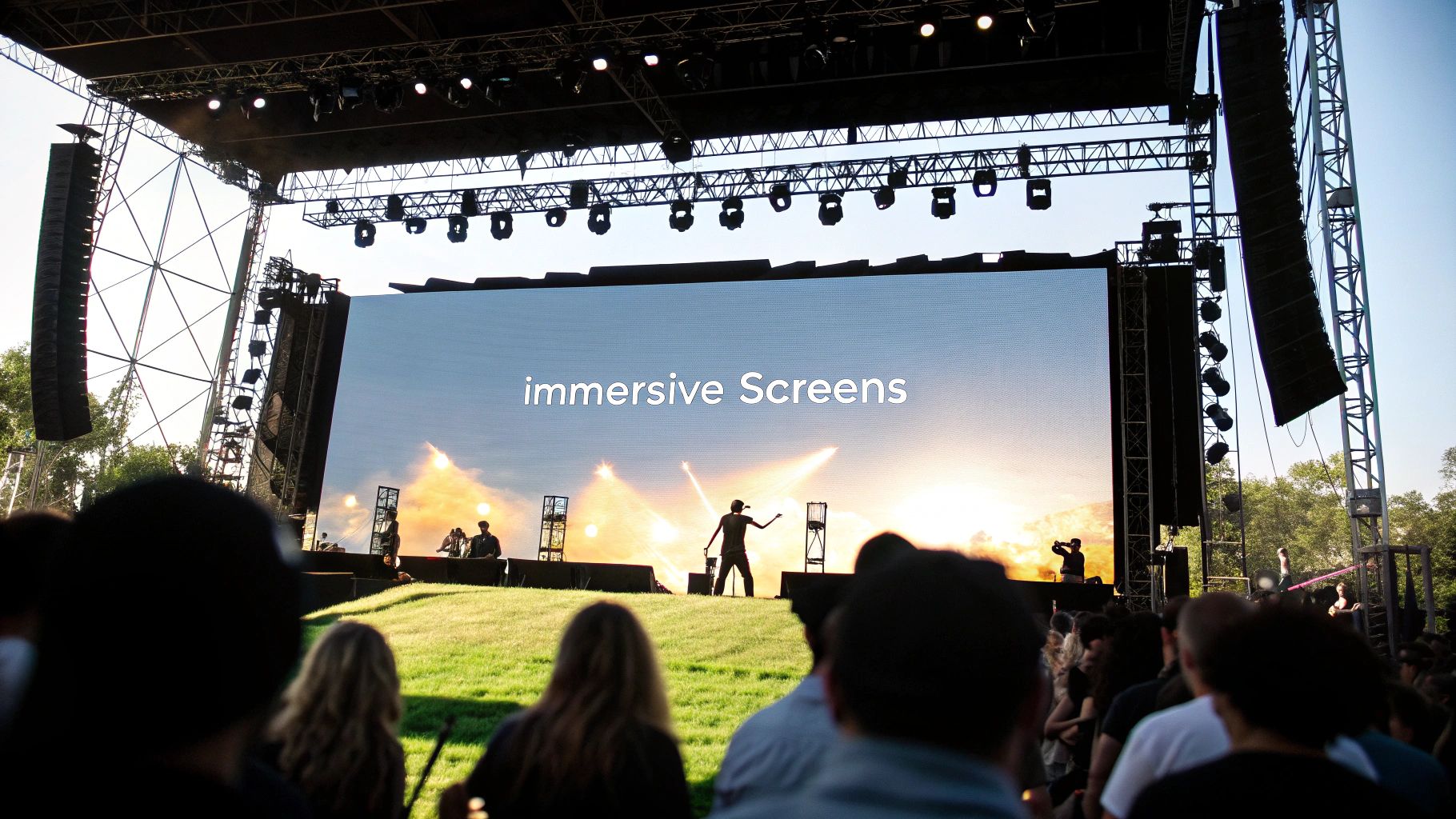
The days of static, painted sets are fading fast. Today, it’s all about creating an experience that's active and engaging, not just something people passively watch. This is where LED screens completely change the game. They are dynamic digital canvases that can transport an audience, shift the mood, or drive home a message in the blink of an eye.
This evolution has completely reshaped what audiences expect. People now come to an event anticipating a full sensory journey, where stunning high-resolution visuals are perfectly timed with audio and lighting. An LED screen on stage is the technology that makes it all happen, turning a simple presentation into a powerful, memorable event.
Of course, the visual impact is a huge part of the appeal, but the real magic lies in the strategic advantages. For event producers and businesses, these screens are a non-negotiable asset because they offer a level of flexibility and control that traditional staging could never touch.
Think about it from a practical standpoint:
This isn't just a trend; the numbers back it up. The Stage LED Screen market was valued at USD 62.6 billion and is on track to hit USD 150.0 billion by 2033, growing at a compound annual rate of 10.20%. Just look at major events like Coachella, where they use screens over 200 square meters to push stunning 8K visuals—a move that can spike social media shares by over 50%. You can dig deeper into these trends over at Emergen Research.
A well-utilized LED screen doesn't just display content; it shapes the entire audience experience. It can make a small stage feel immense or an arena feel intimate, all by controlling the visual narrative.
For artists and performers, an LED screen on stage is like having a new collaborator. A musician can sync mind-bending abstract graphics to their set, essentially creating a live music video right before the audience's eyes. In theater, you can ditch cumbersome physical set changes and use hyper-realistic digital backdrops to instantly whisk the audience from a chaotic city to a quiet forest.
It also empowers presenters to finally break free from the old-school PowerPoint slideshow. Picture a keynote speaker standing in front of a massive video wall that visualizes data in real-time or plays broadcast-quality customer testimonials. The message isn't just heard; it's seen and felt. That deep connection is what sticks with an audience, and it’s what makes the LED screen an absolutely essential part of any modern stage.
Picking the perfect LED screen for your stage isn't about finding the "best" tech out there—it's about finding the right tech for your specific room, your audience, and your content. The spec sheets can look intimidating, but honestly, just a few key numbers will drive almost every decision you make.
Get these right, and you’ll deliver a stunning visual experience. Get them wrong, and you’re headed for a pixelated, washed-out disappointment.
The absolute first thing to lock down is pixel pitch. This is simply the distance, in millimeters, from the center of one pixel to the center of the next. A smaller number means the pixels are packed tighter, giving you a higher-resolution image that looks sharp even when you’re right up close.
Think about it this way: for an intimate theater where the front row is just 15 feet away, you'll need a tight pixel pitch—something like a 1.9mm or 2.6mm screen. Go any wider, and your audience will start seeing the individual dots, creating that distracting "screen door effect."
But for a massive festival stage where the nearest fans are 100 feet back? You can easily get away with a wider pitch, like 4.8mm or even 6mm, and the image will still look perfectly clear.
Once you’ve got a handle on pixel pitch, the next big consideration is brightness, which we measure in nits. This tells you how well your screen will hold up against the other lights in your venue.
For an indoor space like a corporate ballroom or a house of worship, you’ll probably only need a screen rated between 800 to 1,500 nits. In fact, cranking the brightness too high in a dark room is a fast track to giving your audience a headache.
But an outdoor stage fighting direct sunlight? That’s a whole different beast. For a daytime festival, you should be looking for a screen with at least 5,000 nits of brightness. The top-tier touring screens often boast 7,000 nits or more to make sure the visuals stay vibrant and punchy, no matter how sunny it gets.
Just as important, especially in today's world, is the refresh rate, measured in Hertz (Hz). This is how many times per second the screen redraws the image. A low refresh rate (anything under 1920Hz) might look fine to the naked eye, but it can create ugly flickering or black bands when someone tries to film it.
For any event that will be filmed or live-streamed, a high refresh rate of 3840Hz or greater is non-negotiable. It guarantees a clean, broadcast-quality image without those distracting visual artifacts, protecting the experience for everyone watching from home.
To make this a little easier, I've put together a table that matches common stage environments with the specs you'll likely need.
Use this table to align key LED screen specifications with your venue type and audience distance, ensuring you select the optimal panel for your event.
| Venue Type and Viewing Distance | Recommended Pixel Pitch (mm) | Required Brightness (Nits) | Real-World Scenario |
|---|---|---|---|
| Indoor Theater (10-30 ft) | 1.9mm – 2.9mm | 800 – 1,500 | A theatrical production using a digital backdrop. |
| Corporate Ballroom (20-50 ft) | 2.6mm – 3.9mm | 1,000 – 2,000 | A conference presentation with detailed charts and text. |
| House of Worship (30-70 ft) | 3.9mm – 4.8mm | 1,200 – 2,500 | Displaying song lyrics and live video feeds for the congregation. |
| Outdoor Festival (50-200+ ft) | 4.8mm – 8mm | 5,000+ | A daytime music festival main stage needing sun-proof visuals. |
This should give you a solid starting point for figuring out what hardware truly fits your needs.
At the end of the day, making the right choice is always a balancing act between these technical needs and your budget. The global Stage LED Screens market is projected to grow at a 7.25% CAGR for a reason—more and more professionals are realizing the incredible impact of getting this balance right. Just look at massive productions like the Super Bowl halftime show, which reaches over 120 million viewers. They rely on durable, ultra-bright screens that can handle insane sound pressure while delivering flawless 4K visuals.
To put it all together, let’s look at a few common scenarios:
Sometimes, creative applications from other fields can also spark ideas. For example, looking into dance floor LED lighting solutions can offer surprising insights into durability and unique display technologies. By carefully weighing your viewing distance, ambient light, and content needs, you can confidently pick an LED screen that will absolutely nail it for your venue and budget.
The moment your flight cases hit the loading dock, all the theory goes out the window. This is where the real work begins, where meticulous planning meets the unforgiving reality of physics and logistics. Getting that wall of pixels built, powered, and perfectly calibrated is a game of details, and success isn't just a working screen—it's a flawless show.
This phase is all about precision, safety, and teamwork. Before a single case is even unlatched, your production team needs a rock-solid plan covering power, weight distribution, and signal flow. One small oversight here can snowball into huge delays or, far worse, a dangerous situation for everyone on site.
Honestly, the most important work you'll do happens long before the crew ever steps foot in the venue. A detailed pre-production checklist is your best defense against those last-minute, show-stopping surprises. This isn't just about double-checking delivery times; it's about making sure the venue can actually support your vision.
Your checklist has to be comprehensive. Don't skip a thing:
This initial decision-making process, from audience needs to final tech specs, can feel complex. Here’s a simple way to visualize that flow.
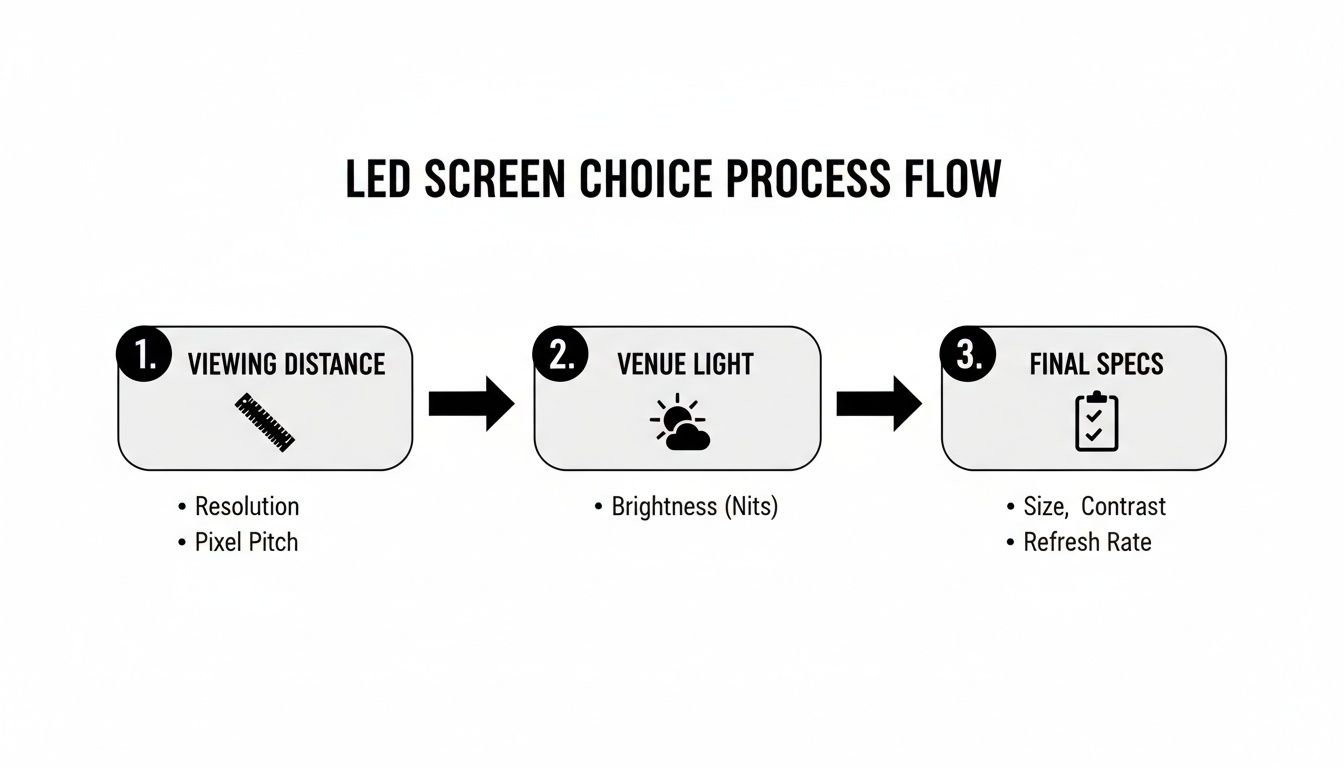
This workflow is a great reminder that technical specs aren't picked out of a hat. They're a direct response to your venue's unique physical and environmental realities.
Once you’re onsite, the first big build decision is how to support the LED screen on stage. Are you flying it or building it from the ground up? The choice really boils down to your venue's capabilities and what you're trying to achieve creatively.
A flown screen, hung from an overhead truss with certified motors and rigging hardware, often delivers that clean, "floating" look. It’s a popular choice because it keeps the stage floor completely clear for performers and other gear. But make no mistake, it's the more technically demanding option and requires certified riggers to ensure every connection is secure and the weight is perfectly distributed.
On the other hand, a ground-supported wall is built from the floor up on a dedicated base and truss system. This is your go-to solution for outdoor events or any venue that lacks the necessary ceiling support. Modern ground support systems are engineered for quick assembly and usually have built-in leveling and ballasting to keep the structure stable, even when the wind picks up.
No matter which method you choose, safety is the absolute priority. All rigging components should be inspected before use, and the final structure must be signed off by a qualified production manager or safety officer before the show.
With the physical structure in place, it’s time to start cabling. This is a two-part job: running signal and running power. A clean, organized, and clearly labeled cabling plan is one of the biggest tells of a professional crew.
Think of the signal path as the screen's nervous system. It starts at your media server or video processor, then travels out via fiber or SDI to the first LED panel. From there, shorter Ethernet-style cables daisy-chain the signal from one panel to the next in a very specific, pre-determined order. This "data map" is everything—one cable in the wrong port can scramble the entire image.
At the same time, you'll run power. Power is typically linked across a set number of panels before returning to a power distribution unit (or "distro"). It's crucial to balance the electrical load correctly so you don't overload a single circuit. For a really complex build, like the curved screen detailed in this Philadelphia project case study, that meticulous planning of both signal and power is what makes the whole thing work.
Finally, you have to talk to the other departments. Check in with the lighting team to see where their fixtures are aimed so you can avoid nasty reflections on the screen. Coordinate with the audio crew to make sure speaker stacks aren't blocking critical sightlines. This kind of collaboration is what turns a bunch of high-tech gear into a truly cohesive and powerful live experience.
An incredible LED screen on stage is just a high-tech blank canvas until you feed it the right visuals and control it with absolute precision. This is where all that technical setup gives way to pure creative execution. The whole workflow, from creating the content to what the audience sees, is a delicate dance between powerful hardware and compelling visuals.
Let's be clear: the screen is only as good as what you put on it. The visuals you choose will set the entire tone for your event, so getting your content strategy right is everything. A great show rarely relies on just one type of media; it’s the dynamic mix that keeps an audience totally locked in.
Not all content is created equal. The most effective stage visuals are built specifically for this medium and this environment. What looks great on your laptop will almost certainly get lost or look pixelated on a massive stage display.
These are the real workhorses of live event content:
If you want to push the boundaries, you can even explore resources on creating engaging interactive video content to display on your screen. This can turn passive viewing into a genuinely active experience.
Once you have your content, you need a rock-solid system to manage, process, and send it to the screen flawlessly. You can't just plug an HDMI cable from a laptop into a giant video wall and call it a day. The signal has to be processed and mapped correctly across all those individual panels, and that's handled by a few key pieces of gear working in perfect harmony.
At the heart of it all is the media server. This is a specialized, high-performance computer built for one job: playing back high-resolution video reliably under immense pressure. Servers from brands like Disguise or Pixera are industry standards, giving operators the power to trigger clips, apply effects, and manage multiple layers of video in real time.
From the server, the signal flows to a video processor or scaler. This box is the crucial translator. It takes a standard video signal (like 1920×1080) and intelligently maps it across the unique, often unconventional, pixel dimensions of your LED wall. The processor also handles critical jobs like color calibration and brightness control, ensuring the image looks absolutely perfect across every single panel. A powerful studio-grade LED video processor can give you an idea of the horsepower these units pack.
A truly professional setup is never without redundancy. Top-tier productions run a fully parallel backup system—a second media server, a second processor, and completely separate signal paths. If the primary system fails for any reason, the operator can switch to the backup instantly with zero visible glitch.
Pulling off a seamless visual performance requires more than just good gear; it demands meticulous, upfront planning. The video team has to map out every single pixel, ensuring the content created by designers fits the physical screen dimensions perfectly. This process is called resolution mapping.
Color calibration is another make-or-break step. The crew uses specialized tools to make sure every LED panel displays colors uniformly. This prevents that one section of the screen from looking slightly off-hue, which can ruin the whole illusion.
Finally, managing live inputs, like camera feeds for IMAG, requires careful coordination to kill any signal delay or lag. By building a solid workflow with redundancy at its core, you can ensure your LED screen on stage performs flawlessly, every single time.
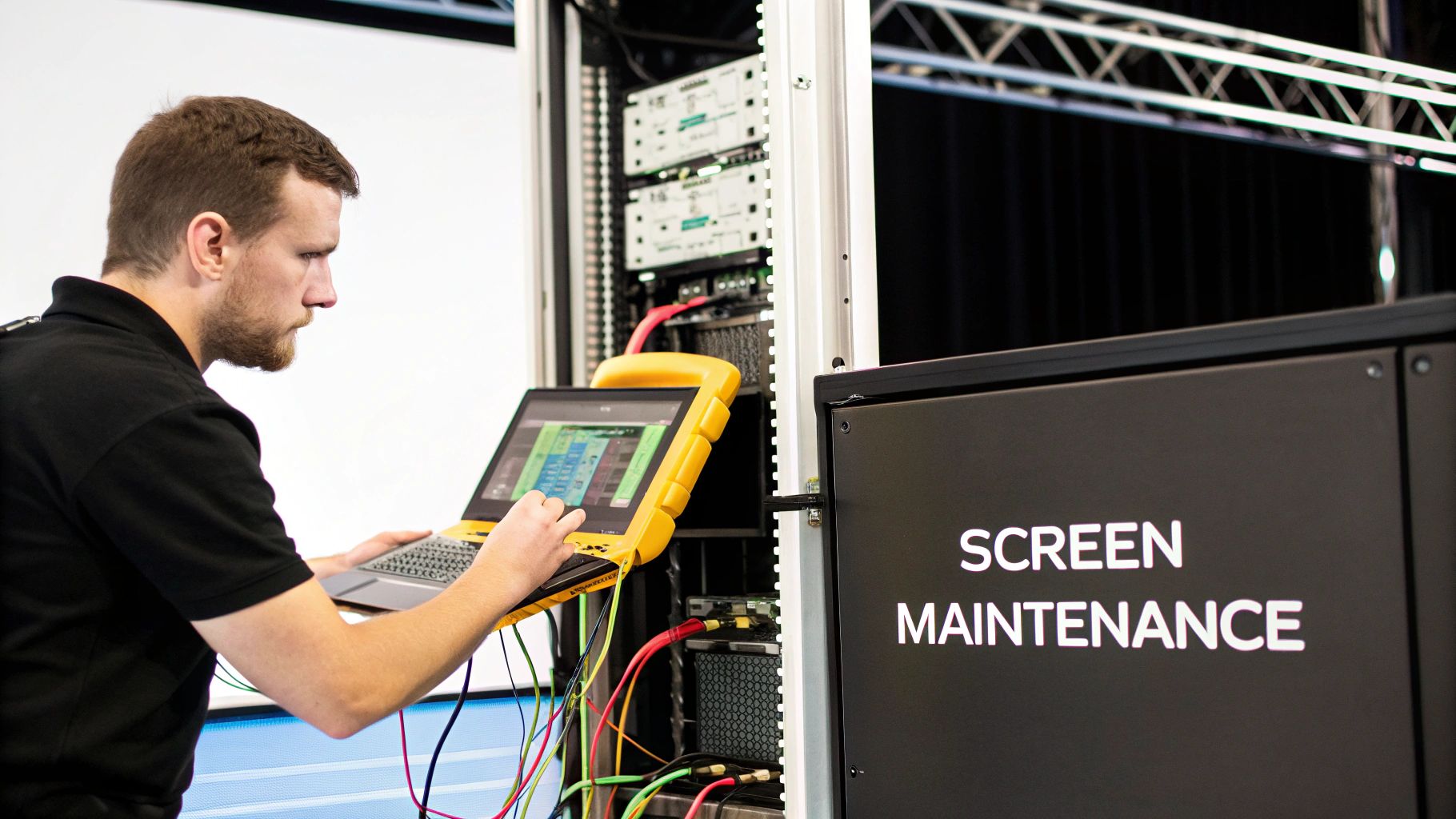
An LED screen on stage is a serious investment, and just like any high-performance gear, it needs consistent care to keep delivering those jaw-dropping visuals. Protecting that investment isn’t a one-and-done deal after setup. It's all about having a smart, proactive plan for safety, routine maintenance, and knowing exactly what to do when something inevitably goes sideways.
This is what separates a reliable, show-ready system from one that’s a constant headache. Think of it like a finely-tuned race car versus a standard rental—both get you down the road, but only one is built to perform flawlessly under pressure. Adopting a professional maintenance mindset from day one ensures your screen is always ready for its close-up.
Before we even touch on cleaning panels or checking cables, let's talk about what matters most: safety. The sheer weight and electrical demands of a large LED wall create real risks if they aren't managed by pros. This is one area where you absolutely cannot cut corners.
Your entire safety protocol should be built on a few non-negotiable pillars:
Here’s a simple rule I live by: if you're even slightly uncertain about a safety procedure, stop and ask. The five minutes it takes to confirm a rigging point's capacity or double-check a power calculation is infinitely better than dealing with the aftermath of a catastrophic failure.
Great maintenance doesn't need to be a huge, complicated affair. A simple, consistent routine will dramatically extend the life of your screen and let you catch small issues before they become show-stoppers. Most problems I see with an LED screen on stage come from simple neglect, not a major hardware meltdown.
This is more important than ever. The global LED display market is booming, thanks to innovations like Chip on Board tech that deliver stunningly fine pixel pitches. These advancements have also slashed energy use by up to 40% and pushed lifespans beyond 50,000 hours. To get every one of those hours, you have to put in the work. You can get a deeper dive into how these technologies are shaping the market.
Here’s a practical schedule you can steal and adapt:
Even with the best maintenance plan, things happen. The key is knowing how to diagnose the most common issues on the fly to save the show. This quick guide covers the essentials I've run into countless times on the road.
Maintenance and Troubleshooting Quick Guide
| Maintenance Task | Recommended Frequency | Common Problem to Look For | How to Fix It |
|---|---|---|---|
| Panel & Cable Inspection | After Every Use | Dust, fingerprints, loose connections, or frayed cables | Wipe with a microfiber cloth. Reseat any loose cables immediately. |
| Dead Pixel Check | Monthly | Single black dots or discolored pixels | Run full-color test patterns. Swap out the affected module with a spare. |
| Color Uniformity Test | Quarterly | Sections of the screen appearing slightly off-color or dim | Run a full white screen test. Note inconsistent modules for re-calibration. |
| Signal Path Check | Before Every Show | Flickering, scrambled images, or sections going black | Check the signal flow from the processor. Reseat data cables, especially the first one in a problematic chain. |
This checklist isn't exhaustive, but it covers the 80/20 of what can go wrong. Having this knowledge in your back pocket turns a potential panic into a calm, five-minute fix.
When you're looking at a big investment like an LED screen on stage, it's totally normal to have a ton of questions. Let's be honest, the tech can feel a little intimidating, and for any live event, the stakes are always high. So, let’s cut through the jargon and get straight to the practical answers for the questions we hear most from producers, venue managers, and event planners.
This is always the first question, and the most honest answer is: it really, really depends. The final price tag is a cocktail of size, pixel pitch, brightness, and whether you need it to survive the great outdoors or just a cozy theater. There's a world of difference between a small, simple screen for a local church and the monstrous video wall you see at a major music festival.
Just to give you a ballpark, a smaller indoor screen might start somewhere around $15,000. On the flip side, a massive, high-resolution outdoor screen for a major touring act can easily soar into the hundreds of thousands.
But buying the screen is just the beginning. You absolutely have to budget for the critical support gear that makes it all work.
A smart rule of thumb is to add another 20% to 40% on top of the screen's sticker price to cover all these essential support systems and the labor to put it all together. For one-off events or shorter tours, renting is almost always the more cost-effective move.
I wish it were that simple! But in short, no. You can't just run a standard HDMI cable from your laptop into a professional LED wall and expect a picture to pop up. An LED screen on stage isn't a giant TV; it’s a sophisticated system built from dozens or even hundreds of individual panels that need precise instructions.
The signal from your source—be it a laptop, a camera feed, or a media player—has to pass through a dedicated video processor first. This little box of magic takes a standard video signal (like 1080p or 4K) and intelligently maps it across the screen's unique, often non-standard, pixel count. For any serious show, a powerful media server is the go-to for managing all the content, ensuring every video and graphic plays back flawlessly.
How a screen is physically set up has a massive impact on your stage design, setup time, and, most importantly, safety. The two main approaches are "flown" and "ground supported," and each has its place.
A flown screen is hung from an overhead truss or a certified ceiling structure using motors and specialized rigging hardware. This gives you that clean, "floating" look and keeps the stage floor completely open for performers, set pieces, and gear. The catch? You absolutely need certified riggers and a venue that can provide a structural engineering report confirming it can safely handle the immense weight.
A ground-supported screen, on the other hand, is built from the ground up on its own dedicated support frame. It’s the perfect solution for outdoor festivals where there’s nothing to hang from, or for indoor venues that just can't take the load from above. Modern systems are engineered to go up quickly and safely.
This is a classic fear, but don't worry—professional systems are designed for exactly this kind of emergency. The beauty of an LED screen on stage is its modular design. That giant wall is just a collection of smaller, individual panels that can be swapped out in a flash.
Any pro production crew will have a stash of spare parts right at the side of the stage. If a single pixel goes out or an entire panel decides to take a break, a tech can usually pop in a new module in just a few minutes. If access is safe and planned for, it can sometimes even be done during the show without anyone noticing.
For those mission-critical events—think live TV broadcasts or a CEO's keynote—redundancy is king. This means having a complete backup signal path running in parallel: a second processor, separate cabling, all ready to take over instantly if anything in the primary system hiccups.
At Smart LED Inc., we provide factory-direct indoor and outdoor LED screens built for performance and reliability. Whether you're upgrading a venue or planning a national tour, our team can help you design the perfect visual solution. Explore our high-impact displays and get expert support to bring your vision to life.
Picture this: you take the flash and spectacle of a Times Square billboard, slap it on the back of a truck, and send it wherever
A wall of TV screens is exactly what it sounds like: a big, impressive display made by tiling multiple TVs together so they act like
Picking the right displays for shows can feel like a high-stakes guessing game. Get it right, and you create an immersive world that captivates your
"*" indicates required fields