
Uncategorized
Digital Billboard Truck: Boost Your Campaign with Mobile Ads
Picture this: you take the flash and spectacle of a Times Square billboard, slap it on the back of a truck, and send it wherever
An electronic announcement board is, at its heart, a digital screen designed to show information that can change at a moment's notice. It’s the modern answer to the old cork board and a stack of paper flyers. Think of it as a smart poster—a dynamic canvas that can play videos, share live updates, and cycle through scheduled messages to grab attention, no matter the setting.
Picture a high school hallway. Instead of a cluttered bulletin board nobody looks at, there's a single, bright screen. In a loop, it shows today's lunch menu, an updated schedule for the basketball game, and a flashing weather alert. That's the magic of an electronic announcement board: turning static, easy-to-ignore paper into engaging, real-time content.
Unlike their old-school, pin-and-paper cousins, these displays aren't just passive objects hanging on a wall. They’re active communication hubs. This shift from paper to pixels is about so much more than just cool tech. It’s a complete overhaul of how organizations share information. Traditional bulletin boards are slow, wasteful, and frankly, a mess. Someone has to print a notice, walk it over, and tack it up, only for it to get buried in clutter or become outdated in a day.
Electronic announcement boards fix this by putting all the control in one place. You can update the content instantly from a single computer, making sure everyone sees the most current information right away. This is a game-changer for:
This immediacy means the messages being displayed are always relevant, which maximizes their impact.
An electronic announcement board isn’t just a screen; it's a direct line to your audience, built to deliver the right message at the exact right moment.
While the name might suggest simple announcements, these digital displays do so much more. They are incredibly versatile tools for branding, advertising, and even building a sense of community. A corporate office can use one to showcase company values and celebrate wins, while a concert venue can sell ad space on its screens to open up a new revenue stream.
This multi-purpose nature makes them a strategic asset, not just a piece of equipment. To really grasp how these screens operate in today's world, it helps to think of them as powerful internet billboards brought into the physical space. This perspective reveals their true potential as both informational and commercial powerhouses, capable of influencing decisions and forging connections far more effectively than any piece of paper ever could.
Diving into the world of electronic announcement boards can feel a bit like learning a new language. You'll hear terms like pixel pitch, nits, and refresh rates thrown around, but what do they actually mean for how your display performs? Getting a handle on these core technologies is the secret to choosing a screen that looks brilliant, not blurry, and delivers your message with serious clarity.
Think of an electronic display as a massive digital mosaic. Each tiny tile in that mosaic is an LED (Light Emitting Diode), and the complete picture comes to life when millions of these lights work together. The quality of that final image hinges entirely on a few critical specs that define how these lights are arranged and how they perform.
The demand for these dynamic displays is exploding for a reason. The global digital signage market, which includes these boards, was valued at around USD 28.83 billion in 2024. It's on track to hit USD 45.94 billion by 2030, a clear signal of the massive shift in how organizations communicate.
This is all about grabbing attention and delivering information in a way that static signs just can't match.

As you can see, the technology acts as a central hub for sharing information, cementing your brand identity, and pushing out real-time updates. It's an incredibly versatile tool for any organization looking to make an impact.
One of the single most important factors determining your screen’s clarity is pixel pitch. This is simply the distance, measured in millimeters (mm), from the center of one tiny LED to the center of the next one. A smaller pixel pitch number means the LEDs are packed closer together, which creates a denser, higher-resolution image.
It helps to think of it like a photograph in a newspaper versus one in a glossy magazine. From across the room, both look okay. But get up close, and you can see the individual dots that make up the newspaper photo, making it look grainy and undefined. The magazine photo, with its finer, denser dots, stays sharp and crisp even when you're right on top of it.
Pixel pitch is exactly like that. A low pixel pitch (like 1.5mm) is your glossy magazine photo—perfect for indoor displays where people are standing just a few feet away. A higher pixel pitch (like 10mm) is the newspaper photo, totally fine for huge outdoor billboards that people will only ever see from a distance.
Here’s a quick guide to help you match the pixel pitch to your needs.
| Pixel Pitch (mm) | Minimum Viewing Distance (Meters) | Ideal Use Case |
|---|---|---|
| P1.5 – P2.5 | 1.5 – 2.5 Meters | Indoor conference rooms, control centers, high-end retail |
| P3 – P5 | 3 – 5 Meters | Indoor lobbies, museums, event stages, church sanctuaries |
| P6 – P8 | 6 – 8 Meters | Outdoor digital billboards, stadium screens (closer sections) |
| P10 – P16 | 10 – 16 Meters | Large-scale billboards, arena scoreboards, highway signs |
Choosing the right pitch ensures your audience sees a smooth, clear image, not a grid of distracting dots.
Ever tried to use your phone in direct, blinding sunlight? If the screen isn't bright enough, it's almost impossible to see anything. That’s the exact same battle outdoor electronic announcement boards fight every single day. The weapon they use to win is high brightness, which we measure in a unit called nits.
A nit is just a standard unit of luminance that tells you how much light a screen is capable of kicking out.
To give you some real-world context:
Without enough nits, an outdoor display will look washed out, faded, and unreadable. But just as important is the ability to dial that brightness down. A sign pumping out 7,000 nits at midnight would be absolutely blinding. That's why quality signs use an automatic LED sign brightness dimming sensor to adjust on the fly, ensuring perfect visibility whether it's high noon or the middle of the night.
Beyond pixel density and brightness, two other specs are crucial for a great viewing experience: refresh rate and viewing angle.
Refresh Rate, measured in Hertz (Hz), tells you how many times per second the image on the screen gets redrawn. A higher refresh rate, like 3840 Hz, delivers buttery-smooth motion. This is non-negotiable if you plan on showing video content or fast-moving graphics without any annoying flicker or motion blur. For a simple, static "Welcome!" sign, a lower rate is fine. For anything dynamic, you need a high refresh rate.
Viewing Angle determines how far off to the side a person can stand before the image quality starts to fall apart. A wide viewing angle, typically 140 degrees or more, makes sure the colors stay true and the brightness remains consistent even for people who aren't standing directly in front of the screen. This is absolutely essential for displays in large public spaces where your audience is spread out and moving around.
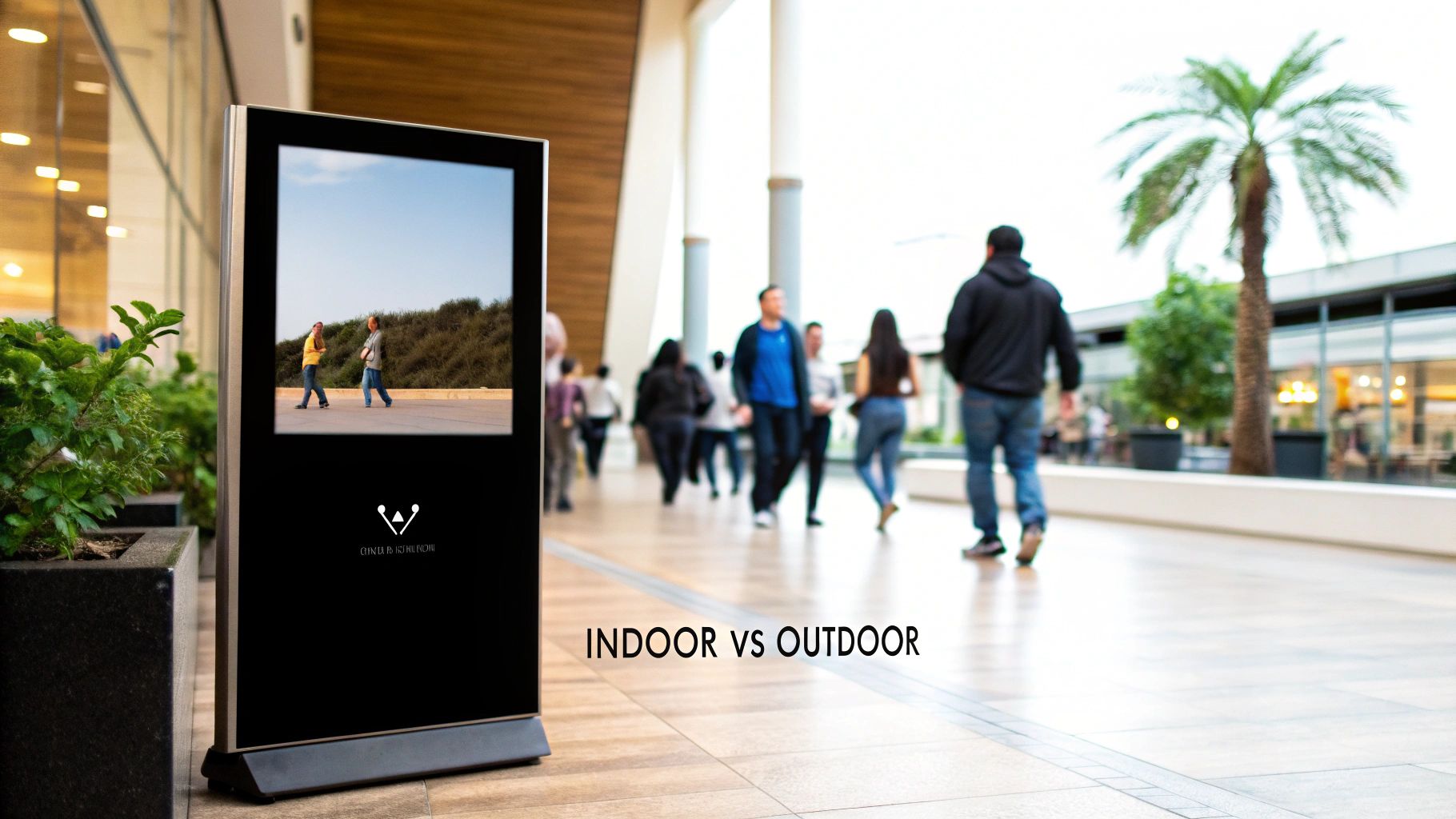
Picking the right electronic announcement board isn’t as simple as just deciding if it’s going inside or out. The truth is, those two environments present wildly different challenges, and the technology built into each type of display is fundamentally distinct.
Think of it like choosing between a house cat and a lion. Sure, they’re related, but only one is built to survive in the wild.
An indoor board gets to live a sheltered life in a climate-controlled space with predictable lighting. An outdoor board, on the other hand, has to be a rugged survivor, engineered to withstand everything nature throws at it while still performing flawlessly. This core difference trickles down into every aspect of its design, from its brightness and durability to its cost and maintenance needs.
Making the wrong choice here can lead to a washed-out, unreadable screen or, even worse, a complete system failure after the first big storm. Getting these distinctions right from the start ensures your investment pays off for years to come.
The first thing that sets an outdoor electronic announcement board apart is its sheer durability and weatherproofing. These displays are basically sealed fortresses, designed to repel rain, snow, dust, and humidity without ever missing a beat. We measure this resilience using the Ingress Protection (IP) rating system.
An IP rating has two numbers. The first digit (from 0-6) tells you how well it’s protected against solids like dust, while the second (from 0-8) rates its protection against liquids like water.
An IP65 rating isn't just a feature; it's a promise. It’s your guarantee that the display can survive a torrential downpour or a dusty construction zone nearby and keep running reliably, protecting all the sensitive electronics tucked away inside.
Getting to that level of protection requires specialized enclosures, corrosion-resistant materials, and industrial-grade sealants, which all add to the unit's cost and complexity.
The other critical battle outdoor displays have to win is against direct sunlight. An indoor screen only has to compete with the overhead lights in an office or lobby. But an outdoor screen has to be powerful enough to stay vibrant and readable on the brightest summer afternoon.
Your standard indoor board might put out 500-700 nits of brightness, which is perfect for a school hallway. In stark contrast, an outdoor electronic announcement board needs to pump out a minimum of 2,500 nits, with the really high-performance models hitting 7,000 nits or more to cut through the sun’s glare.
This kind of extreme brightness requires more powerful LEDs and advanced cooling systems to keep the unit from overheating, which in turn impacts energy use and operational costs. For a wider look at all the different outdoor business signage options out there, it’s worth exploring both static and digital choices.
The demands placed on these two types of boards are worlds apart. Indoor signs often run for 12-16 hours a day. Many outdoor displays, however, are expected to run 24/7, tirelessly promoting a business or sharing public information.
This relentless operation, combined with harsh temperature swings from freezing winters to scorching summers, puts immense stress on the internal components.
Because of this, outdoor units are built with commercial-grade parts designed for a much longer lifespan. They also feature robust thermal management systems, like heat sinks and heavy-duty fans, to dissipate all that heat. While this makes them more expensive upfront, it prevents premature failure and ensures you get a much better return on your investment over the long haul.
Our guide on digital outdoor signage dives deeper into what to look for in a durable, high-performance display. Making the right choice from the start will save you from costly replacements down the road.
So, your new electronic announcement board has arrived. Now what? Getting it out of the box and onto the wall is about more than just finding a power outlet. A truly successful installation is a careful mix of physical know-how and navigating local rules, where a bit of planning upfront saves you from major headaches and unexpected costs down the road.
Think of it as a two-part mission: the physical setup and the regulatory approval. Both are equally crucial. The physical part makes sure your investment is safe and won't come crashing down. The regulatory side keeps you on the right side of the law. Skipping either one can lead to big trouble, from a dangerously wobbly sign to a "cease and desist" order from your city.
Properly planning your installation means you’re not just hanging a screen; you’re setting up a permanent, reliable communication tool for years to come. This foresight is what separates a smooth project from a total logistical nightmare.
First things first: a thorough site assessment. Before you even think about drilling a hole, you have to be absolutely sure the spot you’ve picked can handle the weight of the display. This is non-negotiable, especially for big outdoor signs that can easily weigh hundreds, or even thousands, of pounds.
You need to evaluate the structural integrity of the wall, pole, or ceiling. Is it solid brick? Reinforced concrete? Or just drywall over steel studs? You might need to bring in a professional installer or even a structural engineer to give the final word. They’ll confirm that the structure can handle not just the sign's weight, but also environmental beatings like high winds for any outdoor units.
Next up is the mounting hardware itself.
Choosing the wrong mount is a recipe for disaster. It’s also the time to map out your power and data cabling, planning clean, protected runs to the display so you don’t end up with a mess of exposed wires.
For any outdoor display, navigating local regulations is often the trickiest part of the entire project. Just about every city and county has its own sign ordinances and zoning laws that spell out exactly what you can and can’t install. These rules exist for good reason—to ensure public safety, keep the neighborhood looking good, and prevent drivers from getting dangerously distracted.
Never, ever assume you can just throw up an outdoor electronic sign without getting permission first. Securing a permit is a mandatory step that protects you from hefty fines and, in a worst-case scenario, a legal order to tear the whole thing down.
These regulations often control factors like:
The best way to start is by getting in touch with your local planning or building department. Ask them directly for the sign permit application and a copy of the local sign ordinance. Taking this step early gives you a clear roadmap for compliance and ensures your new electronic announcement board becomes a successful, long-term asset—not a short-lived legal battle.
It’s one thing to understand the technology behind these screens, but it’s another thing entirely to see what they can actually do. An electronic announcement board is so much more than a bright screen—it's a powerful tool that drives real, tangible returns.
For a business, that return might be a straight-up lift in sales. For a school or office, it’s measured in things just as valuable: better engagement, stronger safety protocols, and smoother day-to-day operations.
Let’s get past the theory and look at how real organizations are putting these displays to work to get measurable results. These are the stories that bring the tech to life.
Picture a boutique on a busy street. A paper sign in the window advertising "20% Off" is just more noise, easily lost in the shuffle. Now, swap that out for a vibrant digital screen showing a slick video of models wearing the sale items, with "20% Off – Today Only!" flashing in bold, impossible-to-ignore text.
That dynamic approach doesn't just inform people; it creates a sense of urgency and genuine desire.
The ROI here is crystal clear. More people walking in the door from an eye-catching window display and higher spending per customer from smart upselling—it all flows directly to the bottom line. Our guide on LED signs for businesses digs deeper into how to make this happen for any storefront.
In any school, good communication is everything. But those old corkboards? They’re cluttered, outdated, and honestly, most students walk right past them. That’s how deadlines get missed and kids stay uninformed. An electronic announcement board in a high-traffic spot like the main hallway changes the game instantly.
Think about a high school using its digital board to cycle through crucial updates:
By putting all this key information on one bright, engaging screen, schools make sure nothing gets missed. This gets more students involved in activities, helps them hit their deadlines, and builds a stronger sense of community.
The return is measured in better student outcomes and a safer campus. When information is this easy to see, students are more tuned in and prepared. In fact, people have been shown to have an 80% recall rate for information on digital signage—a massive leap over a static poster.
In the corporate world, keeping everyone on the same page is a constant battle. Inboxes are overflowing, and critical company-wide announcements get buried in an instant. Electronic announcement boards in common areas—break rooms, lobbies, by the elevators—become the central nervous system for the whole office.
These screens are perfect for:
This isn't a new idea, but it's exploded in popularity with the rise of smart office tech and hybrid work. The demand is only growing as companies look for better ways to connect teams split between home and the office. The ROI for a business is a workforce that's more informed, aligned, and genuinely engaged. When people know the score and feel recognized for their work, productivity and morale both get a serious boost.
Of course. Here is the rewritten section, crafted to sound like an experienced human expert and match the provided writing style.
Jumping into the world of electronic announcement boards always brings up a few practical questions. Once you’ve wrapped your head around the tech and its potential, you start thinking about the day-to-day realities of actually owning one. We get it.
Let's walk through the most common queries we hear to give you a complete, no-nonsense picture of what to expect.
One of the best things about these boards is that you’re done with the hassle of printing, walking, and pinning up paper flyers. Modern displays give you a few ways to get your message on screen, so you can pick what works best for you.
The simplest approach is a direct USB upload. Just load your images or videos onto a standard USB stick, plug it into the display, and transfer the files. It’s a dead-simple solution for a single sign that you don't need to change every five minutes.
But the real magic happens when your display is connected to a network and run with specialized software. These systems are almost always cloud-based, meaning you can control your screen from literally anywhere with an internet connection.
Think about it: you're managing a chain of three coffee shops. With cloud software, you can sit at one location and instantly push a new "Drink of the Day" promotion to the boards in all three stores at the same time. That kind of remote control is a total game-changer for getting things done efficiently.
This kind of software lets you:
Honestly, not much. Modern electronic boards are built to be workhorses and require surprisingly little upkeep. Think of it less like technical work and more like basic housekeeping to protect your investment.
The most you'll typically do is a bit of routine cleaning. Just like any screen, the display will pick up dust and fingerprints. For indoor boards, a quick wipe with a soft, microfiber cloth is usually all it needs. For outdoor units, you might have to clear away pollen, leaves, or grime every so often to keep the picture sharp. Always check the manufacturer's cleaning guide first so you don't damage the screen.
You'll also want to keep an eye on proper ventilation. These displays, especially the super-bright outdoor models, can generate a good amount of heat. It's critical that their vents or fans are never blocked. A quick visual check to make sure air is flowing freely is the best way to prevent overheating, which is the number one enemy of electronic components.
Finally, you’ll have occasional software and firmware updates. Just like your computer or phone, the software that runs the display gets updated from time to time. These updates bring new features, better performance, and crucial security patches. Keeping it current is an easy win to ensure your board runs smoothly and securely for years.
This is the big one, and the answer is probably longer than you think. The lifespan of a professional-grade display isn't measured in years—it's measured in hours of operation. A typical commercial display is rated for 50,000 to 100,000 hours of continuous use.
Let's break down what those numbers really mean. If you ran your display 24/7, non-stop:
Now, if you run it on a more typical business schedule—say, 12 hours a day—that 50,000-hour lifespan stretches to well over a decade. This incredible longevity comes from the commercial-grade parts inside, which are built to handle constant use in a way consumer gadgets just aren't.
Of course, a few things can affect the final lifespan. Blasting the display at 100% brightness all day will wear it out faster than using an auto-dimming sensor. An outdoor board in a place with wild temperature swings will face more stress than one in a climate-controlled lobby. But with just a little bit of care, you can count on your electronic announcement board being a reliable powerhouse for a very long time.
It's a tempting shortcut, right? A consumer TV from a big-box store costs a fraction of a commercial display upfront. But while they might look the same, they’re built for completely different worlds. Using a regular TV for commercial signage is the classic definition of being "penny wise and pound foolish."
Here’s a head-to-head comparison of why they’re not the same beast:
| Feature | Consumer TV | Commercial Display |
|---|---|---|
| Brightness | Made for a dark living room (~250-350 nits) | Built for bright commercial spaces (500-7,000+ nits) |
| Run Time | Built for a few hours of use per day | Engineered to run 16/7 or 24/7 without failing |
| Warranty | Usually voided by business use | Covers long hours in a commercial setting |
| Orientation | Designed for landscape (horizontal) mode only | Can be mounted vertically or horizontally |
| Durability | Plastic shells, consumer-grade parts | Metal frames, better cooling, tougher components |
A regular TV just isn't bright enough to stand out in a well-lit store, much less outdoors. It’s not designed to be on all day, every day, and will likely suffer from image burn-in or just die an early death. Worst of all, its warranty becomes worthless the second you use it for your business, leaving you high and dry when it quits. A commercial display is an investment in something that works—reliably, brightly, and without excuses.
Ready to captivate your audience and drive real results with a stunning visual solution? At Smart LED Inc., we provide factory-direct pricing on high-performance indoor and outdoor electronic announcement boards, cutting out the middleman to deliver exceptional value. Explore our products and see what a professional-grade display can do for your organization. Visit us at https://smartledinc.com to get started.
Picture this: you take the flash and spectacle of a Times Square billboard, slap it on the back of a truck, and send it wherever

A wall of TV screens is exactly what it sounds like: a big, impressive display made by tiling multiple TVs together so they act like

Picking the right displays for shows can feel like a high-stakes guessing game. Get it right, and you create an immersive world that captivates your
"*" indicates required fields