
Uncategorized
Digital Billboard Truck: Boost Your Campaign with Mobile Ads
Picture this: you take the flash and spectacle of a Times Square billboard, slap it on the back of a truck, and send it wherever
Before you even think about what kind of screen to buy, the most important work in setting up a great conference room has nothing to do with technology. It’s about people. A proper setup begins by figuring out who will be in that room and what they’re trying to get done.
Is it a space for high-stakes client pitches? Or is it where your creative team will be throwing ideas at a whiteboard? Getting this right from the start ensures the room actually gets used—and used effectively.
Jumping straight to picking out equipment is the number one mistake I see. It’s an easy way to end up with a high-tech, high-cost room that nobody uses. The first real step is a proper needs assessment. This isn’t about guessing; it’s about having real conversations with the people who will live and breathe in this space every day.
The whole point is to create a room that fits your company’s unique culture and workflow, not just one that looks slick in a photo. A creative agency’s workshop space has completely different needs than a law firm’s formal boardroom.
First, let's get specific about what this room is for. Is it mostly for internal huddles, or is it a showpiece for wooing clients? Maybe it needs to pull double duty.
Think through these common scenarios:
The move to hybrid work has absolutely supercharged spending on meeting room tech, with North America alone accounting for over 39% of the global market. Why? Because you can’t have a decent hybrid meeting without seamless video conferencing. In fact, a whopping 77% of business leaders now say interactive digital technology is the single most important feature in a meeting space. You can dig into the numbers and trends in the full report.
To get the full picture, you need to talk to a variety of people across the company. Each department has its own perspective on what makes a conference room work. A few simple conversations can uncover deal-breaker requirements you would have otherwise missed.
A conference room that no one can figure out how to use is just a very expensive storage closet. The best technology is invisible, allowing teams to focus on collaboration, not troubleshooting.
For instance, your sales team will tell you they need meetings to start with a single click. They can't be fumbling with cables while a potential client is watching. Meanwhile, your IT department is thinking about network security, remote management, and how many support tickets the new room will generate. Facilities will be focused on power, cooling, and whether the furniture can withstand daily use.
Bringing these groups together before you design anything is the secret to avoiding expensive mistakes and frustrating rework later on.
This whole front-end process boils down to a simple, logical flow.
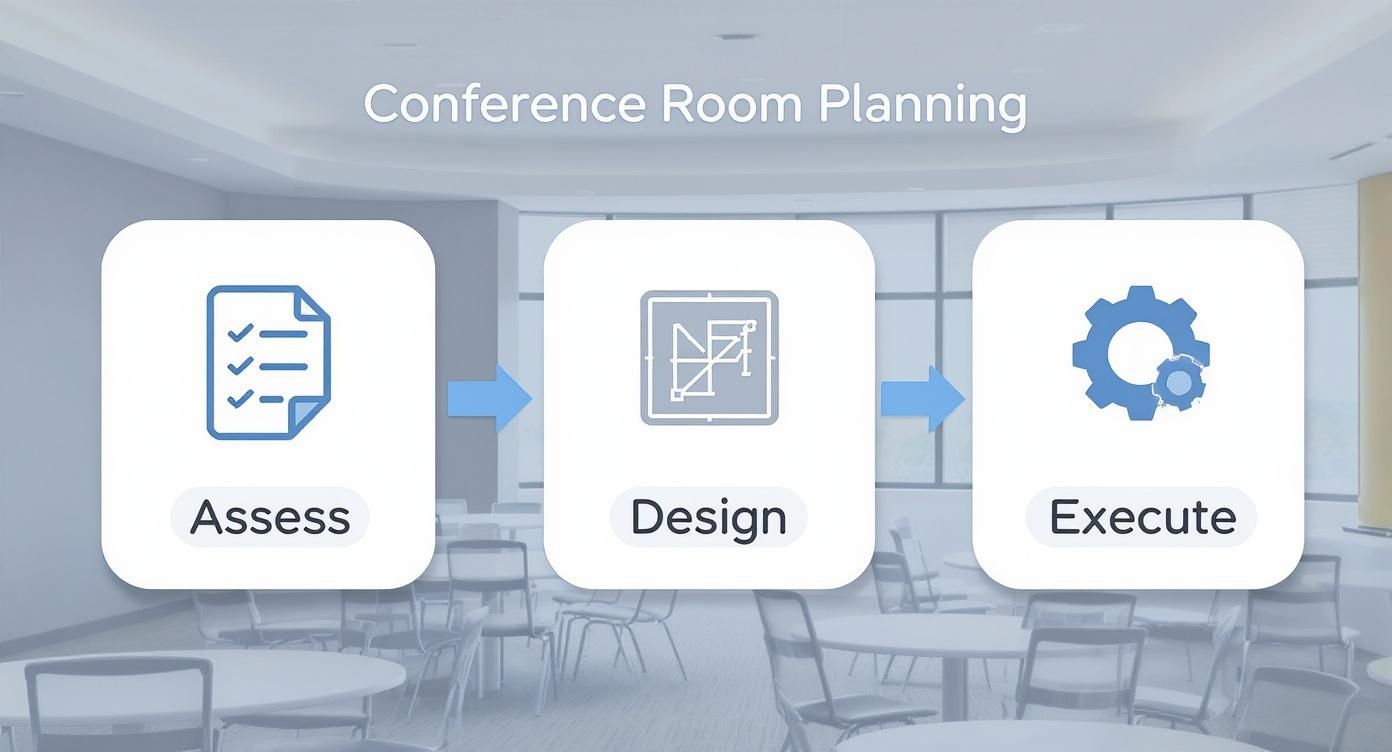
As you can see, everything flows from that initial assessment. Nail this first step, and you’re already halfway to a successful conference room project.
To help you get started, here's a checklist to guide your conversations and make sure you're asking the right questions.
This quick reference guide will ensure all critical factors are considered during the initial planning phase of your conference room setup.
| Assessment Area | Key Questions to Ask | Potential Impact on Setup |
|---|---|---|
| User Groups & Activities | Who will be the primary users? What types of meetings will happen most often (e.g., presentations, brainstorming, hybrid calls)? | Determines the type of furniture (modular vs. fixed), display technology (interactive vs. standard), and AV gear needed. |
| Room Capacity | What is the average and maximum number of people the room needs to hold? | Affects furniture layout, screen size, and the number of microphones and speakers required for proper coverage. |
| Technology Needs | What devices will people bring? Is wireless screen sharing a must? What video conferencing platform do you use (e.g., Zoom, Teams)? | Dictates the required inputs, cables, and adapters. Determines whether you need a dedicated room system or a BYOD setup. |
| Stakeholder Input | What are the non-negotiable requirements from IT, Facilities, and key department heads? | Uncovers critical constraints related to network security, power/data locations, and budget that must be addressed early. |
Think of this table as your conversation starter. By working through these areas with your team, you build a solid foundation that ensures the final design isn't just impressive—it's incredibly useful.
An effective conference room shouldn't feel like a sterile, formal box. It needs to be an intuitive space for people to connect and communicate. The physical layout is the bedrock for all the technology you'll layer on top. If you get the layout wrong, even the most expensive AV gear will feel clunky and awkward to use.
The whole point is to create an environment where collaboration—whether in-person, remote, or a mix of both—feels completely natural.
This all starts with the furniture. The days of the monolithic, immovable boardroom table being the only choice are long gone. While that classic setup is still great for formal discussions, modern meetings need more flexibility. Think about modular tables and lightweight chairs. Agile teams can then easily reconfigure the space on the fly, shifting from a heads-down workshop to a polished client presentation in minutes.
One of the most common—and critical—mistakes I see is poor sightlines. Every single person in that room needs a clear, easy view of the main display. No exceptions. This means nobody should have to crane their neck, lean awkwardly, or try to peer around a coworker just to see what’s on screen.
To nail this, you have to map out seating positions relative to the display. For a long, skinny room, one large display at the far end usually works just fine. But for wider rooms, you might need to think about dual displays to give everyone a comfortable viewing angle. The goal here is simple: make information equally accessible to everyone. That's the foundation of an inclusive meeting.
As you think about the overall flow, exploring some fresh office interior designing ideas can spark some great inspiration for making the space both productive and engaging. A well-designed room doesn't just look good; it encourages people to participate and makes the tech feel like it's part of the conversation, not a barrier to it.
You can have the best cameras and microphones in the world, but if your acoustics and lighting are bad, the experience will be terrible. These two elements can absolutely make or break a hybrid meeting, yet they're often treated as an afterthought.
A room full of hard surfaces—glass walls, concrete floors, bare ceilings—is an echo chamber. For remote participants, it’s a nightmare of reverberation that makes it impossible to hear clearly.
Thankfully, the fixes are often straightforward:
Lighting is just as crucial, especially for video. Bad lighting can make your in-room team look like they’re in a witness protection video, with harsh shadows or blown-out faces. You want soft, even, diffuse light aimed at people’s faces. A classic mistake is putting the main light source behind people, which just turns them into silhouettes. Smart lighting systems that you can adjust for different scenarios are the ideal solution.
A well-designed conference room layout doesn't just look good—it actively works to improve meeting equity. When everyone can see, be seen, hear, and be heard without effort, the technology fades into the background, and true collaboration can begin.
Ultimately, the layout has a direct impact on how much the room actually gets used. Industry data shows that typical meeting room utilization hovers between 35% and 65%. But here's the kicker: rooms with modern collaboration tools and a thoughtful design see occupancy rates 15-20% higher than basic setups.
By investing in a layout that's both functional and inviting, you’re creating a valuable asset, not just another underused expense on the floor plan. For larger spaces where you really want to make an impact, it’s worth looking into how Smart LED indoor wall panels can completely transform the visual experience.
The tech you choose is the heart and soul of your conference room. It's what makes or breaks the entire experience, turning a potential headache into a seamless collaboration hub. Getting the audio-visual (AV) stack right isn't about throwing money at the most expensive gear; it's about picking components that play well together and are perfectly suited for your specific needs.
Let's walk through the core pieces you'll be looking at.
Your display is the visual anchor of the room. The decision goes way beyond just size—you need to think about brightness, clarity, and how it fits the room's main purpose.
For most small to medium rooms, a high-quality 4K commercial display is the go-to standard. They're built for reliability, are bright enough for typical office lighting, and offer plug-and-play simplicity.
Projectors still have their place, but usually only in very large training rooms or venues where you need a massive image that a standard display just can't deliver without breaking the bank. Just remember, they demand careful light control and more upkeep.
But if you want to make a serious statement in a boardroom, lobby, or a big multi-purpose space, nothing comes close to an LED video wall. The brightness and color are simply stunning and completely unfazed by ambient light, creating a truly immersive visual canvas. They've also become much more accessible lately. You can now find complete indoor LED wall screen kits that bundle everything you need for a professional install.
To help you decide, here’s a quick rundown of the most common display technologies for conference rooms.
| Technology | Best For | Pros | Cons |
|---|---|---|---|
| 4K Commercial Display | Small to medium rooms, huddle spaces, standard meeting rooms. | Cost-effective, easy to install, reliable, good brightness. | Limited by size (typically up to 98"), can have glare. |
| Projector | Large training rooms, auditoriums, budget-conscious large spaces. | Very large image size for the cost, can be hidden when not in use. | Requires dim lighting, lamp/laser replacement, lower contrast. |
| LED Video Wall | Boardrooms, lobbies, executive briefing centers, large multi-purpose rooms. | Extremely bright, seamless image, immune to ambient light, scalable to any size/shape. | Higher initial cost, requires professional installation. |
Ultimately, the best choice depends on balancing your room's specific needs with your budget. For most modern offices, a commercial 4K display hits the sweet spot, but for high-impact spaces, an LED wall is a game-changer.
Listen up: if you get one thing right, make it the audio. Lousy video is annoying, but bad audio will derail a meeting instantly. When you consider that research shows 75% of meetings have three or fewer people—often with remote colleagues dialing in—crystal-clear voice capture becomes non-negotiable.
Your microphone choice will come down to your room size and furniture setup.
Speakers are the other half of the audio equation. The goal is even sound distribution across the entire room, so voices from the far end sound natural and are easy to hear from every single seat. Integrated soundbars often do the trick for smaller rooms, but larger spaces will definitely benefit from dedicated wall-mounted or ceiling speakers.
The biggest mistake I see in conference room AV is when people blow the budget on the display and then cheap out on audio. A gorgeous, crystal-clear image is completely useless if your remote team can't understand a word being said.
The software platform is the brain of the whole operation. Most companies have settled on either Microsoft Teams Rooms or Zoom Rooms as their standard. Your main decision here is whether to go with a certified, all-in-one hardware kit or a more customized, software-based setup.
All-in-One Hardware Kits
Brands like Logitech, Poly, and Crestron offer fantastic certified bundles. These kits typically include a camera, microphone, speakers, and a touch controller, all pre-optimized for a specific platform.
A great example is the Logitech Rally Bar Mini. It’s a perfect all-in-one for a medium-sized room and can run in "appliance mode"—meaning it runs Zoom or Teams right on the device, no separate computer needed. This simplifies the setup big time.
Custom or Software-Based Setups
This route involves using a dedicated mini-PC (often called a NUC) to run the room software, which then connects to your hand-picked USB camera, mics, and speakers.
This approach is usually reserved for those high-stakes spaces like executive boardrooms or auditoriums where custom performance is a must.
Once you have your gear, knowing about connecting devices properly is crucial to making sure everything works as a single, cohesive system. The goal is for the tech to fade into the background, letting anyone walk in and kick off a meeting with a single tap.
Let's be honest. Even the most powerful, expensive AV system is completely worthless if your team can’t figure out how to start a meeting. The real magic of a modern conference room happens when the technology just disappears, creating a totally frictionless experience. This is where the thoughtful integration of your network, control systems, and scheduling tools really shines.
A flawless hybrid meeting hangs on one thing above all else: a rock-solid network connection. Jittery video, dropped calls, and screen shares that never load are almost always network problems. Just letting your conference room compete for bandwidth on the general office Wi-Fi is a recipe for disaster.
Your meeting spaces need their own dedicated network infrastructure. A hardwired Ethernet connection is non-negotiable for the core room system—think your Microsoft Teams Rooms or Zoom Rooms appliance. This guarantees the best speed and reliability, period. For guests and anyone bringing their own device (BYOD), set up a dedicated, high-priority wireless access point just for that room.
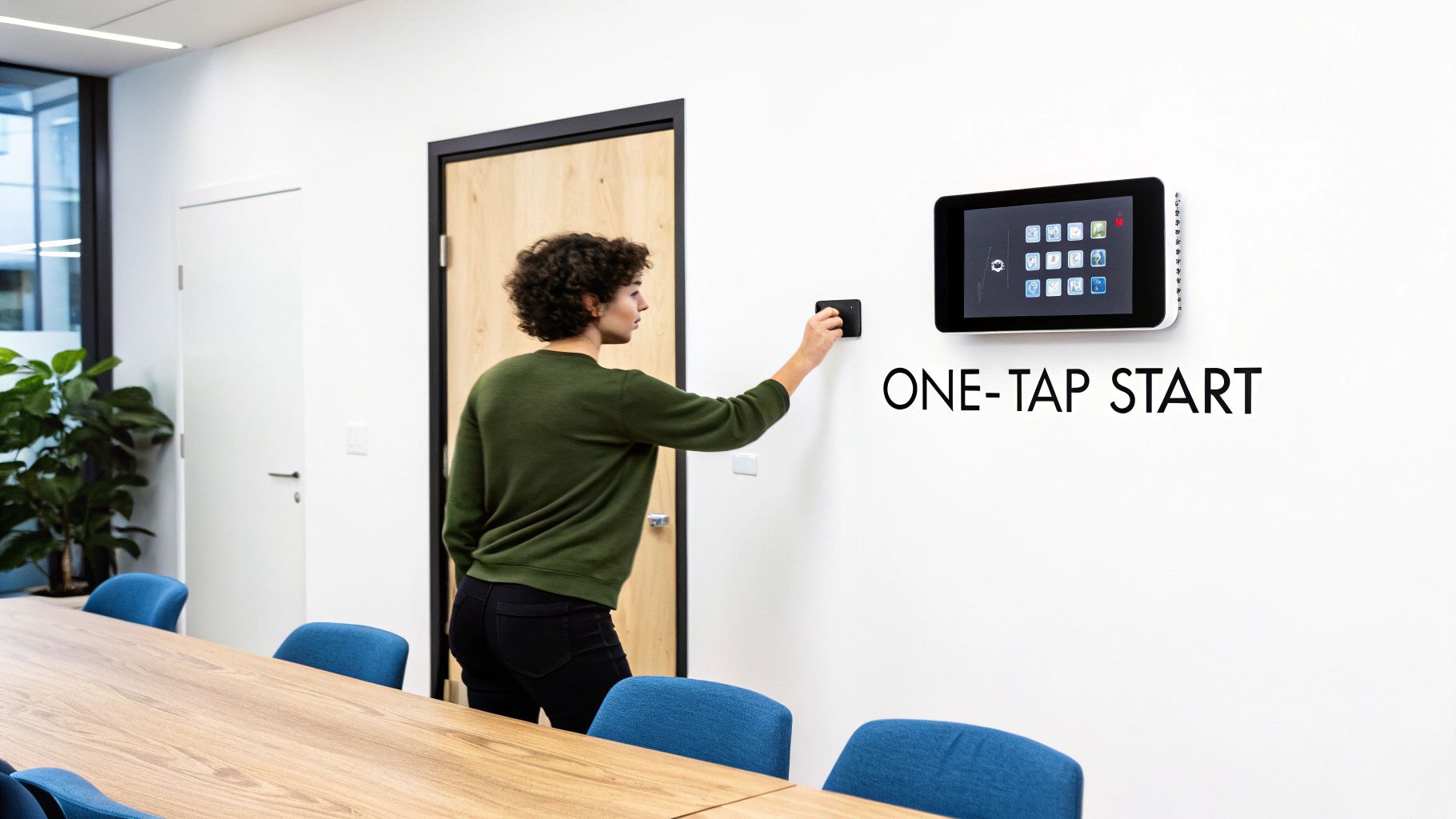
The days of juggling a half-dozen remotes and fumbling through a complex startup sequence are over. Or at least, they should be. Modern control systems are all about boiling down the entire meeting launch process into a single tap. The goal is to eliminate what we call "meeting start-up anxiety"—that sinking feeling that tech issues are about to chew up the first ten minutes of your call.
The go-to solution here is a tabletop touch panel, like a Logitech Tap or Crestron controller. These devices give users a clean, simple interface that's locked down to only the functions they need.
The true measure of a great conference room isn’t how many features it has. It’s how quickly a first-time user can walk in and start a meeting without asking for help. You're aiming for a "walk-in-and-work" experience.
Want to take it a step further? Think about full automation. By installing occupancy sensors, the room can be programmed to "wake up" the moment someone enters—firing up the displays, setting the lights, and getting the system ready. This is when the technology truly feels invisible.
Few things kill productivity faster than double-booked rooms or meetings that run long, leaving the next group waiting in the hallway. Room scheduling panels mounted right outside the door are a simple and incredibly effective fix for this chronic office headache. These small displays sync directly with your company's calendar, like Outlook 365 or Google Calendar.
They provide critical, at-a-glance information:
This isn't just about convenience; it's about reclaiming lost time. Workplace analytics show that 40% of employees can waste up to 30 minutes a day just looking for a place to meet. By making availability crystal clear, scheduling panels stop the search party before it starts and ensure your valuable meeting spaces are used to their full potential.
This is where the rubber meets the road. Transforming your conference room design from a plan on paper into a fully functioning space comes down to two things: a solid budget and a seamless installation. A well-thought-out budget is more than just a list of equipment costs; it's your roadmap for turning a concept into reality without any nasty surprises.
Your budget needs to cover everything—not just the big-ticket items like displays and microphones, but all the little things that add up. Think software licenses, specialized cabling, wall mounts, and even acoustic panels. A great conference room is a serious investment, and you're not alone in making it.
The global market for these setups is exploding, driven by the massive shift toward hybrid work. Valued at around USD 1.9 billion recently, it's expected to rocket to USD 7.6 billion within the next ten years. You can get a deeper look at what’s fueling this growth in this market analysis.
Unless you have a seasoned AV team in-house, you’re going to need to bring in a professional AV integrator. This is probably the most critical decision you'll make in the entire process. A good integrator is your expert guide, helping you pick the right gear, installing it perfectly, and making sure every single piece of tech talks to each other flawlessly.
To find the best fit, you'll want to send out a Request for Proposal (RFP). A good RFP is detailed and crystal clear.
Make sure your RFP includes:
When the bids come in, don't just jump at the lowest price. Dig into the proposed equipment list. Ask them why they chose those brands. Look for a detailed breakdown of labor and project management costs. And always, always ask for case studies or references from companies like yours.
The cheapest bid is almost never the best value. A quality integrator will save you a fortune in the long run by preventing expensive mistakes, minimizing downtime, and being there for you with reliable support.
Once all the gear is installed, you’re on the home stretch. The final step is called commissioning. This isn't just a quick "does it turn on?" check. It's a meticulous, top-to-bottom audit to make sure every single component works exactly as it should before you hand the room over to your team.
Your commissioning checklist needs to be thorough. Test every input, every microphone, and every scenario you can think of. While you're focused on the meeting room hardware, it's also helpful to understand the costs associated with other large-format displays your company might need. If your project includes outdoor branding, for example, our guide breaks down the factors that influence outdoor LED sign cost.
Here's a good starting point for your final validation checklist:
Only when you've ticked off every single item on that list should you consider the project done. This final, rigorous check ensures your new conference room is 100% ready for prime time from day one.
When you're planning a new conference room, a handful of critical questions always seem to pop up. Getting the answers right is the difference between a frustrating, empty room and a collaboration hub your team actually wants to use. Let's walk through some of the challenges we see most often.
Choosing the right display size isn't just about what fits on the wall—it's about making sure everyone in the room can actually read what's on the screen. It all comes down to legibility.
A fantastic rule of thumb we use in the industry is the "4/6/8 Rule." This simple guideline connects the screen size to how far away people are sitting, depending on what they’re looking at.
Here’s how it works: you match the display’s height to the distance of the farthest viewer.
Let's say you're looking at a 75-inch display, which has a height of roughly 37 inches. For detailed work, your farthest participant needs to be within 148 inches (about 12 feet). Always start by measuring your room and where people will sit—it makes the decision a whole lot easier.
Easy. The single most common and damaging mistake is cheaping out on audio. We've seen it time and again: a team will spend a fortune on a gorgeous 8K display, only to rely on a single, low-quality microphone built into a webcam. This one decision immediately creates a miserable experience for anyone trying to join from home or another office.
Poor audio makes remote participants feel like second-class citizens. If they can't hear what's going on, they can't contribute. The whole point of a hybrid meeting is lost.
The fix is to treat your microphone system and room acoustics as a top priority from day one. Invest in microphones designed for your specific room layout. For flexible seating arrangements, ceiling-mounted beamforming arrays give you excellent coverage and a clean look. For a classic U-shaped boardroom table, individual tabletop mics are often the perfect fit.
And don't forget about acoustics! Rooms with lots of glass, concrete, or hardwood floors create a ton of echo that even the best mic can't filter out. Adding a few simple acoustic panels or even just a rug can make a world of difference.
This really boils down to a trade-off between simplicity and flexibility.
Certified hardware kits from brands like Logitech, Poly, or Crestron are fantastic for standardizing your small and medium-sized rooms. They come pre-configured and optimized for platforms like Zoom Rooms or Microsoft Teams Rooms, which means they're reliable and much easier for your IT team to support.
On the other hand, a custom-integrated AV system is the way to go for larger, more complex, or multi-purpose spaces like an executive boardroom or an all-hands auditorium. This approach allows an AV integrator to hand-pick the absolute best components for each job—like a specific camera for its powerful optical zoom or a specialized microphone system to handle tricky room acoustics. While you get total control, custom systems require more design expertise, a longer installation, and more involved maintenance down the road.
Let's be honest: true "future-proofing" is a myth in the fast-moving world of tech. But you can absolutely build for longevity. The trick is to make strategic choices that prioritize adaptability instead of just chasing the latest shiny object.
At Smart LED Inc., we specialize in creating high-impact visual experiences with our factory-direct indoor LED video walls and outdoor LED signs. Whether you're upgrading a boardroom or transforming a lobby, our expert team can help you design a solution that delivers stunning clarity and reliability. Explore our scalable and durable displays at https://smartledinc.com to see how we can bring your vision to life.
Picture this: you take the flash and spectacle of a Times Square billboard, slap it on the back of a truck, and send it wherever
A wall of TV screens is exactly what it sounds like: a big, impressive display made by tiling multiple TVs together so they act like

Picking the right displays for shows can feel like a high-stakes guessing game. Get it right, and you create an immersive world that captivates your
"*" indicates required fields