
Uncategorized
Digital Billboard Truck: Boost Your Campaign with Mobile Ads
Picture this: you take the flash and spectacle of a Times Square billboard, slap it on the back of a truck, and send it wherever

An LED stage screen is more than just a giant television; it's a dynamic, digital canvas built from individual LED panels that seamlessly connect to create massive, vibrant backdrops for any event. This technology transforms stages from static platforms into immersive, visually stunning environments.
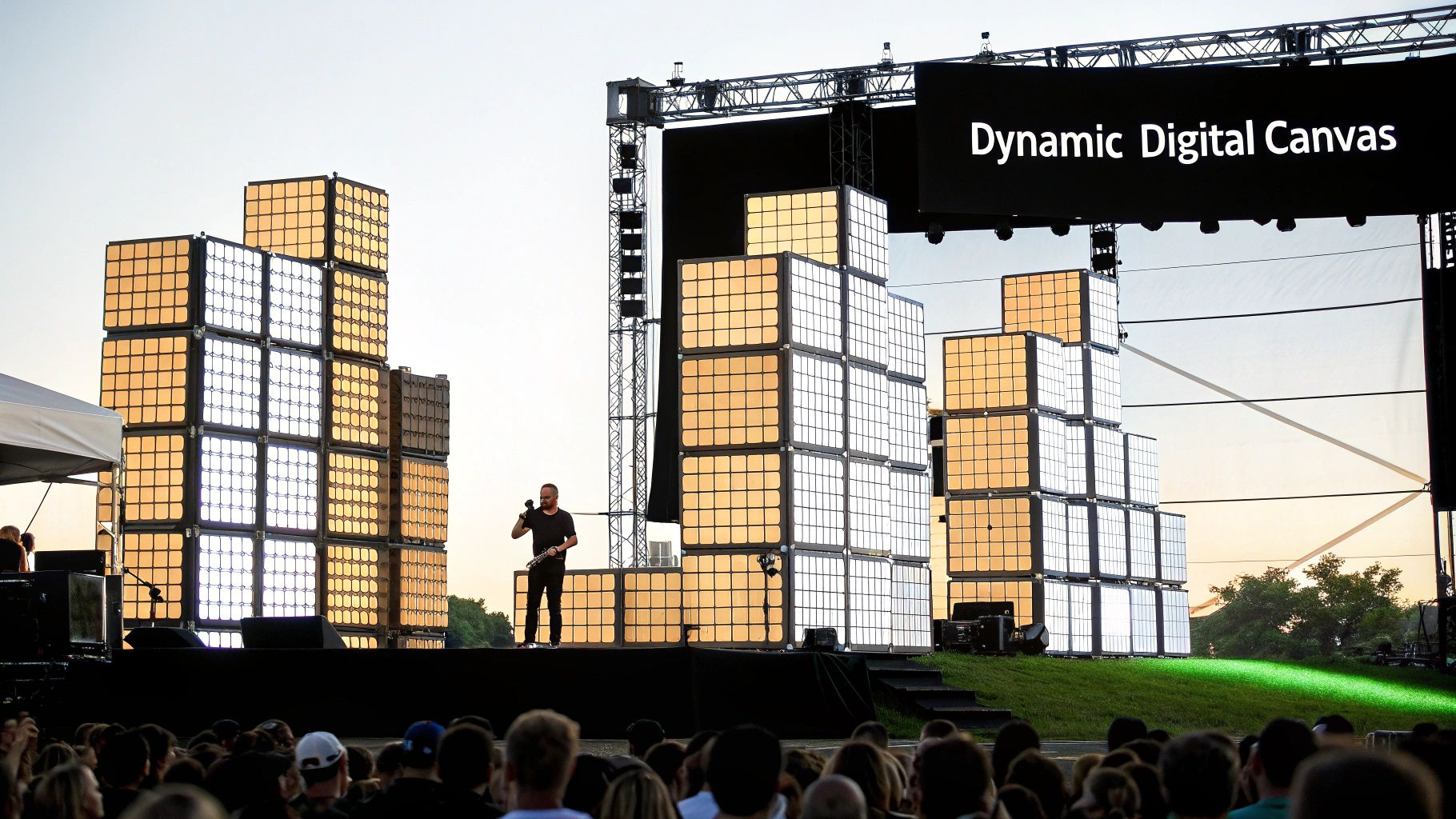
Think of an LED stage screen as a set of high-tech, interlocking building blocks. Each block is a self-contained LED panel, and by linking them together, you can construct a display of virtually any size or shape. This modularity is the secret to its power and flexibility.
This design liberates event producers from the old constraints of printed backdrops or clunky projection screens. Instead of being stuck with a fixed rectangular image, you can create towering vertical displays, long panoramic vistas, or even curved, wrap-around visuals that completely envelop the audience.
The real value of an LED stage screen is its ability to create powerful, engaging experiences that captivate an audience. Let’s be honest—static banners and printed scenery just can't compete with the raw energy of moving digital content.
This technology has become an absolute must-have across a huge range of settings, with each one playing to its unique strengths:
The core advantage is impact. An LED stage screen transforms a passive viewing experience into an active, immersive one. It’s the difference between telling an audience a story and placing them directly inside of it.
The massive shift toward LED technology in live events boils down to a few key factors. First, their brightness is simply unmatched. An LED stage screen can easily overpower bright stage lighting and even direct sunlight at outdoor festivals, ensuring the visuals are always punchy and clear, no matter what.
Second is the sheer creative freedom. The ability to build custom shapes and sizes means the screen itself can become part of the stage design—an architectural element rather than just a passive display. This has completely redefined what’s possible in scenic and lighting design.
Finally, the modular nature is a lifesaver for touring productions. Panels are transported in road cases and can be assembled quickly on-site, a critical advantage for fast-paced, tight event schedules. While the initial investment can be significant, the visual return and audience impact are undeniable, making the tech a staple for modern productions. This versatility also extends beyond stages, as you can see how LED signs for businesses use similar principles to attract customers.
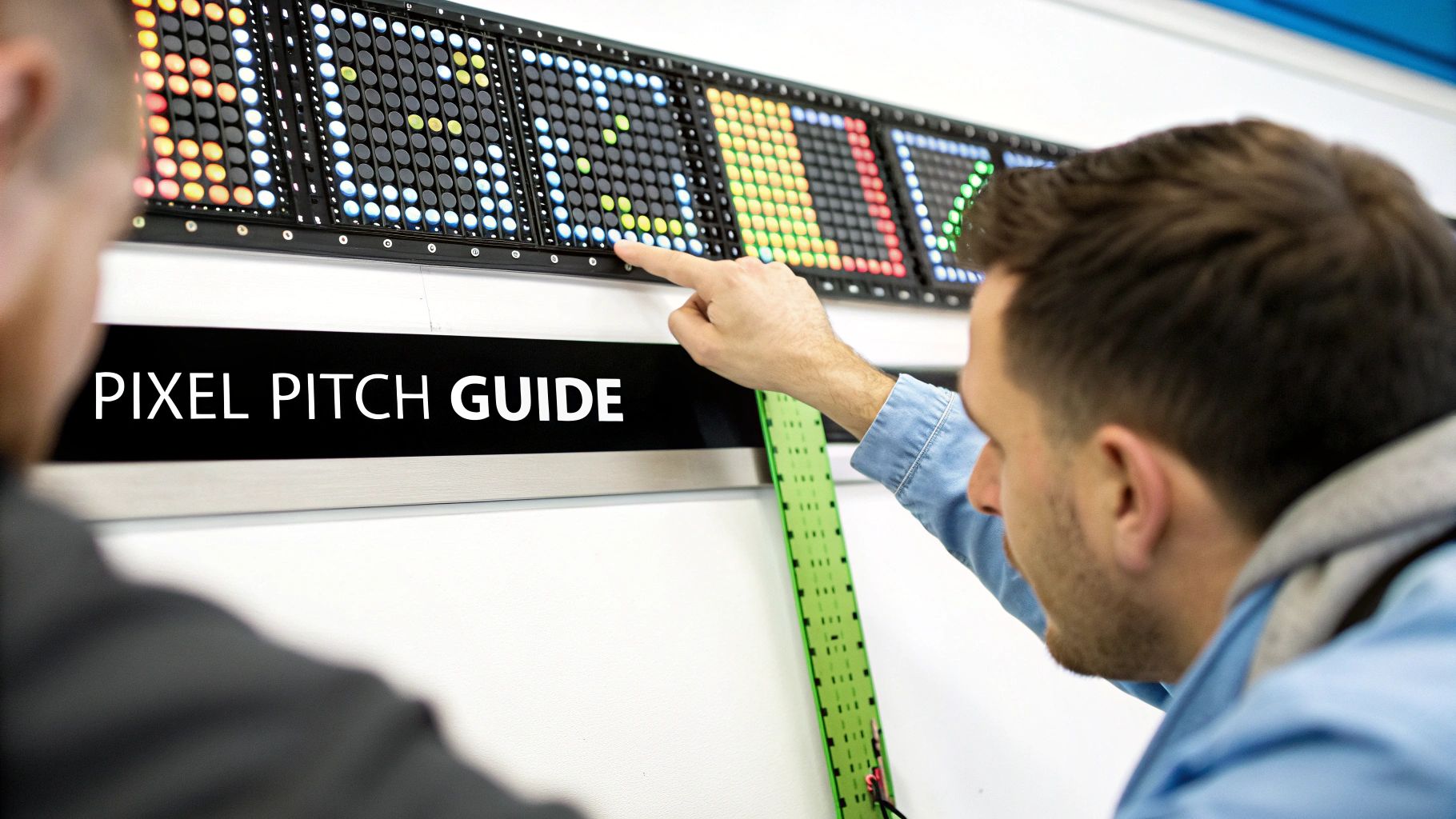
Diving into the technical details of an LED stage screen can feel like learning a new language. Terms like "nits," "refresh rate," and "pixel pitch" get thrown around, but they're the key to choosing a screen that delivers a stunning visual experience instead of a blurry, washed-out disappointment.
Let's break down these core specs into simple, practical concepts. Think of them not as jargon, but as the DNA of your display. Each one controls a vital piece of the final image, from its sharpness up close to its ability to punch through bright stage lighting. Getting them right is what makes your content look exactly as you envisioned it.
The first and most fundamental spec is pixel pitch. Imagine your LED screen is a giant mosaic made of tiny, colored light bulbs. Each of these bulbs is a pixel. Pixel pitch is simply the distance, measured in millimeters (mm), from the center of one pixel to the center of its neighbor.
A smaller pixel pitch means the pixels are packed more tightly together. Just like with a mosaic, smaller tiles create a more detailed, seamless image. This is why a screen with a low pixel pitch (like 2.5mm) looks incredibly sharp even when you're standing right in front of it. On the flip side, a screen with a larger pitch (like 10mm) is meant to be seen from far away; up close, your eyes would easily pick out the individual dots.
This direct link between pixel pitch and viewing distance is the single most important factor in choosing the right screen. There’s no point in paying a premium for an ultra-fine pitch if your audience is hundreds of feet away. The goal is to hit that sweet spot where the human eye can no longer distinguish the individual pixels, creating a smooth, solid picture.
Key Takeaway: The closer your audience is to the screen, the smaller the pixel pitch needs to be. A good rule of thumb is that the minimum viewing distance in meters is roughly equal to the pixel pitch in millimeters. So, a 4mm pitch screen looks best from at least 4 meters away.
Recent breakthroughs have pushed these boundaries even further. We're now seeing Micro-LED and Mini-LED modules with pixel pitches as fine as 0.4 mm, perfect for seamless backdrops in broadcast studios where cameras get up close and personal. These newer technologies also bring some serious operational perks, with some claiming up to 30% higher energy efficiency and lifespans hitting over 50,000 hours.
This table breaks down the relationship between pixel pitch and viewing distance to help you make the right call for your venue.
| Pixel Pitch (mm) | Minimum Viewing Distance (Meters) | Optimal Viewing Distance (Meters) | Common Use Case |
|---|---|---|---|
| P1 – P2.5 | 1 – 2.5m | 2m and beyond | Broadcast studios, boardrooms, retail |
| P2.6 – P4 | 2.6 – 4m | 5m and beyond | Theaters, houses of worship, corporate events |
| P4 – P6 | 4 – 6m | 8m and beyond | Indoor concerts, large auditoriums |
| P6 – P10 | 6 – 10m | 12m and beyond | Outdoor festivals, arenas, stadiums |
Ultimately, the goal is to select a pitch that looks flawless from your audience’s perspective without overspending on resolution they'll never see.
Brightness, measured in nits, tells you how well your screen’s image will hold up against other light in the room. Think of it like a light bulb's wattage. A 40-watt bulb is fine for a bedside lamp in a dark room, but you'd need something way more powerful to be visible on a sunny day.
An LED stage screen works the same way. For an indoor venue like a theater or ballroom where you have total control over the lighting, a screen with 800 to 1,500 nits is usually more than enough.
But when you head outdoors for a festival or daytime event, you're in a direct battle with the sun. To win that fight, you need a screen with some serious power. Outdoor-rated screens typically start at 5,000 nits and can go much, much higher. This ensures the image stays vibrant and saturated instead of looking faded and washed out.
Refresh rate tells you how many times per second the image on the screen is updated, measured in Hertz (Hz). It's just like a classic flip-book animation. A flip-book with only a few pages per second looks jerky and disjointed. But one with hundreds of pages creates the illusion of perfectly smooth motion.
A high refresh rate is critical for two big reasons:
If you’re looking for high-performance options built for broadcast, checking out product lines like the FX2 2.5mm LED video wall can give you a good sense of the specs required for professional camera work.
Finally, color gamut and processing depth determine just how vibrant and accurate your visuals can be. Think of a standard color gamut as a basic 8-pack of crayons—it gets the job done, but the shades are limited. A wide color gamut is like a professional artist’s full set, offering millions of subtle, rich tones.
This is driven by the screen’s bit depth. An 8-bit screen can display about 16.7 million colors. While that sounds like a lot, a 10-bit screen can display over 1 billion colors. That massive jump in depth creates smoother gradients, eliminates ugly color banding, and produces visuals that are far more true to life. For content that relies on rich, cinematic imagery, high bit depth and a wide color gamut are essential for delivering the intended artistic impact.
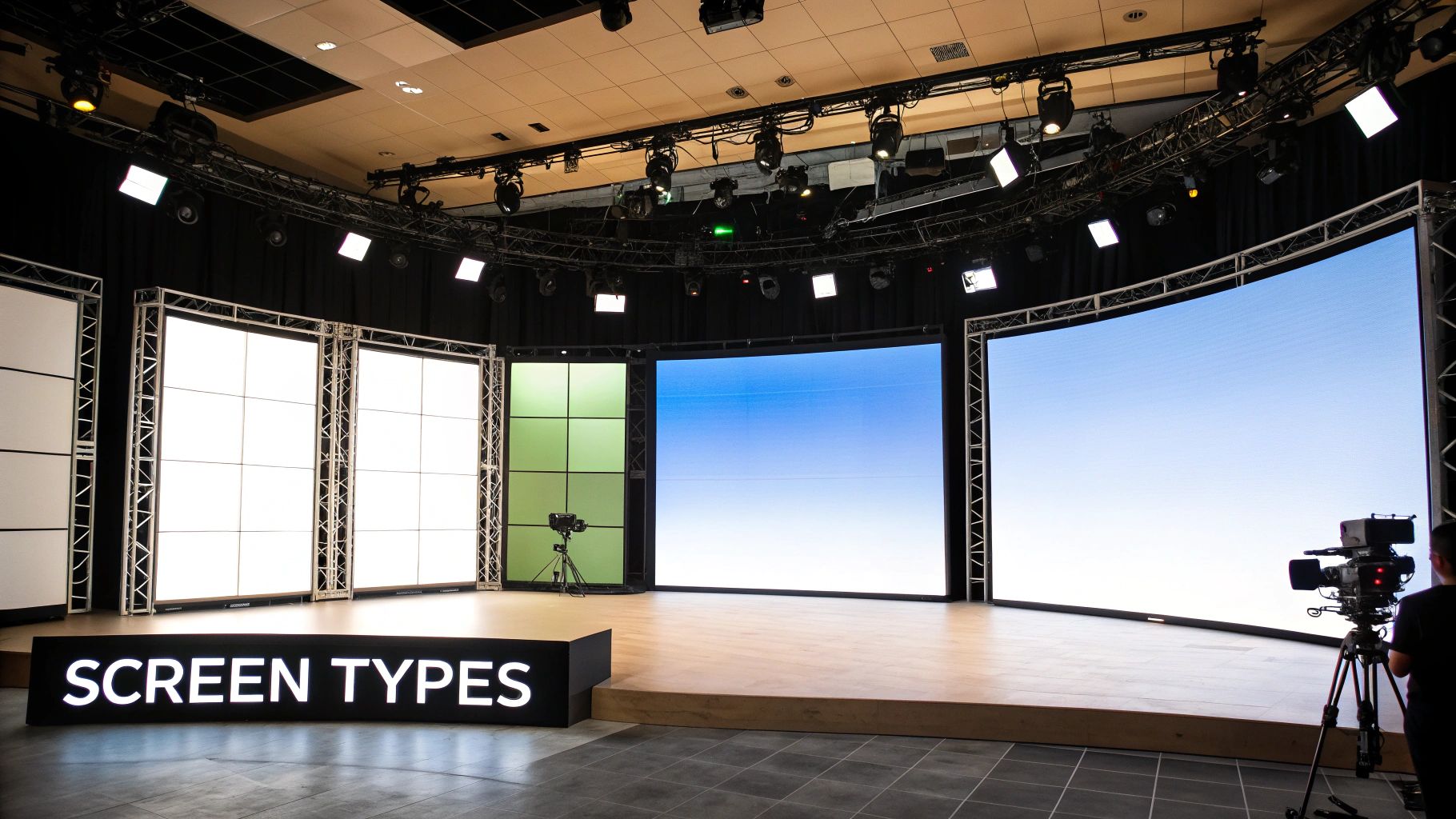
Once you’ve got a handle on the key specs, the next big question is: what form will your LED stage screen take? Not all screens are created equal, and they certainly aren't built for the same job. Think of it like choosing between a permanent brick-and-mortar building and a portable event tent—each has a very specific purpose.
Picking the right type is a massive decision that ripples through your entire production. It impacts everything from install logistics and durability to your creative potential and, of course, your budget. Let's break down the main players you’ll come across in the wild.
These are the screens that become part of the building's DNA. Think of the stunning, seamless video walls you see integrated into modern broadcast studios, corporate lobbies, houses of worship, and high-end theaters. They are designed to be installed once and stay put.
With fixed screens, the name of the game is a flawless, premium finish. Since they aren't meant to be moved, manufacturers focus on creating razor-thin profiles, minimal bezels for a truly seamless canvas, and front-serviceable panels. That last part is a lifesaver, allowing technicians to swap modules or make repairs without tearing down the entire wall.
Key characteristics usually include:
While the upfront cost is higher, the long-term payoff for a dedicated venue is undeniable. You get a reliable, visually stunning centerpiece that will perform for years.
Now, let's talk about the complete opposite: rental screens. These are the road warriors of the LED world. They’re built to survive the relentless cycle of setup, teardown, and transport, making them the backbone of concert tours, music festivals, and corporate roadshows.
A rental LED stage screen is engineered for one thing above all else: speed and efficiency. Their modular panels snap together with quick-locking mechanisms, their corners are reinforced to handle bumps, and they have integrated handles—all so a road crew can build a massive wall in hours, not days.
These screens are tough, with robust frames and components designed to take a beating on the road. Everything from the flight cases they live in to the built-in rigging points is optimized for fast deployment and rock-solid reliability under pressure.
Beyond the standard flat video walls, a whole world of specialty screens opens up. These are less about just playing back a video and more about weaving digital visuals into the very fabric of your stage design. This is where the real fun begins.
Picture a set of digital window blinds. A transparent LED stage screen lets you see right through it, creating mind-bending layered visuals and holographic-style effects. These displays have a set percentage of transparency, which means designers can place them in front of performers or other set pieces without completely blocking them.
This technology is a game-changer for:
Curved and flexible LED panels are the ultimate architectural tools. They shatter the rectangular mold, letting designers build immersive, wrap-around environments that pull the audience right into the action. These screens can be built into concave or convex curves, S-shapes, or even wrapped around columns.
Even wilder are the flexible modules. Made from pliable materials like rubber, they can be bent and twisted into truly organic, freeform shapes. This is where the LED screen stops being a backdrop and becomes a dynamic, sculptural element of the stage itself—a key ingredient for creating unforgettable productions.
A massive, vibrant LED stage screen doesn't just appear out of thin air. Bringing one to life takes a serious, well-thought-out plan that covers everything from the nuts-and-bolts structural work to the invisible flow of digital information. This is where logistics take center stage, making sure your installation is safe, efficient, and ready to put on a flawless show.
You can really break the whole process down into three core pillars. First, you have to physically support the screen. Second, it needs a steady diet of power and a rock-solid data signal. And finally, you have to wrangle the actual content that’s going to light it all up.
Before a single pixel ever glows, you have to figure out how the screen will be physically held up. This is a massive safety consideration, and the right answer depends entirely on your venue and the needs of your show. In the professional world, it almost always comes down to two methods.
The first is flying, which just means hanging the screen from an overhead structure like a stage roof, a truss grid, or ceiling beams. This is the go-to for big concert backdrops because it keeps the stage floor completely clear and gives you that clean, floating look. But—and this is a big but—it absolutely requires a certified rigger and a structural engineering report to sign off on the suspension points. You have to be 100% sure the structure can handle the screen's total weight.
The other common method is ground-stacking. This is exactly what it sounds like: building the screen from the ground up on a specialized base or directly on the stage deck. This is often way faster and doesn't depend on the venue having a roof that can handle the load, making it a super flexible choice for festivals or places without beefy rigging points. Safety is still a huge deal here; a ground-stacked wall has to be properly braced to keep it from tipping over, especially outdoors where a strong gust of wind can turn it into a giant sail.
No matter which way you go, these rules are non-negotiable:
An LED screen is really just a big system of interconnected smaller modules, and every single one needs a constant supply of both electricity and video data. Planning out this signal chain is a lot like mapping a city's power grid and internet cables—every connection has to be logical, protected, and totally reliable.
Power planning starts with some simple math. Every LED panel has a specified maximum power draw. Multiply that number by the total number of panels, and you’ll know the total power you need for your LED stage screen. This number tells you how many circuits you'll need and what kind of power distribution to bring in. For big screens, this almost always means dedicated power distribution units, because you'll blow through standard wall outlets in a heartbeat.
At the same time, you have to map out the data path. The journey your video content takes looks something like this:
A key pro tip is to build in redundancy. Seasoned techs will almost always run a parallel "backup" data line. If the main cable gets kicked, cut, or just fails, the system can instantly switch to the secondary line with zero visible interruption. The show goes on.
The final piece of this puzzle is the control system—the brain of the whole operation. This ecosystem of hardware and software is what lets you manage the screen and make sure your content looks absolutely perfect. As you plan your LED screen installation, it’s a smart move to explore the full range of available event equipment to ensure everything integrates smoothly and performs at its best.
The video processor is the central piece of hardware here. It does a lot more than just convert the signal. It handles critical jobs like scaling your content to fit the screen’s unique pixel dimensions, tweaking brightness and color on the fly, and even mapping different video sources to different parts of the screen.
Your content workflow has to be built specifically for the screen's native resolution. For example, if your screen is an unusual size like 1920 pixels wide by 576 pixels tall, trying to play standard 1080p (1920×1080) content on it will lead to ugly cropping or squished-looking video. The only way to do it right is to create all your graphics and videos at the screen's exact native resolution. This guarantees a crisp, pixel-perfect image with no weird artifacts, delivering that polished, professional look your audience came to see.
Thinking about an LED stage screen purely as an expense is missing the point. It’s not just a line item on a budget; it's a powerful asset that can generate revenue, crank up your production value, and create those "wow" moments that audiences never forget. To make a smart decision, you have to look past the initial price tag and wrap your head around the Total Cost of Ownership (TCO).
This isn't just about the screen itself. We're talking about everything—the installation, control systems, potential structural work on your venue, and the ongoing maintenance needed to keep it pristine. Thinking in terms of TCO forces you to create a realistic budget and sidestep those nasty surprise costs later on. You're planning for a sustainable, long-term asset, not just a one-off purchase.
The final number on the invoice for an LED screen is a mix of several critical variables. Get a handle on these, and you'll be able to make smart trade-offs that fit your budget without sacrificing what you truly need.
When you're putting your budget together, especially if you're sourcing panels from overseas, don't forget to factor in shipping. It can be a significant cost. To get a better idea of what's involved, check out a comprehensive guide to shipping from China to the USA which breaks down the whole process.
The classic rent-or-buy question really comes down to how often you'll be using the screen. Renting is a no-brainer for one-off events, short tours, or if you need a completely different setup for every show. You don't have to worry about maintenance, storage, or transport—it's all baked into the rental fee.
Buying, on the other hand, starts to make a lot of financial sense for permanent installations. We're talking houses of worship, broadcast studios, or venues that have a constantly packed calendar. Yes, the upfront investment is steep, but your cost-per-use drops dramatically over time. Before you know it, the screen becomes an asset that generates its own revenue through sponsorships or renting it out to other productions.
Calculating ROI: To figure out the return on investment (ROI) for a screen you buy, start with your total cost. Then, project the revenue it will bring in (like higher ticket sales, new sponsorship deals, or rental income) or the money it will save you (no more rental fees!) over a set period.
This diagram lays out the key steps to get a screen up and running for an event. These are critical parts of the logistics puzzle, whether you're renting or buying.
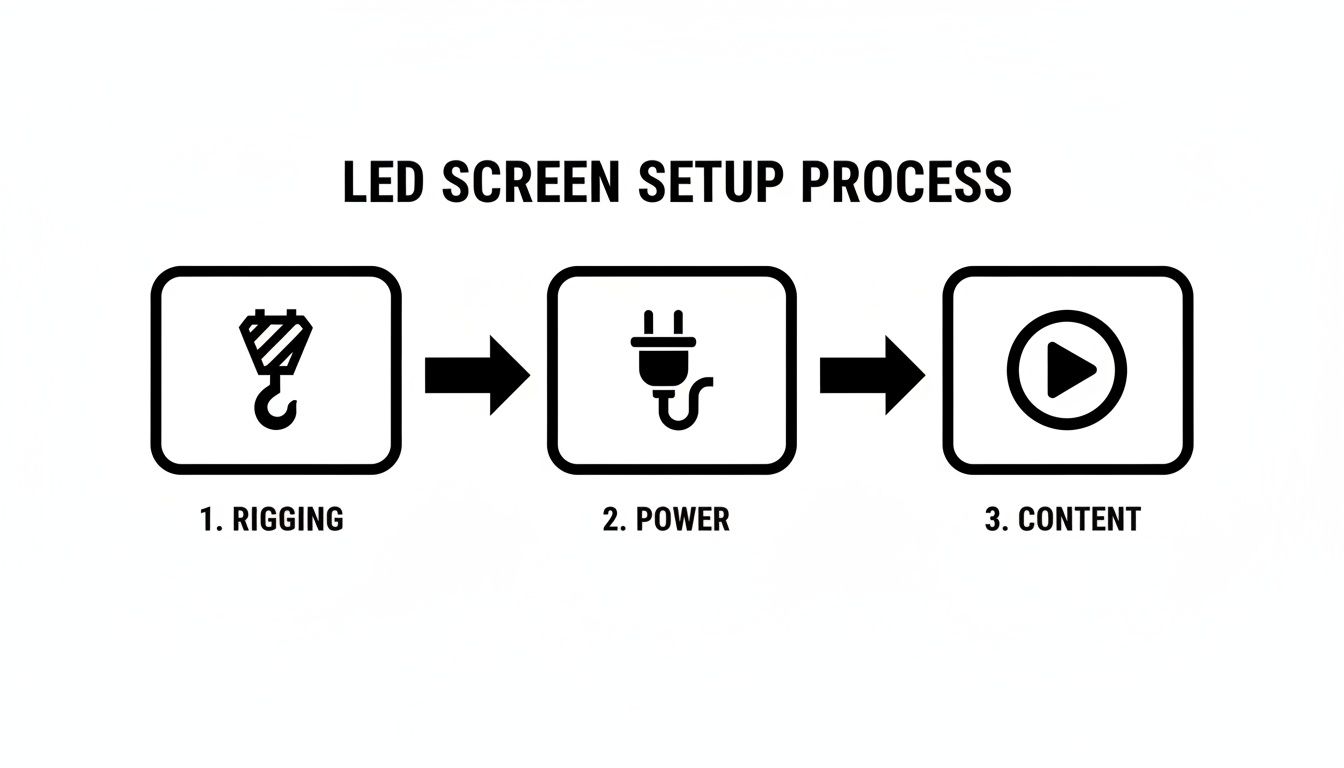
As the process shows, the setup—from rigging and power to managing content—incurs costs far beyond just the hardware. This really drives home why a comprehensive, all-in budget is so important. And the demand for this tech is only growing; the global LED display market was estimated somewhere between $8.1–$10.7 billion in 2023–2024 and is on a steady upward climb.
All the theory in the world can’t compare to seeing a massive LED stage screen light up a venue with your own eyes. It’s one thing to talk about specs, but it’s another thing to witness a spectacle. Let's look at how this technology actually performs out in the wild.
These examples bring the concepts we've discussed—like rental screens, pixel pitch, and creative rigging—to life. You'll see how the right screen choice is what pushes an event from just okay to truly unforgettable, whether it's for a global music tour or a high-stakes corporate keynote.
Picture a global superstar taking the stage in a massive stadium. The entire set is dominated by a colossal video wall that curves, wraps, and moves with the performers. This is the natural habitat for rental and touring screens. These workhorses are built for the road, with modular designs and quick-locking mechanisms that let crews build a jaw-dropping display in a matter of hours.
For a rig like this, a few specs are non-negotiable:
Now, let's pivot to a different scene: a high-stakes corporate product launch inside a theater. The CEO is on stage, and behind them is a perfectly crisp, seamless LED wall showing off intricate product schematics and razor-sharp branding. This is where fine-pixel-pitch screens shine, usually something between 1.9mm and 2.6mm.
For this kind of event, image fidelity is everything. You're aiming for a broadcast-quality, flawless canvas that looks just as clean on the live stream camera as it does to the person in the front row. The screen has to scream precision and professionalism.
This environment also demands a high refresh rate—think over 3840Hz—to guarantee zero flicker on camera. The entire goal is to create a polished, premium visual experience that reinforces the quality of the brand and its new product. You can see exactly how these high-resolution displays come to life in our article on a curved LED screen installation in Philadelphia.
Finally, imagine a modern news broadcast or a house of worship service. The LED wall isn't just a backdrop; it is the set. It instantly transforms from a sprawling cityscape to an abstract data visualization. These fixed installation screens require an extremely fine pixel pitch, often 1.5mm or even lower, because cameras will be capturing them from both wide and tight angles.
The screen literally becomes the environment, creating immersive settings that would be incredibly costly and impractical to build physically. It's a market that's booming, with the U.S. LED display market valued at roughly USD 3.4 billion in 2024 alone. You can dive deeper into these market trends on Market.us.
Even with the best plan in the world, you're going to have questions once you start working with an LED stage screen. Let's dive into some of the most common things that come up for event planners, producers, and techs on the ground. Getting these answers straight will help you make smarter decisions and keep your show running without a hitch.
Modern LED screens are workhorses, but like any high-tech gear, things can go wrong. The good news is that the most common issues are rarely catastrophic, but they can definitely be disruptive if you aren't ready for them.
Here's what we see most often out in the field:
The best way to handle this? Be prepared. Always, always have spare parts on hand—extra modules, a few power supplies, and plenty of data cables. Being able to do a quick swap during setup can save your show.
This is the classic debate, but for almost any professional stage production today, the answer is overwhelmingly LED. It really boils down to how each technology performs in the chaos of a live environment.
Think of it this way: an LED screen creates its own light. It’s a direct source, which means its brightness and contrast are powerful enough to punch through even the most intense stage lighting or ambient daylight. Projections, on the other hand, are just reflected light. They can look fantastic in a pitch-black cinema, but on a live stage, they almost always look washed out and faded.
Key Takeaway: If you need high-impact, vibrant visuals that look incredible under any lighting condition, an LED stage screen is the only way to go. Projection is best left for controlled, dark environments like movie theaters or conference rooms.
Your LED screen is a serious investment, and proper care is the key to making it last. Basic cleaning is pretty straightforward, but you have to be gentle to avoid wrecking the delicate LED surfaces.
Here's our simple, four-step process:
Ready to transform your stage with a stunning visual centerpiece? At Smart LED Inc., we provide factory-direct indoor and outdoor LED screens engineered for reliability and impact. Explore our high-performance LED solutions today
Picture this: you take the flash and spectacle of a Times Square billboard, slap it on the back of a truck, and send it wherever
A wall of TV screens is exactly what it sounds like: a big, impressive display made by tiling multiple TVs together so they act like
Picking the right displays for shows can feel like a high-stakes guessing game. Get it right, and you create an immersive world that captivates your
"*" indicates required fields

We have sent a 6-digit verification code to your email. Please enter it below to continue.