Online Casino Guide: How to Choose a Site and Play with Confidence
Two casinos can advertise the same games and bonuses yet offer very different experiences once you register. The difference often comes down to licensing, payment
Walk down the hallway of any school, and you'll likely see it: the classic cork bulletin board. It’s probably covered in a chaotic collage of sun-faded flyers for last month's bake sale, handwritten club meeting notes, and outdated announcements. It’s a familiar sight, but it's also a huge communication bottleneck where important messages simply get lost in the noise.
Now, imagine a different scene. A network of bright, vibrant screens placed strategically in high-traffic spots—the lobby, cafeteria, library, and main hallways—all broadcasting timely, relevant information. This is the power of digital signage for education. It’s about evolving a school from a place of passive notices into a responsive, interactive environment where communication is instant and effective.
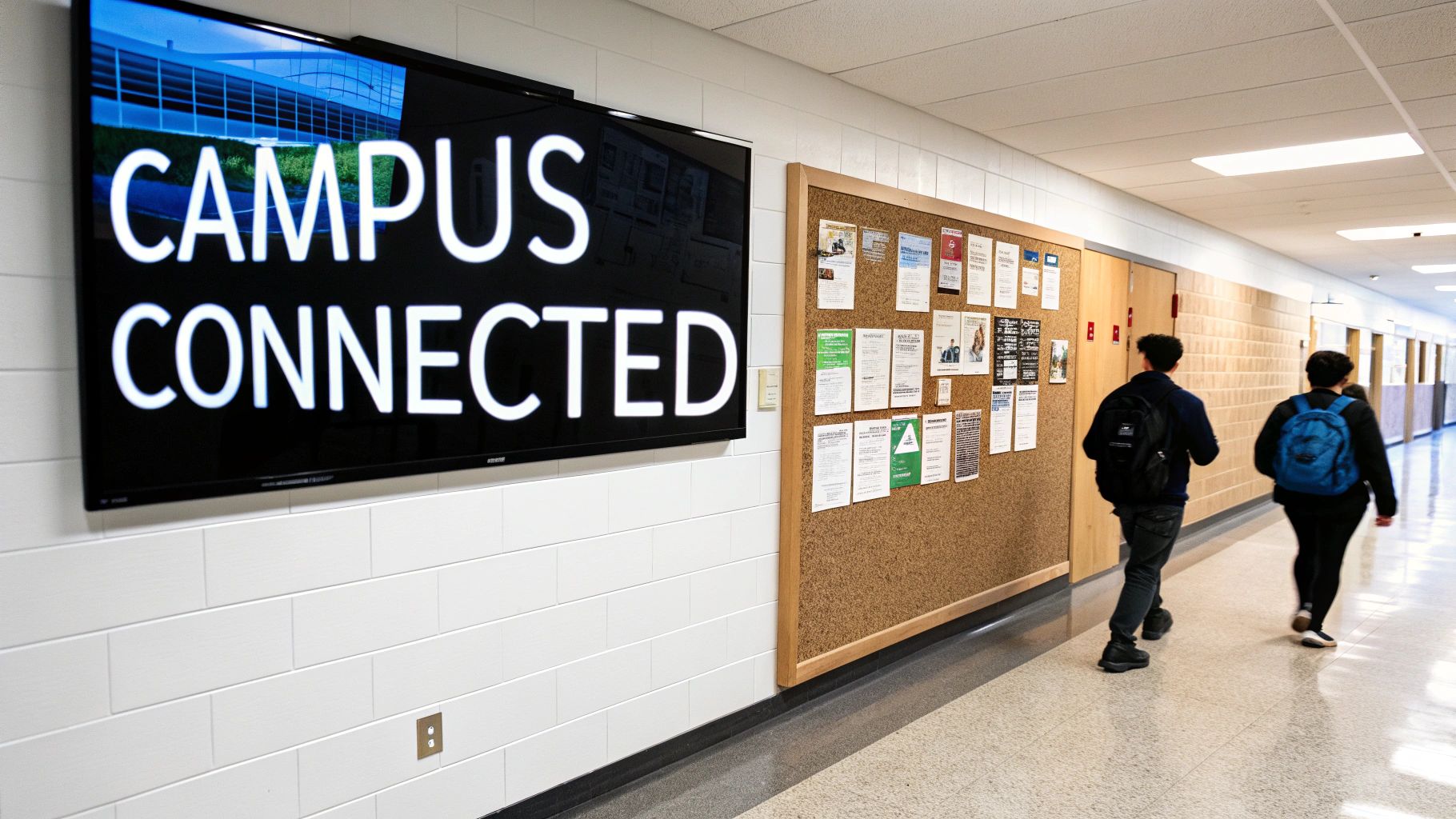
Making the switch from paper to pixels is far more than just a tech upgrade. It's a fundamental shift in how a school talks to its community. Instead of information moving at a snail's pace through a one-way channel, it becomes a dynamic, two-way conversation that actively solves some of the most persistent challenges on campus.
This technology directly tackles the everyday pain points that administrators and educators know all too well.
This isn't just a niche idea; it's a significant movement. The market for digital signage in education is on a serious growth trajectory, projected to expand by USD 2.41 billion between 2024 and 2029. That kind of investment shows a deep commitment from institutions to build better, safer, and more connected campus experiences through technology. You can dig into more on this market growth from recent industry analysis.
By replacing outdated, cluttered communication methods, digital signage becomes the central nervous system of a modern school. It’s the tool that ensures the right message reaches the right people at exactly the right time, building a stronger culture of safety, engagement, and community.
This guide is your roadmap to getting there. We'll walk through everything you need to know to plan and launch a digital signage strategy that truly works for your school, from the basic concepts to the most advanced applications.
Digital signage is so much more than a tech upgrade; it’s a tool that can completely transform the pulse of your campus. Don't think of it as a bunch of screens. Instead, picture a dynamic communication network built to do three things really well: keep everyone safe, build a stronger community, and make daily operations run smoother. When you get it right, these displays solve real, everyday problems for students, staff, and visitors.
Every screen becomes a vital touchpoint, pushing the right message to the right people at exactly the right time. From a single dashboard, you can run a unified communication strategy that pivots in real-time to the constant changes of a school day. This is where you start to see the real, tangible value of digital signage for education.
In an emergency, you need clear, immediate communication. There's no room for error. Digital signage acts as your most visible and effective first line of defense, capable of instantly overriding all scheduled content to push out critical alerts. This ensures every message is consistent and helps cut down on panic during incredibly stressful moments.
Imagine a severe weather warning hits. With one click, every screen on campus—from the library to the student union—flashes evacuation routes, shelter-in-place instructions, and live weather updates. This network is indispensable for:
This ability to broadcast unified, life-saving information in a heartbeat makes digital signage an essential piece of any modern campus safety plan.
Beyond just safety, digital displays are fantastic for building a positive, inclusive school culture. They work like a campus-wide megaphone to celebrate wins, drive event participation, and make sure no student feels left out. A screen in the main lobby can quickly become a source of pride, showing off student achievements and hyping up upcoming events.
Digital signage transforms hallways and common areas from passive walkways into active hubs of information and engagement. It’s a way to tell your school's story, one screen at a time.
This tech helps weave the fabric of your community together by:
Let's not forget about efficiency. Digital signage automates and simplifies so many of the logistical headaches that bog down staff and confuse students. From guiding a lost freshman on the first day to managing cafeteria lines, these displays just make the campus easier to get around and use.
For instance, an interactive map can prevent that classic first-day-of-school chaos, while digital menu boards can slash wait times and answer common questions before they’re even asked. These practical applications are game-changers on sprawling university campuses or in large high schools. For even greater visibility, many schools are now looking at how a well-placed digital outdoor signage strategy can welcome visitors and broadcast key messages before anyone even steps inside.
Other key operational uses include:
Picking the right technology for your campus can feel like navigating a maze of tech specs and confusing acronyms. The trick is to simplify. Break the decision down into two core pieces: the physical screens (hardware) and the system that tells them what to do (software). Once you understand how these two parts work together, you're on your way to building a digital signage network that's effective, reliable, and can grow with you.
The first big decision you'll face is about the displays themselves. It can be tempting to grab a few consumer-grade TVs to save some cash, but that's almost always a mistake in a school setting. A TV from a big box store is designed for home use—a few hours a day, tops. They just don't have the durability, brightness, or operational ratings needed for busy hallways or bright cafeterias.
Commercial-grade displays, on the other hand, are engineered for exactly this kind of work. They’re built to run 16 to 24 hours a day, day in and day out. They also feature tougher screens to handle accidental bumps and offer much higher brightness levels to cut through the glare from big windows and fluorescent lights. That initial investment pays for itself in longevity and performance, saving you from the constant replacements and headaches that come with using the wrong tool for the job.
Not all screens are created equal, and they shouldn't be. The right choice comes down to where you’ll put it and what you need it to do. A massive video wall makes a huge impact in an auditorium, but a small, interactive screen is the perfect fit for a hands-on classroom lesson.
Here’s a quick breakdown of the common players:
Think of your hardware as the physical "voice" of your school's communication system. The right display in the right location ensures that voice is heard clearly, whether it’s in a small classroom or across a crowded stadium.
This kind of strategic thinking is backed up by the numbers. Classroom displays are the most common application, making up a huge 86.4% of the market share in education. When it comes to the tech itself, LED screens are leading the way with 62.7% share, and the 45-55 inch screen size is the sweet spot for most installations.
To help you choose the best fit for different parts of your campus, this table breaks down the most common display options.
This table compares the most common display technologies used in schools to help decision-makers choose the right hardware for different applications, from classrooms to outdoor announcements.
| Display Type | Best For | Key Advantages | Key Considerations |
|---|---|---|---|
| Commercial LCD/LED | Lobbies, hallways, cafeterias | High resolution for clear text and images; wide viewing angles. | Brightness may be insufficient for direct sunlight. |
| Interactive Whiteboards | Classrooms, libraries, meeting rooms | Touch and pen input for collaborative learning; software integration. | Higher cost per unit; requires user training. |
| LED Video Walls | Auditoriums, gyms, large common areas | Seamless, scalable to any size; very high brightness for large spaces. | Higher initial investment; resolution (pixel pitch) matters. |
| Outdoor-Rated Displays | Entrances, stadiums, bus loops | Weatherproof (IP-rated); ultra-high brightness to overcome sunlight. | Significantly higher cost; requires professional installation. |
Choosing the right hardware is all about matching the tool to the environment. An outdoor-rated screen would be overkill for a classroom, just as an interactive whiteboard wouldn't make sense at the front gate.
The flowchart below shows how these different hardware applications all tie back to supporting the core functions of a school: safety, community, and operations.
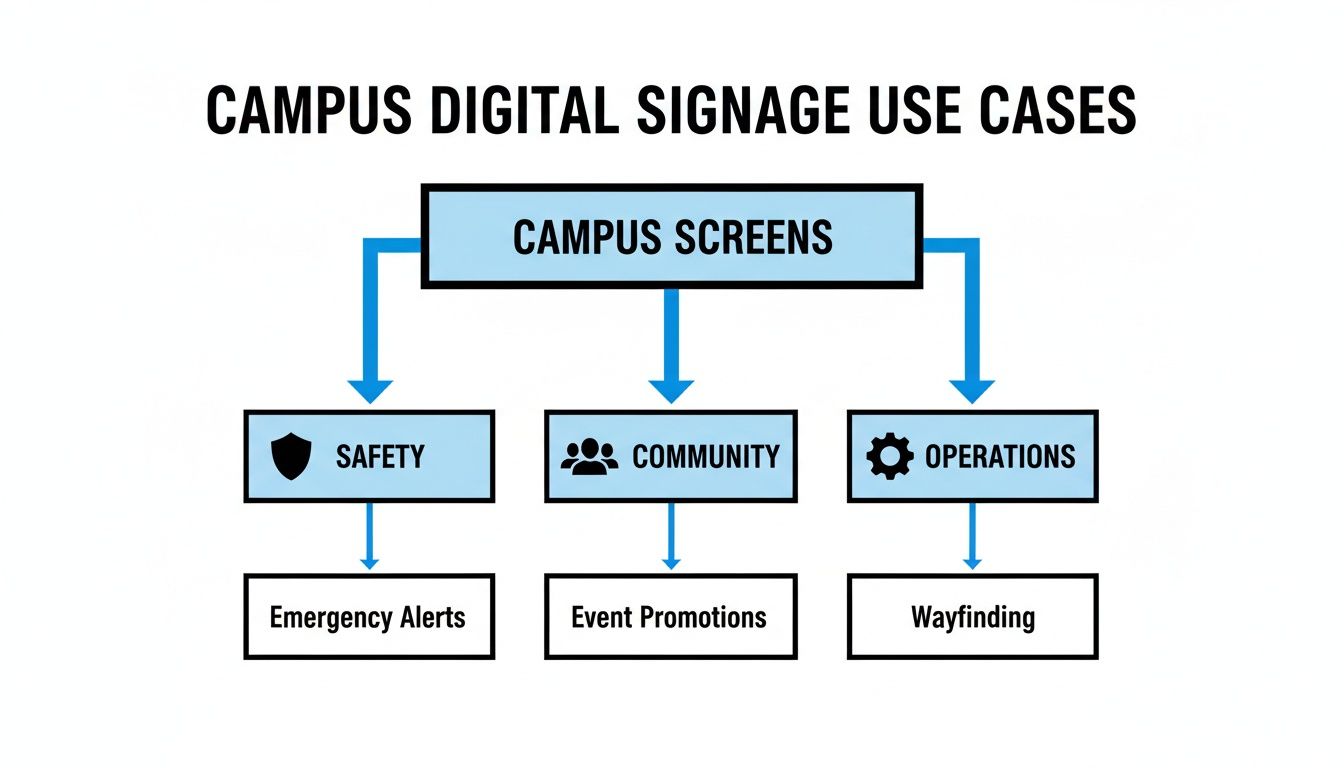
As you can see, every screen on campus, from the one broadcasting an emergency alert to the one promoting the school play, ultimately serves to strengthen these three critical areas.
If the displays are the voice, then the Content Management System (CMS) is the brain. This software is your command center. It’s where you’ll create, schedule, and send content to every single screen on your network, all from a simple web-based dashboard. A powerful yet easy-to-use CMS is probably the most critical part of your entire system.
When you're looking at different CMS options, keep these three things in mind:
As you weigh your options, it's worth exploring specialized systems like dedicated or multi-purpose communication software for universities. Making a smart choice on both the hardware and software fronts ensures your investment in digital signage for education truly creates a more connected, informed, and safer campus.

Even the most advanced hardware is just a blank canvas. The real power of digital signage for education comes from a thoughtful content strategy that turns those screens into vibrant, can't-miss hubs of campus life. Without compelling content, your shiny new displays will quickly become digital wallpaper that students and staff simply learn to ignore.
A winning strategy isn't about just tossing up random announcements. It’s about creating a plan that delivers the right information, to the right audience, at precisely the right moment. You have to start thinking like a broadcaster, programming your screens to match the natural rhythm and flow of a typical school day.
The best place to start is by defining your core content pillars. Think of these as the main channels or themes your screens will broadcast throughout the day. When you organize your content this way, you guarantee a balanced mix of information that speaks to every part of your school community. It also stops any one department from hogging all the airtime.
For most schools, these content pillars are a fantastic starting point:
By rotating through these pillars, your screens will always offer a fresh and relevant stream of information that actually captures—and holds—attention.
Once you have your pillars locked in, the next step is all about timing. Your content management system (CMS) is your scheduling powerhouse, allowing you to program playlists that change automatically based on the time of day, day of the week, or even the screen's location. This is where the magic really happens.
Think of your content schedule as a daily script for your campus. Morning messages should be welcoming and energizing, while afternoon content can shift to reminders about after-school activities and upcoming events.
A smart scheduling strategy might look something like this:
This targeted approach makes sure your messages are delivered when they matter most, which dramatically increases how effective they are.
A great content strategy is a team effort, not a one-person show. Your CMS should allow you to delegate content creation to different departments—like athletics, the arts department, or student government—using user permissions. This empowers staff to contribute relevant content for their own areas while giving a central administrator final approval. It's the perfect way to ensure everything stays on-brand and appropriate for your school.
This decentralized approach not only lightens the load on any single person but also enriches the content with diverse perspectives from across the school. The education sector has become a major player in the digital signage market, which is projected to grow from USD 29.19 billion in 2025 to a massive USD 57.72 billion by 2035. This boom highlights just how critical sophisticated content management has become for meeting the unique communication needs of schools. You can learn more about the trends in the global digital signage market and its expanding verticals.
So, you're ready to bring digital signage to your campus. It’s easy to think the job is just about hanging a few screens on the wall, but a successful rollout goes much deeper than that. Getting it right involves a bit of careful planning from your IT and facilities teams to make sure everything is smooth, secure, and safe.
Think of it as building the nervous system for your school's communications. The wires, connections, and security protocols hidden behind the walls are what allow your messages to flow instantly and reliably. A great deployment actually starts long before anyone even plugs in a screen.
The first move? A strategic site survey. Grab a map of your campus and start walking. You’re looking for those high-visibility, high-traffic spots where a screen will make the biggest impact. Lobbies, cafeterias, libraries, and busy hallway intersections are the obvious choices.
But don't stop there. For each potential location, you have to think about the practical side of things. Is there a power outlet nearby? Can you run an ethernet cable easily, or will you have to rely on Wi-Fi? Answering these questions now will save you a world of headaches and unexpected costs down the road.
Once you’ve mapped out where the screens will go, the conversation needs to pivot to network security. Every display you connect to your school's network is a new endpoint, and each one needs to be locked down to prevent unauthorized access. This isn't just IT jargon; it's a critical step in protecting student privacy and staying compliant with regulations like the Family Educational Rights and Privacy Act (FERPA).
A single breach could expose sensitive information or, worse, allow someone to display malicious content across your campus. To head off that nightmare scenario, your IT team should put a few key security measures in place:
Given the technical side of things, it’s often a huge help to understand what an education specialist IT support company for your secondary school can bring to the table. These experts live and breathe this stuff and can offer incredible guidance on network setups and security specifically for school environments.
A secure digital signage network is non-negotiable. By treating each display as a potential entry point and proactively securing your infrastructure, you protect not only your technology investment but also the trust and safety of your entire school community.
Beyond the digital realm, the physical installation itself comes with serious safety responsibilities. Every screen needs to be mounted securely, especially in crowded hallways where it could become a hazard. The last thing you want is a screen coming loose.
Finally, let’s talk about accessibility. This can’t be an afterthought. From day one, your plan should include making the content on your screens inclusive for everyone. Is the on-screen text large and clear enough to be read from a distance? Are you using color combinations with enough contrast for visually impaired individuals?
By tackling these technical, safety, and accessibility requirements from the very beginning, you’re not just installing screens. You're building the foundation for a successful digital signage for education program that’s effective, secure, and welcoming to every single person on campus.
Let's be honest: justifying a major investment like a campus-wide digital signage system takes more than a flashy features list. School boards, trustees, and the people holding the purse strings need to see a clear return on investment (ROI).
But in a school, ROI isn't just about dollars and cents. It's measured in things that are arguably more important: improved safety, stronger student engagement, and a more efficient campus.
The trick is to shift the conversation away from the initial price tag and focus on the total value the system brings to your community. This means tracking real, measurable outcomes that show how your digital signage for education is solving actual problems and making the school experience better for everyone. When you can back up your claims with hard data, the system stops looking like an expense and starts looking like the strategic asset it is.
To build a case that's impossible to ignore, you need to define your Key Performance Indicators (KPIs) before you even flip the switch on your new screens. These are the specific metrics you’ll use to prove the system is working. Forget vague goals like "better communication." We need to get specific with quantifiable results that draw a straight line between the technology and positive changes on campus.
Start by thinking about the headaches you're trying to cure. Are you trying to slash your printing budget? Do you want to see more students showing up for after-school events? Or is your number one goal to tighten up emergency response times?
Here are some powerful KPIs to get you started:
With your KPIs in hand, you can start gathering the data you need to build a truly persuasive business case. This isn't just a one-and-done report; it’s an ongoing process of demonstrating value to the stakeholders who control the budget.
Think of it as telling a story with data. Show them how the money saved on printing over two years can offset a huge chunk of the initial hardware investment. Present a simple graph showing a 40% increase in sign-ups for the club fair after you started promoting it on the big screen in the main lobby.
By focusing on tangible outcomes—like money saved, events filled, and safety improved—you shift the conversation from cost to value. This data-driven approach provides stakeholders with the clear justification they need to support and expand the program.
It’s also crucial to look at the total cost of ownership, which includes ongoing maintenance and future upgrades. When you're weighing different options, a full financial picture that includes details like the average outdoor LED sign cost helps you build a realistic and comprehensive budget proposal that stakeholders can actually trust.
Ultimately, proving ROI is about connecting the technology directly back to your school's core mission. Every metric you track should tell a piece of that story, showing how digital screens are helping to create a more informed, engaged, and secure campus for every single student and staff member.
Jumping into any new technology comes with a lot of practical questions, and digital signage is no exception. It’s one thing to see the benefits, but it’s another to figure out the day-to-day reality of running a system across campus. Administrators, IT teams, and facilities managers all have different, equally important concerns.
Let's tackle some of the most common questions we hear from schools head-on. Our goal is to give you the clear, straightforward answers you need to move forward with confidence.
One of the biggest myths is that you need a dedicated tech wizard to manage digital signage. The truth is, modern Content Management Systems (CMS) are built for everyday users. If you can put together a PowerPoint presentation, you can run a digital signage network. It's all about intuitive, drag-and-drop interfaces.
Authorized staff can simply log in from a web browser to upload new videos, post announcements, or schedule out content for an entire semester. You can even grant specific permissions—letting the athletics department control the gym screens while the front office manages the lobby displays—all without bogging down the IT department.
Absolutely, and honestly, this is one of its most powerful features. Any professional digital signage solution is designed to integrate with other campus systems. Most can connect directly to emergency notification platforms, especially those that use the Common Alerting Protocol (CAP).
When an emergency is triggered, the system instantly overrides every screen on campus. All scheduled content disappears, replaced by clear, consistent safety instructions like lockdown procedures or evacuation routes. It’s a powerful way to get critical information to everyone, everywhere, in seconds.
It's tempting to think a regular TV from a big-box store will do the job, but commercial-grade displays are a completely different animal. They’re built for the grind of a school environment. While a consumer TV is designed for a few hours of use a day, these screens are rated for 16/7 or even 24/7 operation.
That durability translates directly to a longer life, typically between 50,000 to 60,000 hours of use. You're looking at five to seven years (or more) of reliable performance, which makes them a far smarter and more cost-effective investment in the long run.
This is a top concern for IT departments, but the impact on your network is surprisingly light. Digital signage players are smart. They download media files—like videos and high-res images—and store them locally on the device itself.
Once the content is cached, the screen plays it back directly from its own storage, so it isn't constantly streaming from your network. The only time it uses significant bandwidth is when you're actively pushing new content. The rest of the time, it just sends tiny pings to the CMS to check in, using almost no data at all.
Ready to see how digital signage can transform communication on your campus? The expert team at Smart LED Inc. can help you design, source, and install a powerful and reliable solution built for your school's unique needs. https://smartledinc.com
Two casinos can advertise the same games and bonuses yet offer very different experiences once you register. The difference often comes down to licensing, payment
Un catalogue de jeux impressionnant ne suffit pas à faire d’un casino en ligne une plateforme intéressante. Pour choisir avec discernement, il faut regarder au-delà
Un casino en ligne ressemble parfois à une salle de jeux glissée dans une poche : quelques gestes, un écran lumineux et des résultats qui
"*" indicates required fields

We have sent a 6-digit verification code to your email. Please enter it below to continue.