Choosing an Online Casino: A Practical Guide to Safer, Smarter Play
Online casinos offer a wide range of games, welcome promotions, and ways to play from home. With so many options, choosing a platform takes more
Thinking about an LED screen for your business? It’s not just about buying a big, bright display. It's about creating a powerful tool that actually brings in customers and boosts your bottom line. The first move isn't picking a screen—it's figuring out exactly what you need it to do and where it's going to make the most impact.
Before you dive into the nitty-gritty of pixel pitch and brightness levels, you have to nail down a clear purpose for your screen. An LED sign without a mission is just an expensive, flashy paperweight.
Start by asking yourself some direct questions about your business goals. What, specifically, are you trying to accomplish?
The answer to that question will guide every single decision you make from here on out.
For example, a restaurant owner might want to grab the attention of commuters driving by during the evening rush. Their goal? Get more people through the door between 5 PM and 8 PM. That immediately tells them they need a bright, outdoor-rated screen positioned perfectly to catch the eye of fast-moving traffic.
On the other hand, a corporate headquarters might install a massive video wall in its lobby. The goal there isn't to make a direct sale. It's to wow visitors, reinforce the brand's image, and communicate company values. This screen needs an ultra-high resolution for up-close viewing but doesn't need the intense brightness of an outdoor display.
Once you know your goal, it’s all about location. Don't just stick the screen where it seems convenient; you need to scout the spot like a cinematographer framing the most important shot of a movie. Moving it just a few feet one way or the other can be the difference between a sign everyone sees and one that blends into the background.
Think through these practical factors:
The best LED advertising setups come from a deep, boots-on-the-ground understanding of the environment. Walk the location at different times. Stand where your customers will be and ask yourself: "Is this the most powerful view I can possibly create?"
This kind of strategic thinking is more critical than ever. The global outdoor LED advertising display market has seen explosive growth, valued at USD 8.5 billion and is on track to hit USD 15.8 billion by 2032. This boom is all thanks to the rising demand for dynamic, high-impact digital advertising in commercial spaces.
By setting clear goals and meticulously planning your location, you’re putting your business in the perfect position to take advantage of this powerful trend and make sure your investment pays off.
Once you’ve locked in your goals, it’s time to get into the nitty-gritty. Diving into the spec sheets for led screens for advertising can feel like you're learning a new language, but honestly, just a few key metrics will determine almost everything about your display's performance and, just as importantly, its cost.
Nailing these specs is the difference between a project that shines and one that falls flat.
The first and arguably most critical spec to wrap your head around is pixel pitch. Think of it as the resolution or density of your screen's image. It’s simply the distance, measured in millimeters, from the center of one tiny LED light (a pixel) to the center of the one next to it.
A smaller number means the pixels are packed tighter, which creates a sharper, more detailed image that looks fantastic even when you're standing right in front of it. This is exactly why a sleek video wall in a corporate lobby might boast a super-fine 1.5mm pixel pitch. Meanwhile, a massive highway billboard, seen from hundreds of feet away, can deliver a perfectly clear image with a much larger 10mm pitch.
As you can see, defining your goals and location flows directly into the technical choices you'll need to make.
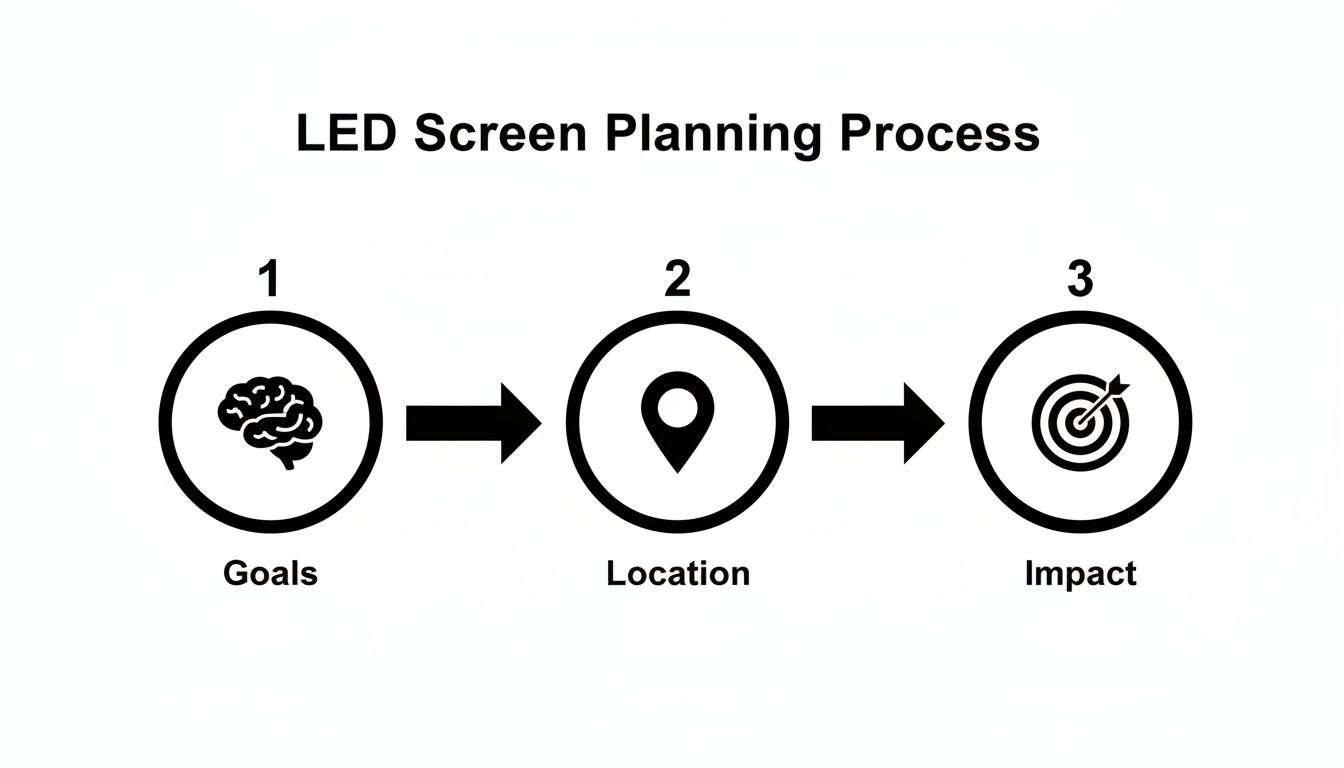
This isn’t about picking specs out of a hat; it’s a strategic process where one decision logically leads to the next.
Choosing the right pixel pitch is really a balancing act between stunning clarity and your budget. Finer pitches require a whole lot more individual LEDs, and that drives the price up—fast. The golden rule here is to match the pitch to the distance from which most people will be watching.
Here's a quick guide to help you find that sweet spot between performance and price.
Use this guide to match the pixel pitch of your LED screen to how far away your audience will be, ensuring a crisp and clear image.
| Pixel Pitch (mm) | Optimal Viewing Distance | Common Use Case |
|---|---|---|
| P1.5 – P2.5 | 5 – 10 ft | Boardrooms, control rooms, high-end retail |
| P3 – P4 | 10 – 20 ft | Storefronts, lobbies, indoor event stages |
| P5 – P6 | 20 – 30 ft | Arenas, churches, smaller outdoor billboards |
| P8 – P10 | 30 – 50+ ft | Large billboards, stadium screens, pylon signs |
For example, a storefront sign trying to catch the eye of sidewalk traffic needs that higher resolution, so a 3.9mm or 4.8mm pitch makes sense. But for that big pylon sign you see from the highway? A 6mm or 8mm pitch is more than enough to look great and will be far more cost-effective.
Right after pixel pitch, the next make-or-break spec is brightness. We measure this in nits. Think of a nit as a standard unit of light output. The only thing that really matters is having enough nits to cut through the ambient light in your specific location.
While pitch and brightness get most of the attention, a few other specs are crucial for ensuring your screen performs reliably and delivers a top-notch experience day in and day out.
IP Rating (Ingress Protection)
This two-digit number is absolutely vital for any outdoor screen. It tells you exactly how well the cabinet is sealed against solids (like dust and dirt) and liquids (like rain and snow).
Refresh Rate
Measured in Hertz (Hz), this is simply how many times per second the screen redraws the image. A high refresh rate, like 3840Hz, is critical for showing smooth, flicker-free video. It’s especially important if your screen might be filmed or photographed, as lower rates can create ugly horizontal lines or bands on camera, which looks completely unprofessional.
As you weigh your hardware choices, it might also be worth exploring things like managing advanced display solutions like rotating video walls, as these can come with their own unique set of technical requirements.
Ultimately, getting a handle on these core specs empowers you. You can walk into a conversation with a provider and confidently discuss the real-world needs of your location, ensuring you invest in the right LED signs for businesses that will deliver powerful results for years to come.
Let's talk money. Buying led screens for advertising is a serious investment, but it’s one that should pay for itself and then some. The number on the price tag is just the starting point. To really understand the cost, you have to look at the total cost of ownership—otherwise, you're setting yourself up for some nasty surprises later on.
This means thinking past the hardware. You’ve got professional installation, software licenses, someone to create your content, and ongoing maintenance to consider. Nailing down these numbers from the get-go is the only way to build a solid business case and make sure this project actually makes you money.
To build a budget that won't fall apart, you need to account for everything. So many first-time buyers get fixated on the screen cost and forget all the other pieces of the puzzle. For a deep dive, our guide on https://smartledinc.com/outdoor-led-sign-cost/ breaks it all down.
Here’s a quick rundown of what your financial plan should cover:
Once you have a handle on the total cost, you can start figuring out your potential return on investment (ROI). This is where an LED screen really starts to shine. The goal is simple: will the screen generate more value than it costs? To get this right, it’s essential to know how to calculate marketing return on investment properly.
For a retail store, it can be pretty straightforward. If your shiny new outdoor LED sign boosts foot traffic by 15%, you can measure the direct lift in daily sales. Track that extra revenue against the sign's total cost, and you'll find your break-even point and, eventually, your profit.
Pro Tip: Don't just think about direct sales. An LED screen can become a revenue stream all on its own. If your business is on a busy street, you could sell ad space to neighboring, non-competing businesses. Instant new income.
Jumping into this technology puts you right in line with some powerful market trends. The LED display market in North America is a beast, hitting USD 6,380.48 million and making up about 40% of the entire global market. This explosion is fueled by digital signage popping up everywhere—in retail, at transit hubs, and in smart city projects where bright outdoor LEDs are making a huge splash in high-traffic zones.
By budgeting for the full cost and thinking strategically about your ROI, you’re not just buying a sign. You're making a calculated business investment that’s ready for growth.
Your brilliant LED screen is just a canvas; the software you use to control it is what brings your advertising to life. This is where the Content Management System (CMS) comes in. It's the brain behind the display, the tool that lets you upload, schedule, and manage everything your audience sees—often from anywhere with an internet connection.
Don't make the mistake of treating the CMS as an afterthought. Choosing the right one is just as critical as selecting the right pixel pitch. A system that’s too complex will just gather dust, leaving your screen stuck with stale, outdated content. On the other hand, a system that’s too basic will hamstring your creative potential and your ability to jump on market opportunities.
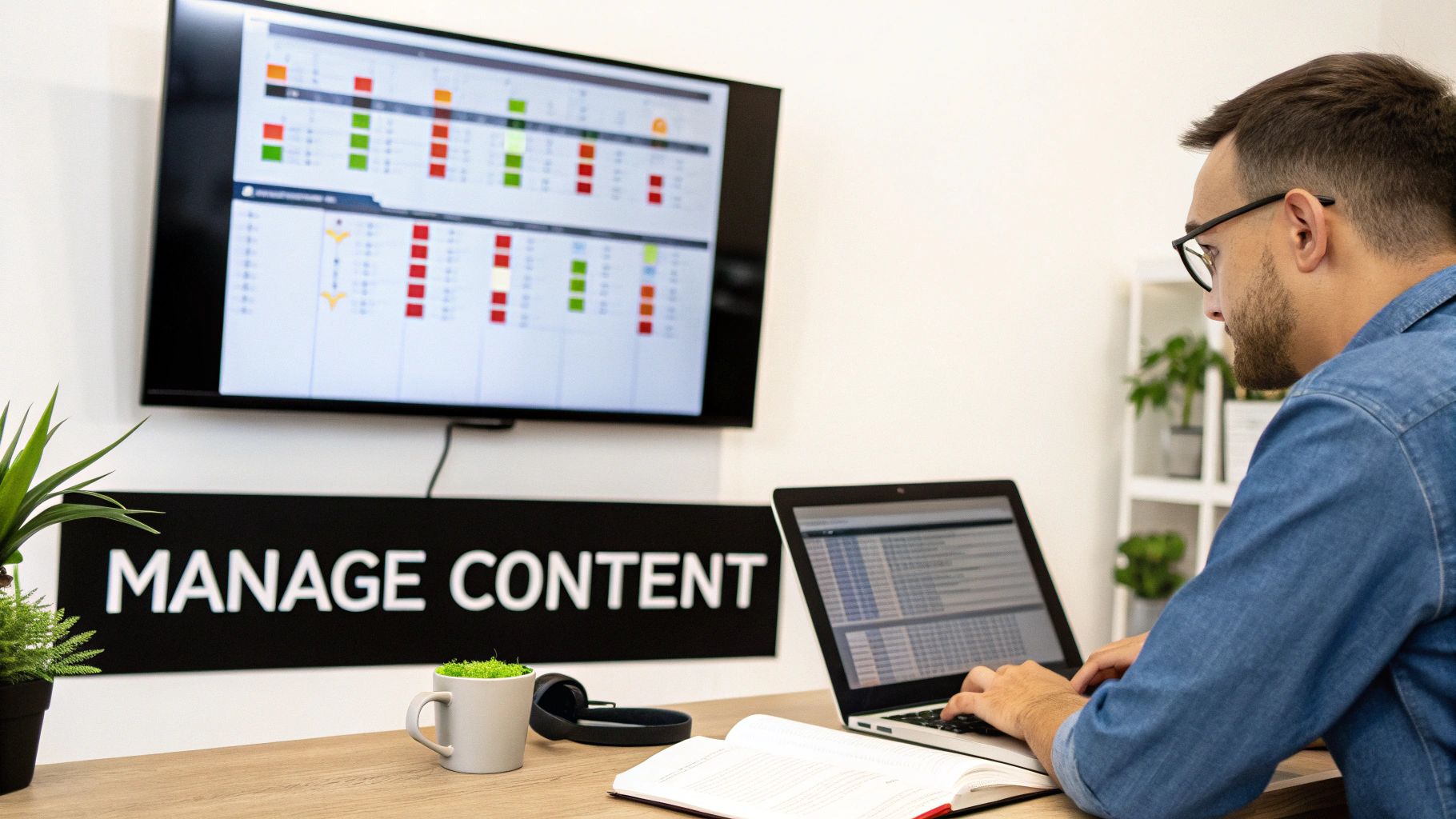
You’ll find a wide range of platforms out there, from simple, intuitive options perfect for a single business owner to sophisticated, cloud-based networks built to run a fleet of digital billboards across multiple cities.
When you start comparing options, a few core features are non-negotiable for anyone serious about using led screens for advertising. Think of these as the foundation for a smooth, effective workflow.
The best CMS is one that feels invisible. It should be so easy to use that your team focuses on creating killer content, not fighting with the software. If it takes more than a few minutes to figure out how to schedule a new ad, it’s probably not the right system for you.
A simple looping playlist of images and videos is a decent start, but dynamic content is what really grabs attention and drives results. This is content that updates automatically based on real-time data, making your screen feel alive and hyper-relevant to whoever is looking at it at that exact moment.
Look for a CMS that can handle integrations like these:
This kind of content boosts engagement through the roof because it’s always fresh and connected to what’s happening right now. It transforms your screen from a simple digital poster into a genuine information source, giving people a reason to look at it again and again. Choosing a CMS with these capabilities from the get-go ensures your investment keeps paying off long after the installation is complete.
So you've picked the perfect screen. The real work is just beginning. Getting that display from a warehouse to a fully operational, traffic-stopping landmark is a project all its own.
This final stretch—the actual installation and figuring out long-term care—is just as crucial as nailing the pixel pitch. This is where a little bit of foresight can save you from massive headaches and make sure your screen is a powerhouse for years, not just a few months.
The logistics can get surprisingly deep. For something like a big pylon sign, you’re suddenly dealing with structural engineers, concrete footings, and cranes. Even a "simple" indoor video wall needs careful planning with electricians and contractors. You have to be sure the wall can handle the weight and that you have a clean way to run all the power and data cables. Skipping this part is how you end up with costly mistakes and projects that drag on forever.
Before anyone even thinks about turning a bolt, you have to wade into the world of permits. If you're putting up any kind of outdoor led screens for advertising, this is completely non-negotiable. Just about every city and county has a thick rulebook for digital signage, and trying to ignore it is a guaranteed recipe for disaster.
These rules often get into details you'd never think of, like:
Your first move should be to head straight to your local city or county planning department's website. Search for "sign code" or "zoning ordinance." This is homework you need to do before you sign on the dotted line for a screen, just to make sure what you want to buy is even legal to install. A good LED provider can usually help by giving you the engineering documents needed for your application, but at the end of the day, getting that permit is on you.
Don’t make the mistake of treating the permit process like the last item on a checklist. It should be one of the very first things you tackle. A zoning surprise can put your project on ice for months or force you to completely rethink your design, torching a ton of time and money.
Once your screen is up and running, you're not quite done. A smart maintenance routine is the key to protecting your investment and getting the full operational life out of it—which can be over 100,000 hours for a quality display. The good news is that modern screens don't need constant babysitting, but a little consistent care goes a long, long way.
Think of it just like your car; a few simple checks can prevent a major breakdown down the road.
Here’s what your long-term care schedule should look like:
By spending a little time upfront to navigate the rules and then scheduling these simple check-ups, you're ensuring your LED screen stays a powerful, reliable, and compliant asset for its entire life.
Thinking about a big investment like LED screens for advertising always brings up a lot of questions. It's only natural. From the price tag to keeping it running smoothly for years, getting the details sorted out is how you make a decision you feel good about.
We hear the same questions from clients all the time, so we've put together some clear, straightforward answers to help you out.
This is always the first thing people ask, and the honest answer is: it really depends on what you need. The cost can swing from a few thousand dollars for a smaller indoor screen to a six-figure investment for a massive billboard you’d see on the highway.
The single biggest thing that drives the price is pixel pitch. Think of it like the resolution on a TV. A finer pitch means the individual LEDs are packed closer together, which costs more but gives you a super-sharp image when people are viewing it up close.
An outdoor screen of the same size will also cost more than an indoor one. It has to be incredibly bright to compete with direct sunlight and needs a tough, weatherproof enclosure to handle rain, snow, and everything in between.
And don't forget the other pieces of the puzzle. To get the real total cost, you have to factor in installation, the software to run it, and any local permit fees. The only way to get a solid number is to chat with a provider who can look at your specific location and what you're trying to accomplish.
A well-made commercial LED screen is a seriously durable piece of equipment. Most are rated for around 100,000 hours of use. To put that in perspective, if you ran it 24/7, that's more than 11 years of non-stop operation.
Of course, real-world conditions matter. How you use it, the brightness levels you set, and the environment it’s in all play a part in its actual lifespan. The good news is that a little simple maintenance goes a very long way in protecting your investment.
This usually involves a few basic things:
Most modern systems are smart enough to be monitored remotely. This lets technicians spot potential hiccups before they turn into bigger problems, which is a huge plus. Planning for some long-term support is a smart move that keeps your screen running at its best for years.
The days of needing a tech wizard to program your sign on-site are long gone. Modern LED screens for advertising are run by user-friendly software called a Content Management System, or CMS. This tech lets you upload, schedule, and change your ads from your computer—often from anywhere you have an internet connection.
Most CMS platforms are designed to be really intuitive. They support all the common file types you're already familiar with, like JPEG images and MP4 videos. You can easily build playlists for your ads, schedule specific content for certain times of the day (like a lunch special ad that only runs from 11 am to 2 pm), and swap out promotions in a matter of seconds.
While you can definitely create your own content, a lot of businesses find it's worth it to work with a professional graphic designer. A pro can create visuals that are perfectly sized for your screen's exact dimensions and resolution, making sure your messages always look polished and make the strongest possible impact.
If you're planning on an outdoor sign, the answer is almost always a definite "yes." Putting up a digital sign typically requires a permit from your city, county, or local municipality. You'd be surprised how specific these local regulations can get. They often control everything from the sign's maximum size and brightness levels to how high it can be and even how quickly the images on the screen are allowed to change.
These rules exist for good reasons, mainly to prevent distracting drivers and to maintain the overall look and feel of the community. Before you get too far down the road, it's absolutely critical to do your homework and research your local sign codes.
A reputable sign provider can be a huge help here. They can often provide the technical documents and engineering specs you'll need for your permit application. Starting this research early is one of the most important things you can do to avoid frustrating and expensive delays down the line.
Yes, and the tech is always getting better. For years, the industry standard was Surface-Mount Device (SMD) technology. This is where tiny individual LED packages are soldered onto a circuit board. It’s a proven, reliable workhorse used in millions of displays around the world.
But now, a newer technology called Chip-on-Board (COB) is gaining a lot of ground, especially for high-end indoor screens where visual quality is everything. With COB, the tiny LED chips are bonded directly to the board and then sealed under a single protective layer. This creates a few key advantages.
| Feature | Chip-on-Board (COB) | Surface-Mount Device (SMD) |
|---|---|---|
| Durability | More robust and resistant to impact, dust, and moisture. | Exposed components are more susceptible to damage. |
| Visuals | Produces a smoother, more uniform image with no visible pixels up close. | Can appear grainy at very close viewing distances. |
| Viewing Angle | Often wider, providing a clear image from more angles. | A slightly narrower effective viewing angle. |
| Energy Use | Generally more energy-efficient, generating less heat. | Consumes more power for the same level of brightness. |
While COB displays might have a higher upfront cost, their superior durability and lower power use can lead to a better total cost of ownership over the long haul. This is especially true for demanding indoor spots like retail stores or corporate lobbies where a flawless image is paramount.
Ready to bring your advertising into the digital age? The team at Smart LED Inc. offers factory-direct pricing on a huge range of indoor and outdoor LED screens, backed by expert support from design to installation. Explore our solutions and see what’s possible at https://smartledinc.com.
Online casinos offer a wide range of games, welcome promotions, and ways to play from home. With so many options, choosing a platform takes more
Welcome to our website. We are dedicated to providing quality content and services to our visitors. yellowbet
"*" indicates required fields

We have sent a 6-digit verification code to your email. Please enter it below to continue.