Church Announcement Boards: A Practical Guide for church announcement boards
In a world buzzing with digital noise, how do you make sure your church’s most important messages actually get heard? It's a real challenge. You want everyone to know about the upcoming youth group retreat, the annual food drive, or changes to the worship schedule, but getting that information to stick feels harder than ever.
The answer might be simpler than you think, hiding in plain sight: your church announcement board. And I'm not just talking about a dusty corkboard in the back hallway. A well-thought-out, well-managed announcement board is the central nervous system for your church’s communication.
Church Announcement Boards: A Practical Guide for church announcement boards 4
Think of it as your community's physical homepage. It’s often the first thing a new visitor sees and the last place a member checks for updates before heading home. Get it right, and you’ll see a real jump in event turnout, more hands raised for volunteer roles, and a stronger sense of belonging that you can feel.
Start With Your "Why"
Before you even think about materials or technology, you have to get clear on what you're trying to accomplish. Are you just trying to get weekly schedules out there? Or are you hoping to inspire people, share powerful stories, and get them plugged in? Your unique ministry goals will be your North Star here.
What are you aiming for?
Boosting Engagement: Getting more people to sign up for small groups, classes, or serving opportunities.
Improving Information Flow: Making sure service times, special events, and key updates are impossible to miss.
Welcoming Newcomers: Giving first-time visitors a clear, friendly roadmap to getting connected.
Celebrating Community: Sharing photos from the last potluck, member testimonials, and big milestones to strengthen those family bonds.
The Three Main Contenders
Once you know your "why," it’s time to look at the "what." Your options really boil down to three main types of announcement boards, each with its own vibe and suited for different needs and budgets.
Your announcement board is a reflection of your church's personality. Whether it’s warm and traditional or modern and dynamic, it should communicate your community's unique spirit and welcome everyone who walks through your doors.
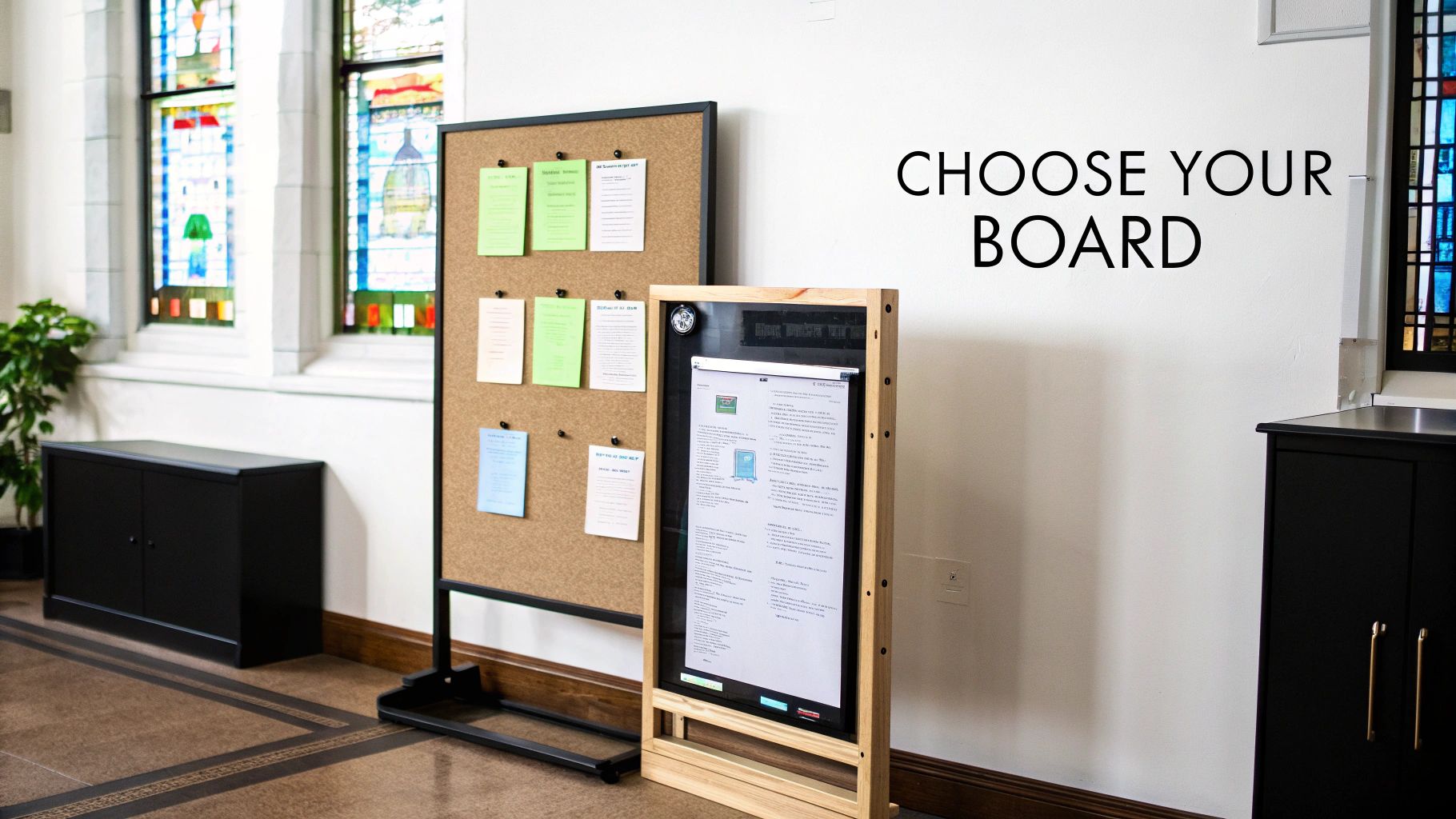
The main choices fall into three camps: classic cork boards, versatile dry-erase boards, and high-impact digital displays. The old-school options bring a personal, hands-on touch and are incredibly affordable, making them a great fit for smaller congregations or dedicated ministry spaces.
On the other hand, modern digital screens—like the LED signs for businesses you see everywhere now—offer incredible visibility and the power to change your message in an instant. This guide will walk you through the good and the bad of each, helping you find the perfect match to bring your church’s announcements to life.
Comparing Traditional Boards and Digital Displays
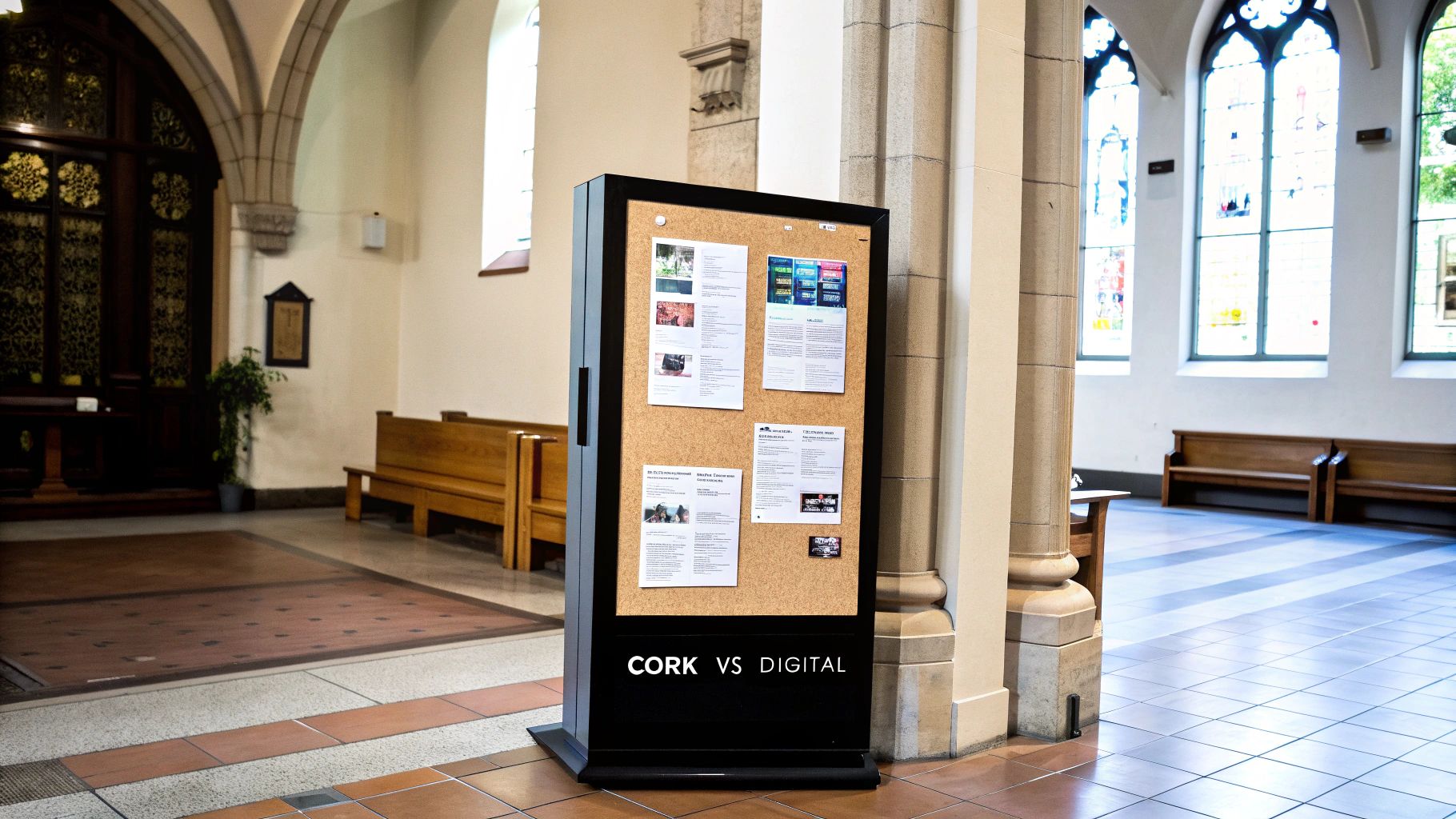
Choosing between a familiar cork board and a bright, modern digital display can feel like a major crossroads. Each one offers a completely different way to connect with your congregation, and honestly, the best choice boils down to your church's unique needs, budget, and communication style. This isn't just about old versus new; it's about finding the right tool for your ministry's mission.
Let's dig into the practical realities of both to help you make a confident decision.
Church Announcement Boards: A Practical Guide for church announcement boards 5
The Case for Traditional Cork and Dry-Erase Boards
There's an undeniable warmth and personality to a well-kept traditional board. Think of it as your church's community scrapbook—a real, physical space where flyers, photos, and handwritten notes create a tapestry of your congregation's life.
Their biggest advantage? Simplicity and low cost. For a few hundred dollars or less, you can have a functional announcement center up and running. No software updates, no tech glitches, and anyone with a pushpin or a dry-erase marker can add to it. That hands-on approach can foster a wonderful sense of shared ownership and community.
But that manual nature is also their biggest weakness. These boards demand constant attention to stay relevant and tidy. Outdated flyers and a cluttered layout can quickly make the board look neglected, sending the wrong message to visitors and members alike.
The Power of Digital Church Announcement Boards
Digital displays are the dynamic storytellers of the modern church. They grab attention with bright, crisp visuals and can share information in ways a static board just can't match.
The key benefit here is visibility and flexibility. A digital screen can cycle through dozens of announcements, showcase inspiring video testimonials, display a countdown to an upcoming event, and even share real-time updates. This makes them incredibly efficient communication hubs. For instance, a single screen can promote the youth group, the women's ministry bake sale, and the weekly sermon series—all within a minute.
Digital signage transforms your announcements from a passive list of information into an active, engaging experience. It stops people in their tracks and delivers messages with clarity and impact, ensuring nothing important gets lost in the shuffle.
Of course, the initial investment for a digital board is significantly higher. It's not just the screen itself but also the software to manage the content. While you’ll definitely save on printing costs and staff time in the long run, the upfront expense is a major hurdle for many churches.
Side-By-Side Comparison
Sometimes, the best way to weigh your options is to see them laid out side-by-side. This helps you evaluate each type of board based on what truly matters to your leadership team.
To give you a clearer picture, here’s how the two options stack up against each other.
Comparing Church Announcement Board Options
Feature
Traditional Cork or Dry-Erase Boards
Digital LED Boards
Initial Cost
Low: Typically under $500, making it very budget-friendly.
High: Can range from a few thousand to tens of thousands of dollars.
Ongoing Costs
Minimal: Primarily involves printing flyers, buying pins, and markers.
Moderate: Includes electricity, software subscriptions, and potential maintenance.
Maintenance
High Manual Effort: Requires constant physical updates and tidying.
Low Manual Effort: Content can be updated remotely and scheduled in advance.
Content Type
Static: Limited to paper, photos, and handwritten notes.
Dynamic: Supports text, images, video, animations, and live data feeds.
Engagement
Passive: Relies on people stopping to read through cluttered information.
Active: Eye-catching visuals and motion attract attention and improve retention.
Flexibility
Limited: Changing a message requires physically replacing the content.
Unlimited: Instantly update announcements for different services or events.
As you explore modern options, you might even look beyond standard displays to more advanced solutions like Variable LED Message Signs, which offer specialized capabilities.
Ultimately, the right choice is the one that aligns your communication goals with your available resources, ensuring your message isn't just posted, but truly received.
Diving Into the Tech Behind Digital Church Signs
Jumping into the world of digital announcement boards can feel like you're suddenly expected to speak a foreign language. Vendors start throwing around terms like pixel pitch, nits, and resolution, and it’s easy for your eyes to glaze over. But trust me, these concepts are way simpler than they sound, and getting a handle on them is the key to making a smart investment that will actually serve your congregation for years to come.
Think of it like buying a new TV for your home. You wouldn’t just grab the first one you see without knowing if it’s HD or 4K, or if it’s bright enough for a sun-drenched living room. The same logic applies here, just on a much bigger scale. Let’s break down the essential lingo into plain English.
Pixel Pitch and Resolution: What You Really Need to Know
The single most important concept to wrap your head around is pixel pitch. I like to use a fabric analogy. A piece of high-quality, fine linen has a super tight weave—so many threads per inch that the pattern looks smooth and detailed. On the other hand, a rustic burlap sack has a much looser weave where you can clearly see the individual threads.
Pixel pitch is just the distance from the center of one tiny LED bulb (a pixel) to the center of the one next to it, measured in millimeters (mm).
A smaller pixel pitch (like 2.9mm) is your fine linen. The pixels are packed together tightly, creating a sharp, high-definition image that looks incredible even when you’re standing two feet away. This is exactly what you want for an indoor display in your lobby.
A larger pixel pitch (say, 10mm or 16mm) is like that burlap. The pixels are spread further apart, which is perfectly fine—and in fact, ideal—for a big sign by the road that people will only ever see from a distance.
This measurement directly affects the sign’s resolution, which is just the total number of pixels on the screen (width x height). A sign with a smaller pixel pitch will cram more pixels into the same physical area, giving you a much crisper, higher-resolution image.
Matching the Tech to Your Viewing Distance
So, how do you pick the right pixel pitch for your church? It all boils down to one simple question: how far away will people be when they look at it? A handy rule of thumb we use in the industry is this: for every 1mm of pixel pitch, you get about 8 feet of optimal viewing distance.
A sign meant for people mingling in the church lobby needs fine detail (a small pixel pitch) because they'll be up close. But a sign facing a 45-mph road needs to be big, bold, and bright (a large pixel pitch), not photorealistic. Drivers are far away and moving fast.
Here’s a practical cheat sheet to help you connect the dots for your own spaces.
Location
Typical Viewing Distance
Recommended Pixel Pitch
Why It Works
Indoor Lobby or Foyer
5 – 20 feet
1.9mm – 4mm
Delivers that crisp, TV-like quality needed for detailed announcements, welcome videos, and graphics viewed up close.
Fellowship Hall Stage
20 – 50 feet
4mm – 6mm
The perfect middle ground of clarity and cost for displaying song lyrics, sermon notes, and event graphics to a seated audience.
Outdoor Monument Sign
50 – 150+ feet
8mm – 16mm
Guarantees your service times and event messages are bold and instantly readable for cars and pedestrians from way down the street.
Getting this wrong is one of the most common and expensive mistakes I see churches make. Putting a sign designed for the outdoors in your lobby will look chunky and pixelated. And putting a beautiful, high-res indoor screen outside? It simply won’t be bright enough to be seen in the daylight.
Why Brightness (Measured in Nits) Matters So Much
Finally, let’s talk about brightness, which is measured in a unit called nits. The easiest way to think about it is like the wattage of a light bulb. A 40-watt bulb is perfectly fine for a bedside lamp, but you’d need something way more powerful to light up your entire backyard for a cookout.
It’s the same with digital signs. An indoor announcement board in a controlled lighting environment might only need 500 to 1,500 nits to look fantastic. But an outdoor sign has to go head-to-head with the sun. For a digital sign to be clearly visible on a bright, sunny afternoon, it needs a brightness level of at least 5,000 nits, and many of the best outdoor models today push 7,000 nits or even higher.
With this little bit of knowledge, you’re now equipped to have a truly productive conversation with any sign vendor. When they propose a specific model, you can confidently ask, “Why did you recommend a 10mm pixel pitch for that location?” or “Is 5,000 nits bright enough for that west-facing wall?” You’re no longer just buying a screen; you’re investing in the right communication tool for your ministry.
Creating and Scheduling Engaging Content
A brilliant, high-tech digital display is only as powerful as the messages it shares. Once your church announcement board is installed, the real work begins—turning that screen from a passive piece of hardware into the vibrant, beating heart of your community’s communication. This means moving beyond simple text and embracing content that truly connects.
Let's be honest, in a busy church lobby, you only have a few seconds to catch someone's eye as they walk by. A cluttered, text-heavy slide will get ignored every single time. This is where a simple but incredibly powerful design principle comes into play.
Adopting the 5×5 Rule for Readability
To make sure your messages actually land, embrace the "5×5 rule" of digital signage. This guideline is straightforward, yet it can completely transform how people absorb your content at a glance.
No more than five lines of text per slide. This forces you to be concise and laser-focused on the most critical information.
No more than five words per line. This keeps lines short and easy to scan, preventing people from just tuning out.
Sticking to this principle ensures your announcements are digestible and impactful. It prevents the all-to-common mistake of trying to cram an entire newsletter onto a single screen, making your messages accessible to everyone, from hurried parents to seniors.
A great church announcement doesn’t just inform; it invites. Every slide should have a clear purpose, guiding the viewer toward a specific next step, whether it's visiting a webpage, joining a group, or simply praying for a ministry partner.
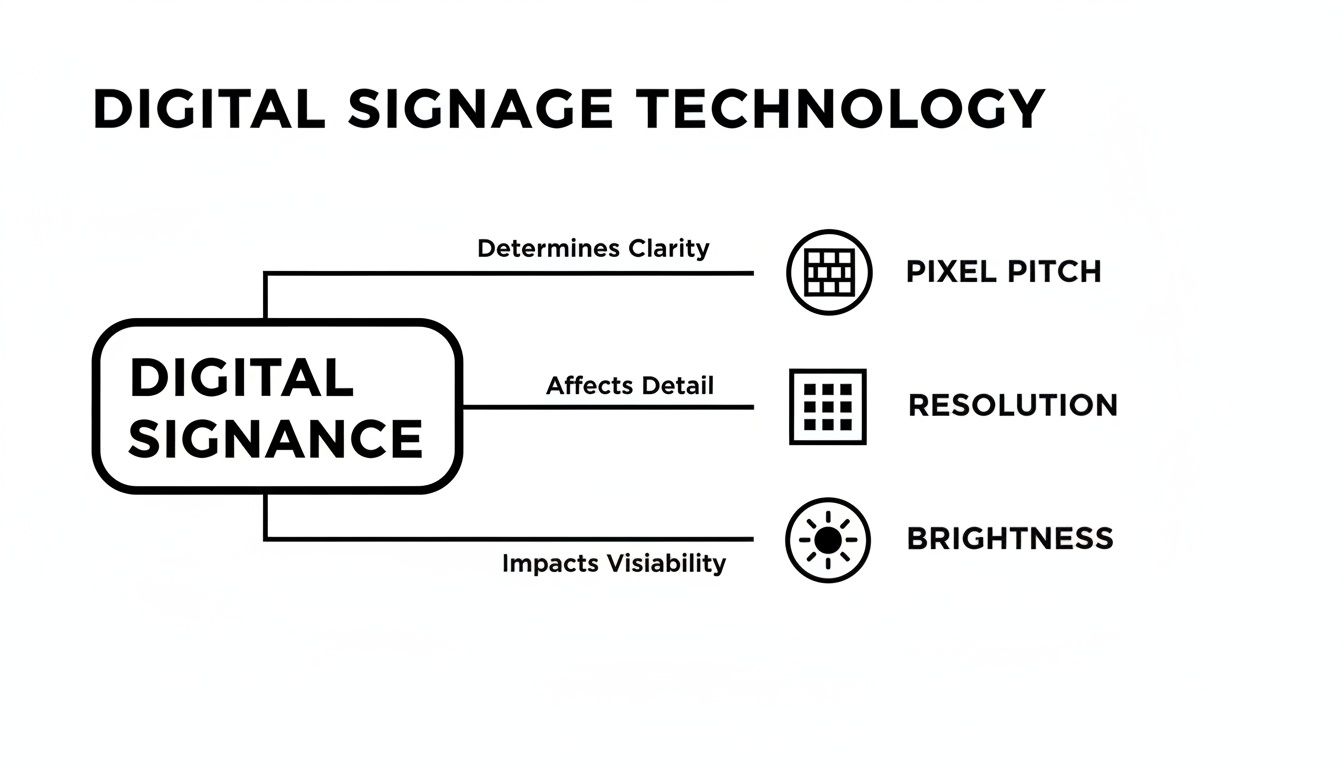
This diagram breaks down some of the core tech concepts that influence how your content will actually look on the screen.
Church Announcement Boards: A Practical Guide for church announcement boards 6
Getting a basic handle on these elements—pixel pitch, resolution, and brightness—helps you appreciate how the hardware itself affects the readability and impact of the content you've worked so hard to create.
Building a Rhythmic Content Calendar
Consistency is the engine that drives effective communication. Instead of scrambling to throw together announcements each week, you need to build a content calendar. This strategic approach helps you plan your messaging around key church seasons, sermon series, and major events like Easter, Christmas, or VBS.
A simple calendar lets you schedule content weeks or even months ahead of time. Digital signage software makes this incredibly easy, allowing you to set specific start and end dates for every announcement. This means a promo for the fall small group sign-ups can be programmed in July and set to automatically disappear once the registration deadline passes. Talk about a time-saver for staff and volunteers.
And this isn't just about convenience. Churches that are strategic with their visual communication report up to 41% higher congregational awareness of programs and events. That's a huge jump, and it’s largely due to well-timed and well-placed messages.
Designing Content That Connects
With your schedule mapped out, you can focus on the fun part: creating visually appealing content. The good news is you don't need to be a professional graphic designer to make beautiful announcements.
Here are a few proven content ideas to get you started:
Welcome Slides: Create a warm, inviting message for guests that displays before and after services. Include a simple call-to-action, like texting a number for more info.
Event Promotions: Use high-quality photos from past events to build excitement for upcoming ones. A picture from last year’s joyful Christmas Eve service is way more compelling than plain text.
Video Testimonials: Nothing tells a story like video. A short, 30-second clip of a member sharing how a ministry changed their life can have a profound impact. For a deep dive into this, check out this practical guide to creating effective video announcements.
Volunteer Spotlights: Celebrate your volunteers! Feature a photo and a short "thank you" message. This not only honors their service but also subtly inspires others to get involved.
Community Outreach Updates: Share progress on a local food drive or mission trip. Displaying a fundraising goal thermometer or photos from the field helps the whole congregation feel connected to the cause.
Installation, Placement, and Long-Term Care
Choosing the right announcement board is a huge step, but its real power comes down to two things: where you put it and how you take care of it. A fantastic display tucked away in a forgotten hallway is a total waste. On the other hand, a neglected board—whether it's digital or classic cork—can quickly turn into an eyesore that hurts your church's image.
Getting these logistics right from the start is what makes your investment actually work for your ministry, year after year. Smart placement makes your board an unmissable hub of information, and a simple maintenance routine keeps it looking sharp and working perfectly.
Finding the Perfect Spot for Your Announcement Board
Where you install your announcement board is just as crucial as what you put on it. The whole point is to put it right in the natural flow of foot traffic, making it almost impossible for your members and guests to miss.
Take a walk through your building and think about where people naturally gather or pass by. The main foyer or lobby is almost always the best spot, catching folks as they arrive and just before they head home. Other high-impact areas include fellowship halls, common spaces near the coffee station, and the main hallways leading to the sanctuary or children's ministry.
For signs meant for the community, placement near the main road or the primary entrance is non-negotiable. You can learn more about how to maximize that first impression with digital outdoor signage to truly connect with passersby.
Beyond just high traffic, you have to think about accessibility. Is your board positioned so someone in a wheelchair can easily see it? Following the Americans with Disabilities Act (ADA) guidelines isn't just about compliance; it's about making sure your communication is truly for everyone.
A well-placed announcement board doesn't wait to be found; it meets people where they are. By integrating it into the natural pathways of your church life, you transform it from a simple display into a central point of connection and information.
Navigating Installation: From DIY to Professional
Once you’ve scouted the perfect location, it's time to get it on the wall. How complicated this gets really depends on the type of board you’ve picked.
Traditional Cork & Dry-Erase Boards: These are usually a great DIY project. With basic tools like a level, a drill, and some wall anchors, a handy church volunteer or staff member can typically get one mounted securely in less than an hour.
Indoor Digital Displays: A smaller, wall-mounted digital screen can be a DIY job, but you need to be careful. It involves thinking about electrical wiring and making sure the wall can support the weight. You want to be sure power outlets are hidden away safely and the screen is rock-solid.
Large Digital Signs: For big indoor video walls or any kind of outdoor LED sign, professional installation is non-negotiable. These are major projects involving structural work, significant electrical wiring, and often, pulling permits from the city. Bringing in the pros ensures the sign is secure, weatherproof, and powered correctly for the long haul.
A Simple Maintenance Checklist for Longevity
Think of your announcement board as a long-term asset. A little bit of routine care will go a very long way in protecting that investment and keeping your communications looking crisp and professional.
For Traditional Boards:
Weekly Tidying: Pull down all the outdated flyers and old announcements. A cluttered board is an ignored board.
Monthly Cleaning: Wipe down dry-erase boards with a proper cleaning solution to prevent that annoying "ghosting" effect. For cork boards, a quick pass with a soft brush removes dust.
Quarterly Inspection: Give it a once-over. Are there loose frames or permanent stains? Catching these little issues early keeps the board looking good.
For Digital Boards:
Daily Content Check: Just a quick glance to make sure the scheduled content is playing correctly without any glitches or frozen screens.
Monthly Cleaning: Gently wipe the screen with a microfiber cloth to get rid of dust and fingerprints. Always follow the manufacturer’s instructions to avoid damage.
Quarterly Software Updates: Check for and install any software or firmware updates. This keeps your sign secure and often unlocks helpful new features.
Budgeting and Measuring Your Return on Ministry
Talking about money in the church can feel a bit awkward, but when it comes to tools like announcement boards, good stewardship demands we look at the numbers. It’s really a tale of two different financial paths: the low upfront cost of something traditional, like a corkboard, versus the larger initial check you’ll write for a digital sign. But the sticker price is just chapter one of the story.
To make a truly wise decision, you have to look past the purchase price and consider the Total Cost of Ownership (TCO). A cork board might only run a few hundred dollars, but what about the hidden, ongoing expenses? Think about the weekly spend on ink and paper for flyers, not to mention the valuable hours your staff or volunteers sink into printing, pinning, and keeping things tidy. Those "small" costs bleed your budget over time.
A digital sign, on the other hand, flips that script. Yes, the initial investment is higher, but it can lead to some serious long-term savings. Printing costs? Gone. Administrative time gets slashed because you can schedule out content for weeks from a single computer. When you zoom out and look at these operational savings over five or ten years, the financial picture starts to look very, very different.
Redefining ROI as Return on Ministry
In the corporate world, "Return on Investment" (ROI) is all about profit. But for a church, success isn’t measured in dollars and cents—it's measured in changed lives. It’s about spiritual growth and a stronger community. That’s why we need to reframe the conversation around Return on Ministry. This simple shift takes the focus off the expense and puts it squarely on the impact, helping you justify the investment by tying it directly to your mission.
So, how do you actually measure this? By tracking tangible ministry outcomes. Your announcement board isn't just another piece of equipment; it's a ministry tool designed to get specific results.
An investment in clear, compelling communication is an investment in the health of your congregation. The goal isn't just to buy a sign; it's to create a more connected, engaged, and thriving church family.
You can see this ministry-first mindset in the broader trends. The global market for church management software—which covers everything from member communication to announcements—was valued at $16.16 billion and is expected to hit $33.3 billion by 2035. This boom shows just how many churches are embracing technology to make ministry more effective and build deeper connections.
Key Metrics for Ministry Impact
So, what should you actually track to see if that new announcement board is delivering a solid return on ministry? Forget financial reports for a moment and start looking at your engagement numbers.
Event Attendance: Did you see a jump in attendance for the annual picnic or VBS after you started promoting it on the new board?
Volunteer Sign-Ups: Are more people raising their hands to serve in the children's ministry or join the welcome team?
Small Group Participation: Are new visitors actually finding their way into a small group?
Website and Social Media Traffic: After putting a QR code on the display, did visits to that specific page on your website go up?
By tracking metrics like these before and after you get your new board, you can build a powerful case for the investment. For a more detailed breakdown of what larger displays might cost, check out our guide on outdoor LED sign cost. This approach proves that a church announcement board is far more than an expense—it’s a powerful engine for growing your ministry.
Of course, here is the rewritten section, crafted to sound like an experienced human expert and match the provided examples.
Your Top Questions Answered
When you're thinking about bringing a new announcement board into your church, or just trying to get more out of the one you have, a few questions always seem to pop up. We hear them all the time from ministry leaders just like you. Let's tackle them head-on.
What’s the Easiest Way to Get Content on the Board?
When it comes to digital boards, don't try to reinvent the wheel. The absolute simplest way forward is to lean on pre-made templates. Most digital signage software platforms come loaded with professionally designed layouts you can quickly make your own. Just drop in your church’s logo, tweak the colors to match your branding, and plug in your event details. It saves a ton of time and makes sure your announcements look sharp and cohesive, no graphic designer needed.
For your classic cork or dry-erase boards, the key is consistency. Pick one or two font families for any printed materials and stick to a simple color scheme. It's amazing how this one small step can take a cluttered, chaotic board and make it look intentional and easy to read.
How Often Should We Be Updating Our Announcements?
This really boils down to your board type and just how busy your church calendar is.
For Digital Boards: You’ll want to update the core content at least weekly to show what's happening in the days ahead. But the real magic of digital is scheduling. You can set a promotion for your upcoming fall festival to run for the next six weeks and then disappear automatically, all while you rotate in fresh daily content like a verse of the day or a volunteer spotlight.
For Traditional Boards: This is a non-negotiable: you need to do a full refresh at least once a week. Nothing makes a board look irrelevant faster than a flyer for an event that happened two weeks ago. The best way to stay on top of this is to give one dedicated volunteer ownership of the weekly update. That way, nothing falls through the cracks.
Think of your announcement board as a living, breathing part of your ministry’s communication. When you keep it fresh, you're sending a clear message to your congregation: "This is a reliable place for current information." That's what gets them in the habit of actually looking at it.
Can We Show a Live Video Feed or Our Social Media on a Digital Board?
Absolutely. Most modern digital signage systems are built to play nice with other platforms. You can easily set them up to stream your worship service live to a screen in the lobby or display a real-time feed of your church’s latest Instagram or Facebook posts.
This turns a static display into a dynamic, interactive hub. It’s a powerful way to bridge the gap between your physical space and your digital ministry, grabbing people's attention and pulling them deeper into the life of the church.
Ready to transform your church's communication with a high-impact visual solution? The team at Smart LED Inc. provides expert consultation to help you choose, design, and install the perfect indoor or outdoor display for your ministry's needs and budget. Explore your options and get a custom quote today!
Ein Online-Casino wirkt auf den ersten Blick oft wie eine leuchtende Spielhalle im Taschenformat. Doch hinter bunten Bannern, schnellen Animationen und großen Versprechen zählen nüchterne
In today’s hectic globe, Emotional Support Pets (ESAs) play a crucial duty in giving convenience and friendship to people struggling with emotional or emotional problems.